Answered
Why does my eraser tool leaves an ugly trace mark?
Check that out...
I want to delete a few lines, but the eraser leaves that ugly trace mark on the picture. How can I get rid of the lines and delete what I want to delete from the file?
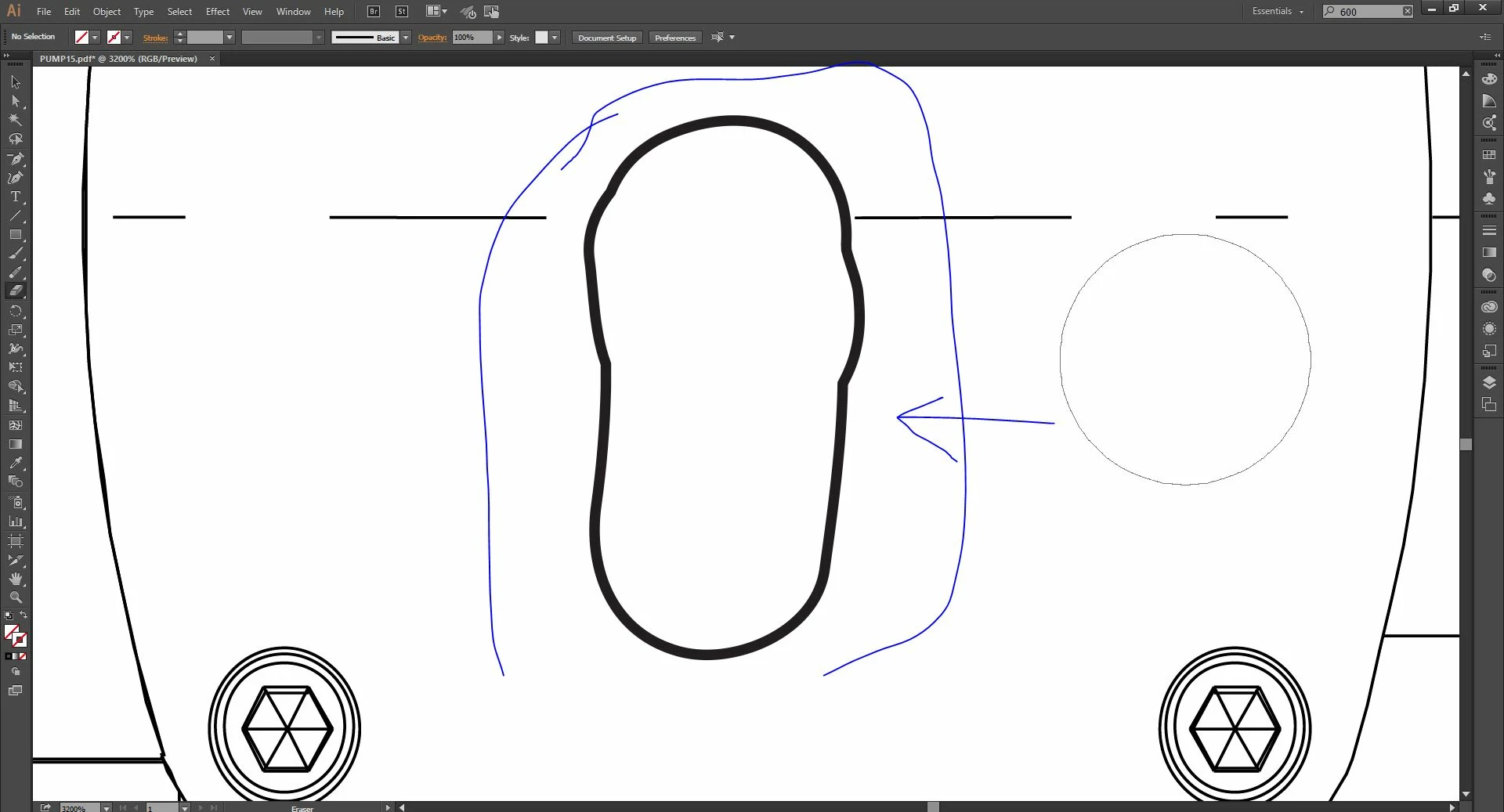

Check that out...
I want to delete a few lines, but the eraser leaves that ugly trace mark on the picture. How can I get rid of the lines and delete what I want to delete from the file?
Do you know how not to use the stroke?
elindo586 wrote:
Do you know how not to use the stroke?
You are not really hearing what you are being told here. The eraser does not have the stroke. The objects that you are erasing have it.
In the sample below, the column on the left is the result if everything in the document is selected, or if nothing is when the eraser is being used.
the box on the right is the result if the text only is selected when the eraser is being used.
You can see on the left that the stroke of the "outline" left by the eraser is really the stroke from the rectangle that was partially erased. Where the text has no rectangle under it, no "outline" is made.
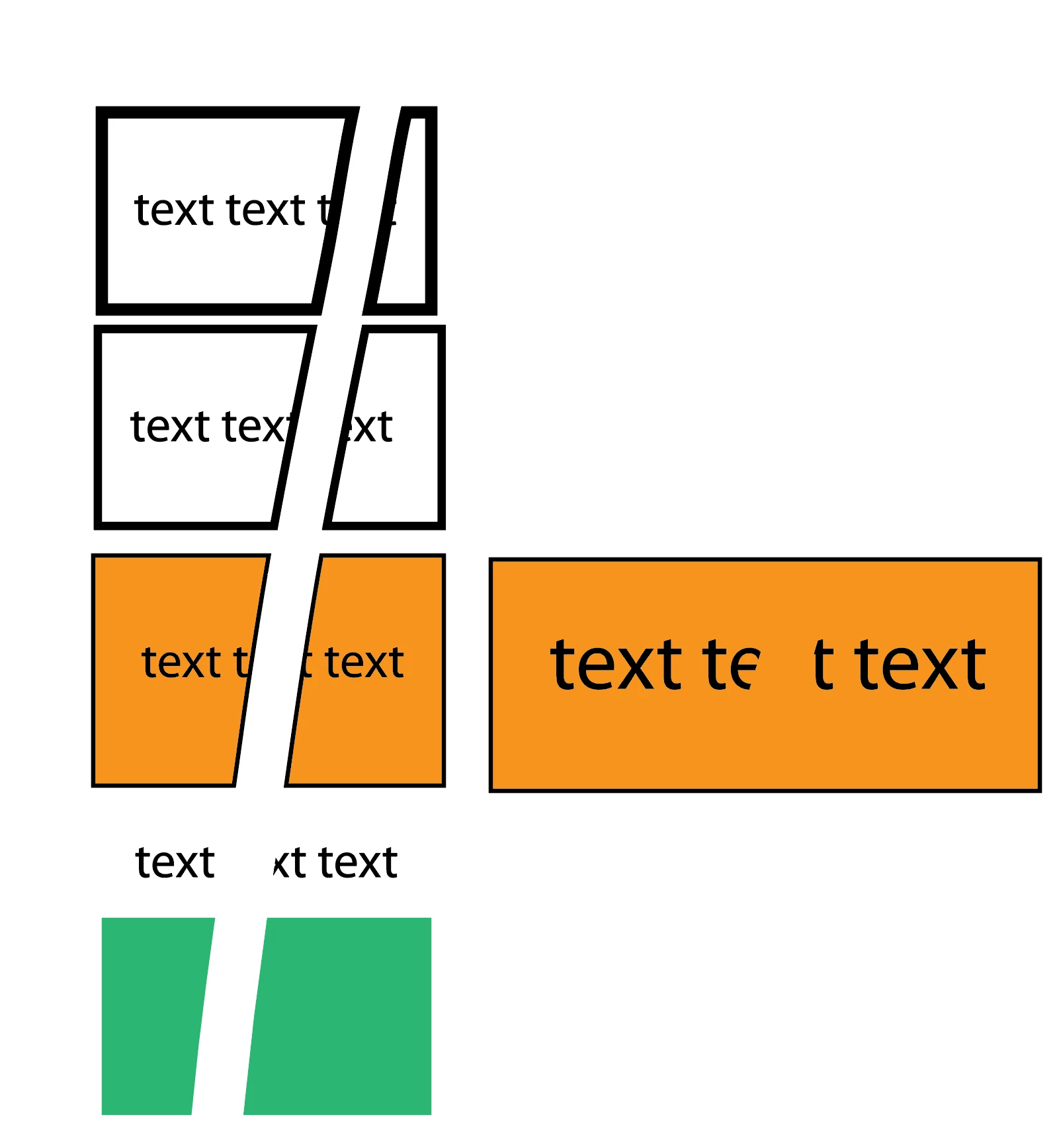
Somewhere under your text, there is a rectangle with a thick black stroke on it. You are erasing part of that rectangle when you are trying to erase the text, and what you are seeing is a hole in the bottom rectangle.
I thing the easiest way to achieve your desired result is to go into outline mode, use the Direct Select tool  to select your text, and then hit delete.
Already have an account? Login
Enter your E-mail address. We'll send you an e-mail with instructions to reset your password.
 AdChoices