Exit
  • Global community
    • Language:
      • Deutsch
      • English
      • Español
      • Français
      • Português
  • 日本語コミュニティ
  • 한국 커뮤니티
0

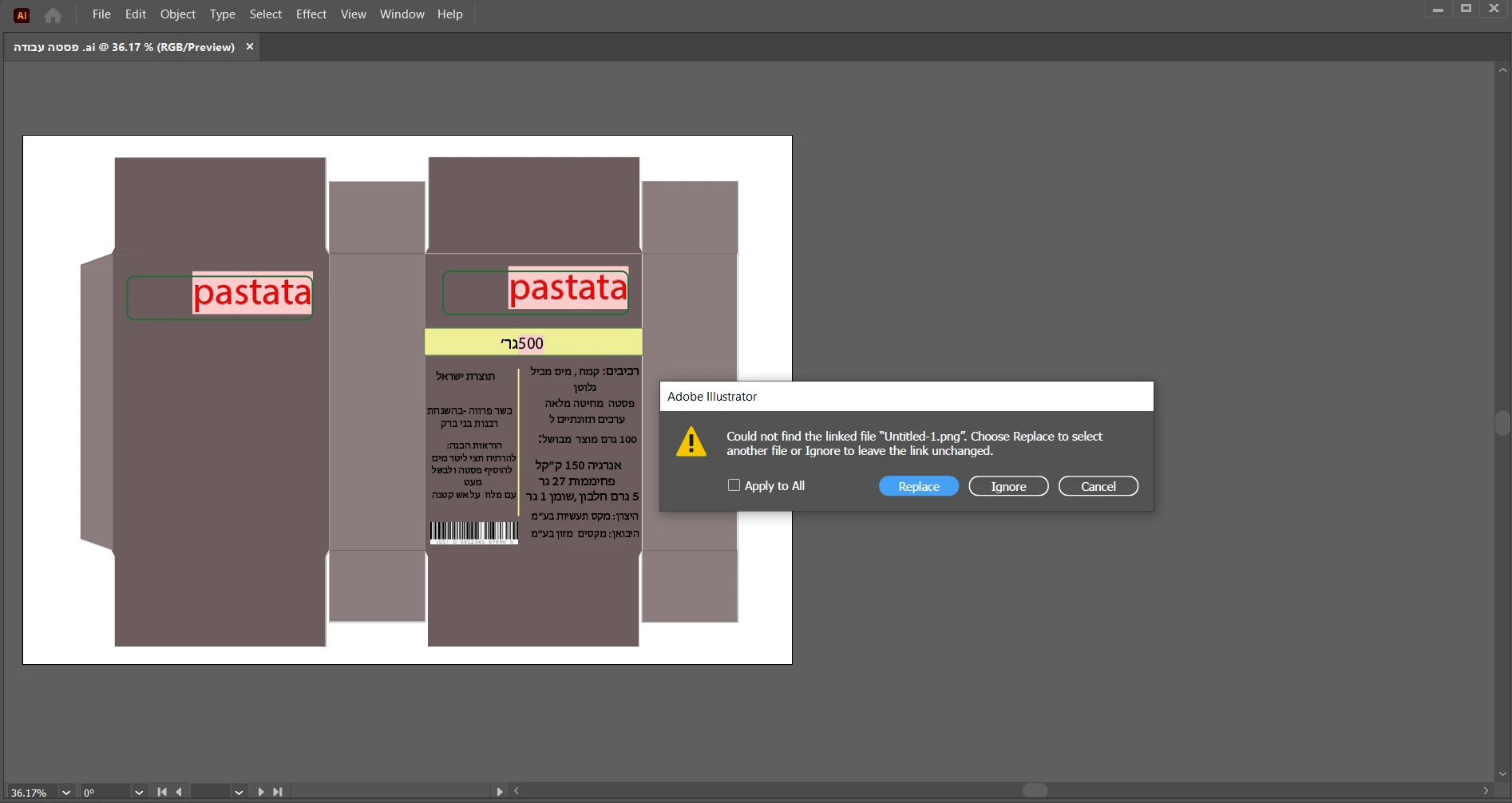
Why doesn't Illustrator save work you did with the images?

New Here ,
Nov 27, 2022 Nov 27, 2022

Hello Adobe, please add an option to save the images in Illustrator and not have to search for themScreenshot (2).png
TOPICS
Bug
459
Translate
Report
Community guidelines
Be kind and respectful, give credit to the original source of content, and search for duplicates before posting. Learn more
community guidelines

correct answers 2 Correct answers

Community Expert , Nov 28, 2022 Nov 28, 2022

You can use the Options when placing the image and uncheck Link.

Or when already placed, use the Embed option in the Control, Properties or Links panel.

Translate
Community Expert , Nov 28, 2022 Nov 28, 2022

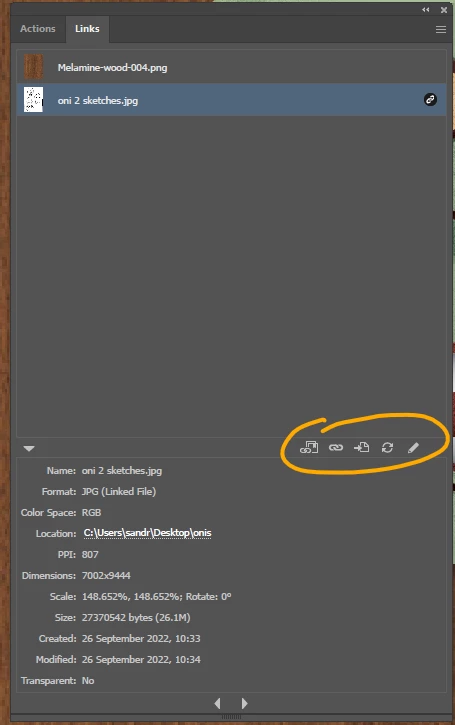
In addition to @Ton Frederiks 's answer,, you can also find all your linked files in a neat little panel called "links" (Window>link to open it)
Imaginerie_1-1669630872000.png

where you'll be able to embed, sync, and whatnot from a single window...


Translate
Adobe
Community Expert ,
Nov 28, 2022 Nov 28, 2022

You can use the Options when placing the image and uncheck Link.

Or when already placed, use the Embed option in the Control, Properties or Links panel.

Translate
Report
Community guidelines
Be kind and respectful, give credit to the original source of content, and search for duplicates before posting. Learn more
community guidelines
Community Expert ,
Nov 28, 2022 Nov 28, 2022
LATEST

In addition to @Ton Frederiks 's answer,, you can also find all your linked files in a neat little panel called "links" (Window>link to open it)

Imaginerie_1-1669630872000.png

where you'll be able to embed, sync, and whatnot from a single window...


Translate
Report
Community guidelines
Be kind and respectful, give credit to the original source of content, and search for duplicates before posting. Learn more
community guidelines
