
Participant
June 9, 2011
Answered

why is there a 3d grid on my artwork?

  • June 9, 2011
  • 4 replies
  • 113545 views

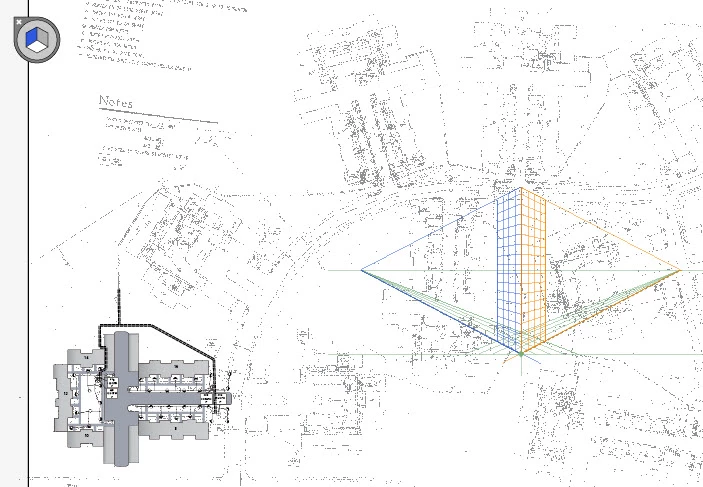
I have a pdf that is grainy. It is set as a background layer in illustrator and I am drawing new vector objects on top of it to rebuild it. For some reason, a blue, orange and green grid appears in the middle of the artboard (which looks like it is a x,y,z axis grid). There is also a circle in the upper left corner with a 3 sided cube in it which floats above the layers that I add. This circle has a small 'x' in the corner, which looks like it would close the element but it does nothing. How do I remove these two things?
    This topic has been closed for replies.
    Correct answer stewie_g

    View--> Perspective Grid --> Hide Grid. Found it. THANK YOU!!

    4 replies

    Participant
    February 26, 2021

    I googled for "blue white and gray box in the top left of illustrator" and by miracle this appeared. I thank you dearly lol.

    robertob171707
    Participant
    February 19, 2018

    nice thankyou !

    Participant
    September 30, 2014

    Thank you!

    Mylenium
    Legend
    June 9, 2011

    Yes, simply turn off the perspective in the view settings - like you would any guides or grids.

    Mylenium

    stewie_gAuthorCorrect answer
    Participant
    June 9, 2011

    View--> Perspective Grid --> Hide Grid. Found it. THANK YOU!!