


Answered
Why is there extra whitespace at the bottom of the text bounding box?
Hey all,
Curious to know why does Illustrator add a semingly random amount of whitespace to the bottom of a text box? This is really frustrating when you want to properly space out/mesaure items against one another.
In the example attached my font in 72pts and i've manually moved the bounding box to the bottom of the text's baseline, but there still persists this annoying whitespace shown when you highlight it (black box). I could understand if it was leading but my leading is set to the same size, 72pts as the line of text.
Any ideas how I can change this?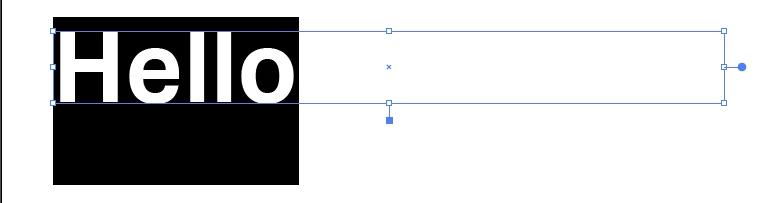

 AdChoices