
joannePoooooonn
Participant
March 18, 2019
Answered

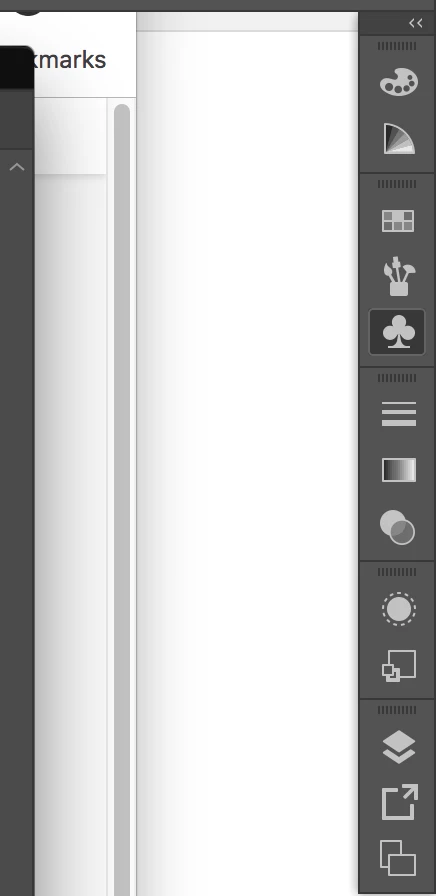
Workspace panels disappeared

  • March 18, 2019
  • 2 replies
  • 7735 views

Hey Adobe community,

I've been experiencing this bug recently, and couldn't seem to find an answer to my problem.
I wondering if anybody has experienced this on their Adobe CC 2019.

I'm currently running on MacOS High Sierra.
Is there anybody here who knows how to fix this issue? 😞
Your reply is much appreciated.
because even when i restart the programme, the issue would come back.
This topic has been closed for replies.
Correct answer Daniel E Lane

Adobe is still saying High Sierra is working fine with Illustrator, but more and more issues are seeming to be popping up with it. I've started to see quite a few posts about it over the last few months with Sierra and High Sierra. Is your computer able to update to a newer version of the operating system?

Also, have you tried resetting your preferences and you layout? change your layout to any other of the default layouts, then change it back to the one you are wanting to use. I'm assuming that you have it already saved as a preset layout. See if that helps.

2 replies

Eugenio.NYC
Participating Frequently
March 18, 2019

Hi there

Did you reset the preferences?

How to set preferences in Illustrator

Regards

E

joannePoooooonn
Participant
March 18, 2019

I just tried that too with my home computer. for now, it seems to be working ok.
I've also tried updating my OS system with my office computer.
I'll monitor it for another few more hours and see.

Thanks E and Daniel!

Eugenio.NYC
Participating Frequently
March 18, 2019

So glad to help you

E

Daniel E Lane
Daniel E LaneCorrect answer
Inspiring
March 18, 2019

Adobe is still saying High Sierra is working fine with Illustrator, but more and more issues are seeming to be popping up with it. I've started to see quite a few posts about it over the last few months with Sierra and High Sierra. Is your computer able to update to a newer version of the operating system?

Also, have you tried resetting your preferences and you layout? change your layout to any other of the default layouts, then change it back to the one you are wanting to use. I'm assuming that you have it already saved as a preset layout. See if that helps.

joannePoooooonn
Participant
March 18, 2019

Hello Daniel,

Thanks for the reply.
I've tried resetting my layout several times just now, but even with the default layouts, I couldn't access any of the window panels.
I have yet to update to a newer version of the OS because I'm actually working on an office computer. But I'll give it a try now.

Hopefully, it works.