
Inspiring
January 24, 2021
Answered

Would Like Some Info about Painting Petals in Illustrator

  • January 24, 2021
  • 4 replies
  • 900 views

Hi there!

I have a newbie question about painting in Illustraor.

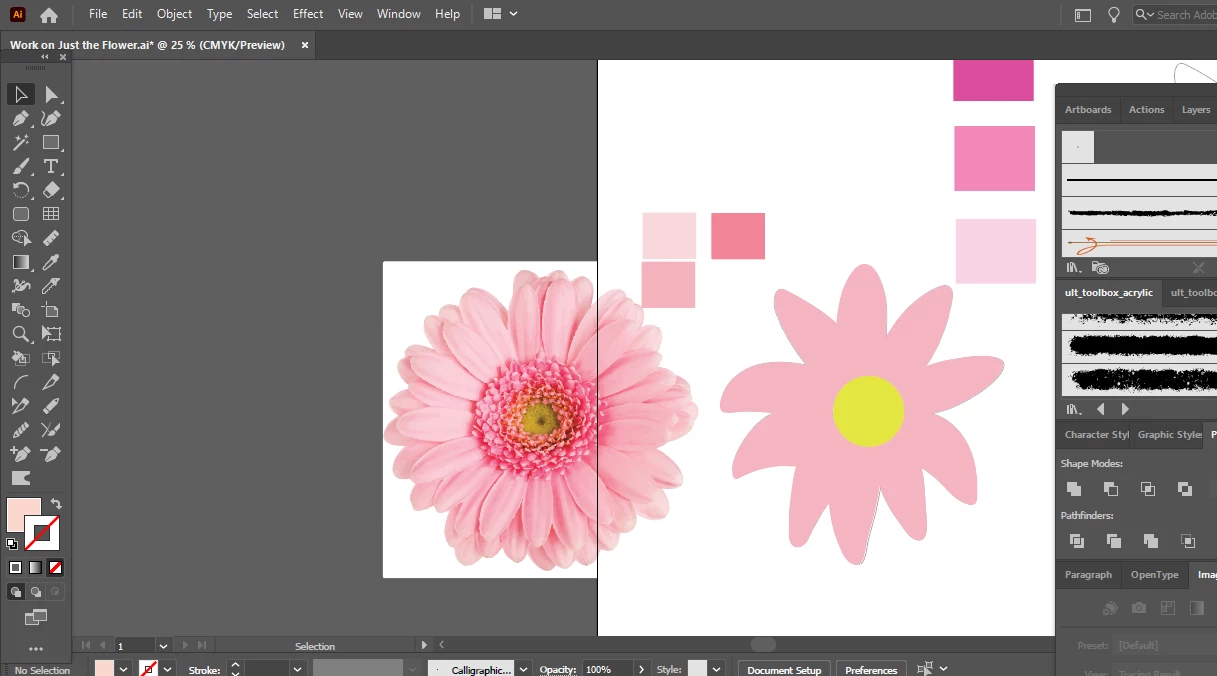
I have included a screenshot for this question. I want to have the same effect as the flower on the left, for my hand-drawn flower on the right, with respect to the painting of my petals. I want to create the same smooth and realistic style as the flower on the left, but I am not familiar with how to achieve that. Is there a special brush for this or a special technique or effect that I can use for it? Any tips and advice would be greatly appreciated.

Thanks!
This topic has been closed for replies.
Correct answer chanaart

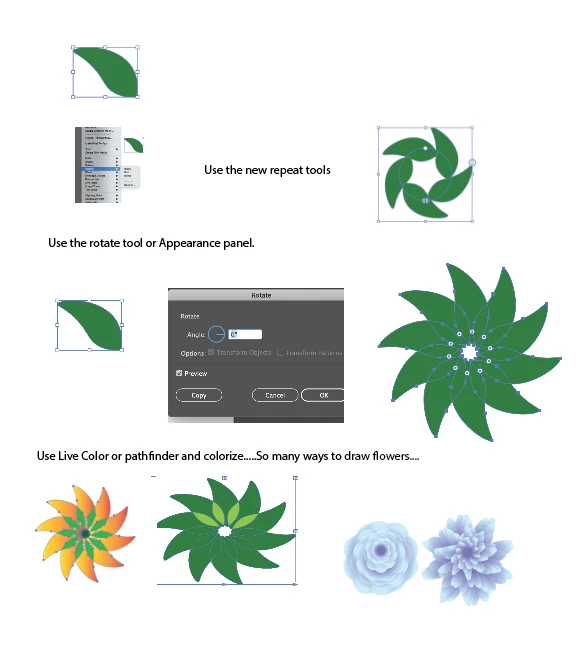
Create a left or a petal and use the transformation tool to transform them...Apperance Panel...and the new Repeat menu bar (Object: Repeat)


Create a brush from the flower or a symbol!!!

Spark with brushes illustrator


4 replies

chanaart
Community Expert
chanaartCommunity ExpertCorrect answer
Community Expert
January 26, 2021

Create a left or a petal and use the transformation tool to transform them...Apperance Panel...and the new Repeat menu bar (Object: Repeat)


Create a brush from the flower or a symbol!!!

Spark with brushes illustrator


Inspiring
January 27, 2021

Thank you for the resource!

pixxxelschubser
Community Expert
Community Expert
January 26, 2021

Maybe this helps a little:


Inspiring
January 27, 2021

Thank you

pixxxelschubser
Community Expert
Community Expert
January 26, 2021

Load the flower symbols into the symbol palette.

Use two or three similar symbols and check their structure.

Inspiring
January 26, 2021

Hi! Thanks for responding. How is this accomplished? I am a bit of a newbie and I have never heard of this before.


I will also Google search this technique as well. Thank you.

michelew83603738
Community Expert
Community Expert
January 24, 2021

You would need to draw each petal separately, use gradients and various techniques to make a photorealistic flower in Illustrator. Are you new to the program? This is not something that is easily done.

Inspiring
January 25, 2021

Hi ... thanks for responding.

I have a little bit of experience with some colorization techniques. I know how to use gradients, gradient meshes, regular fills, Gaussian Blurs, and using some paint brush techniques like watercolor (which I use to "draw inside" my shapes). But I find it hard to achieve the result I am hoping for.

I have drawn each petal separately.


Monika Gause
Community Expert
Community Expert
January 25, 2021

So what did you already try to achieve your goal?