
Exit
  • Global community
    • Language:
      • Deutsch
      • English
      • Español
      • Français
      • Português
  • 日本語コミュニティ
  • 한국 커뮤니티
0

Adobe Illustrator CC 2020 Documents Turns Blank on macOS

Community Beginner ,
Jan 24, 2020 Jan 24, 2020

I'll have one or more Illustrator documents open then suddenly all of the open documents become blank and unrecoverable. No error message appears.


This happens constantly now to the point I'm afraid to even work in Adobe Illustrator.


Adobe Illustrator CC 2020 vers.24.0 on Mac OS X
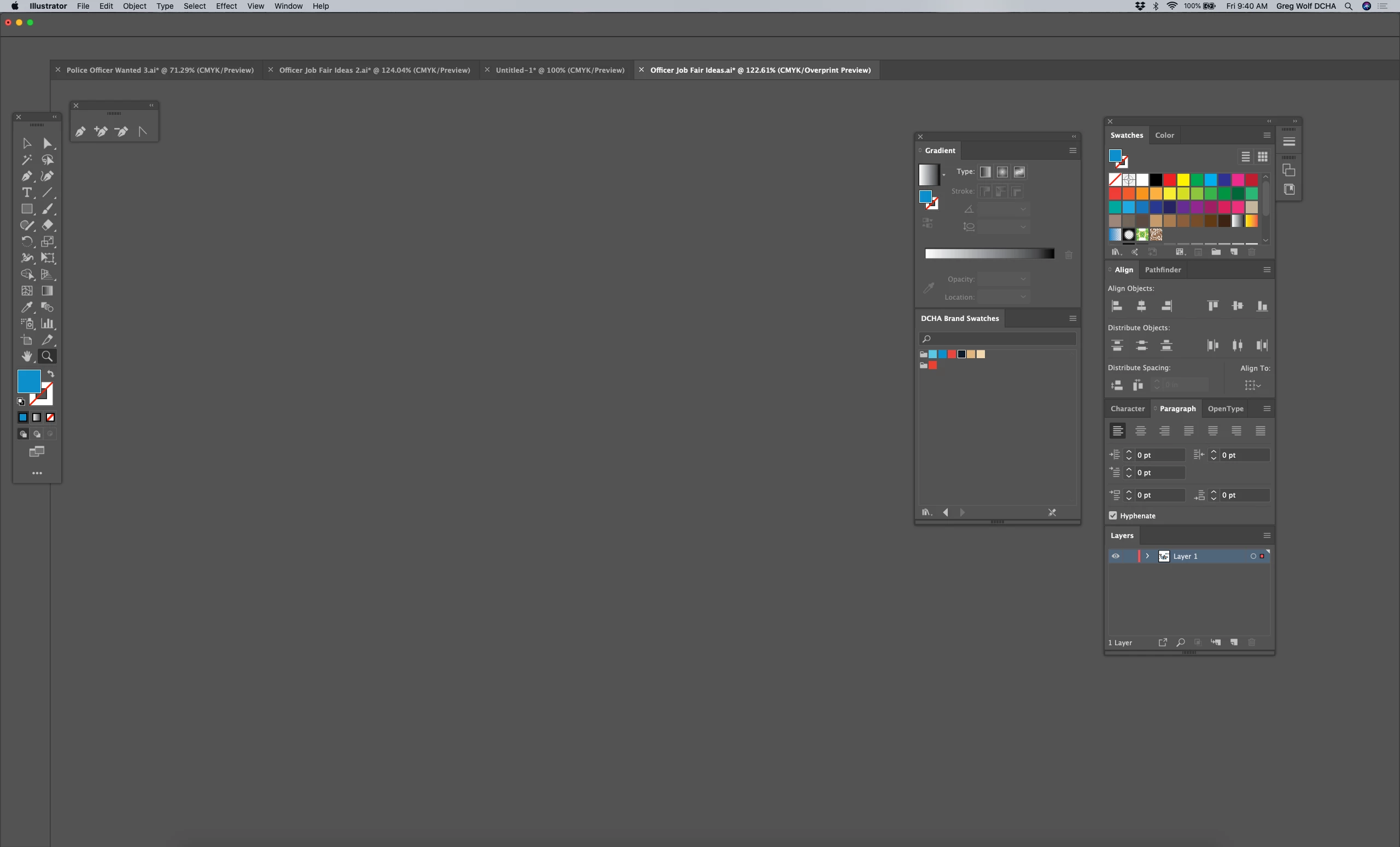
 

Screen Shot 2020-01-24 at 9.40.46 AM.png


{Renamed By MOD}

TOPICS
Performance
1.0K
Translate
Report
Community guidelines
Be kind and respectful, give credit to the original source of content, and search for duplicates before posting. Learn more
community guidelines
Adobe
Adobe Employee ,
Jan 24, 2020 Jan 24, 2020

Hi there,


Sorry to hear about the trouble. This is unusual,  I would request if you can share a few more details like:


  1. The current version of Illustrator we have is 24.0.3 for macOS so could you please confirm if you have the latest version? If not, I'd recommend updating it to the latest version. Also could you please confirm the exact version of macOS.
  2. Does this happen with specific documents?
  3. Where are the documents saved, locally or on any network or shared drive?
  4. Is there any specific pattern when this happens or it just happens randomly?
  5. After the documents disappear, does the app gets stuck and does it load the documents after some time?


Regards

Rishabh

Translate
Report
Community guidelines
Be kind and respectful, give credit to the original source of content, and search for duplicates before posting. Learn more
community guidelines
Community Beginner ,
Jan 24, 2020 Jan 24, 2020

1) Adobe Illustrator 24 / Mac OS X 10.15.1


2) It occurs with any document, none specific. 


3) Documents saved locally.


4) No pattern, completely random.


5) App does get stuck (toolbar tools inactive) and I have to close Quit. 


Translate
Report
Community guidelines
Be kind and respectful, give credit to the original source of content, and search for duplicates before posting. Learn more
community guidelines
Adobe Employee ,
Jan 24, 2020 Jan 24, 2020

Thanks for sharing the details. I would recommend updating the Operating System and Illustrator as the current version of Illustrator 24.0.3 and for macOS, it is 10.15.2. You can also try resetting the preferences for Illustrator by following the steps below:


  • Close Illustrator.
  • Click on the Finder icon on the dock, choose Go on the top> Go To Folder.
  • In the Go To Folder dialog box, type "~/Library". Click Go.
  • Open the Preferences Folder > rename the Illustrator  24 Settings folder to Illustrator  24 Settings folder.old
  • Under Preferences, Open Adobe folder and rename Adobe Illustrator folder to Adobe Illustrator.old
  • Go back to library->open caches->rename  com.adobe.illustrator to com.adobe.illustrator.old
  • Go back to library->open application support-> open adobe->rename the Illustrator  24 folder to Illustrator  24folder.old


Let us know if it works or if you need any further assistance.

Translate
Report
Community guidelines
Be kind and respectful, give credit to the original source of content, and search for duplicates before posting. Learn more
community guidelines
Community Beginner ,
Jan 26, 2020 Jan 26, 2020
LATEST

Thank you, I will let you know what happens.

Translate
Report
Community guidelines
Be kind and respectful, give credit to the original source of content, and search for duplicates before posting. Learn more
community guidelines