
Participant
January 15, 2021
Answered

Adobe Illustrator RGbB not showing anything

  • January 15, 2021
  • 1 reply
  • 462 views

Hi I need your help with my Illustrator because when I open my previous RGB files there are no objects shown but I can see the objects through my layer tab and when I tried to put some shapes with colors they are not visible on the artboard. See example image below:
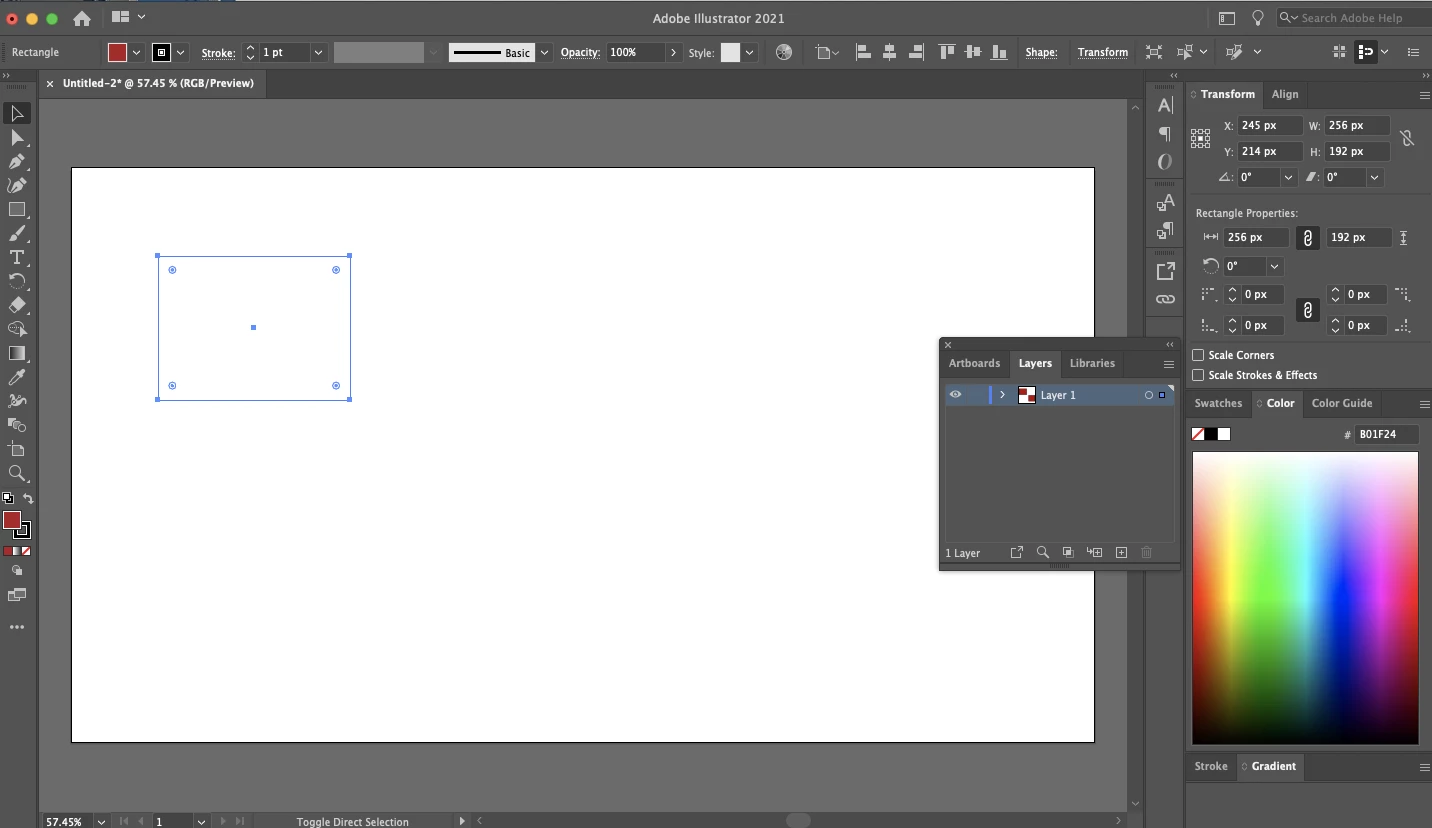


but when I tried to switch it to CMYK document color profile the objects appeared:
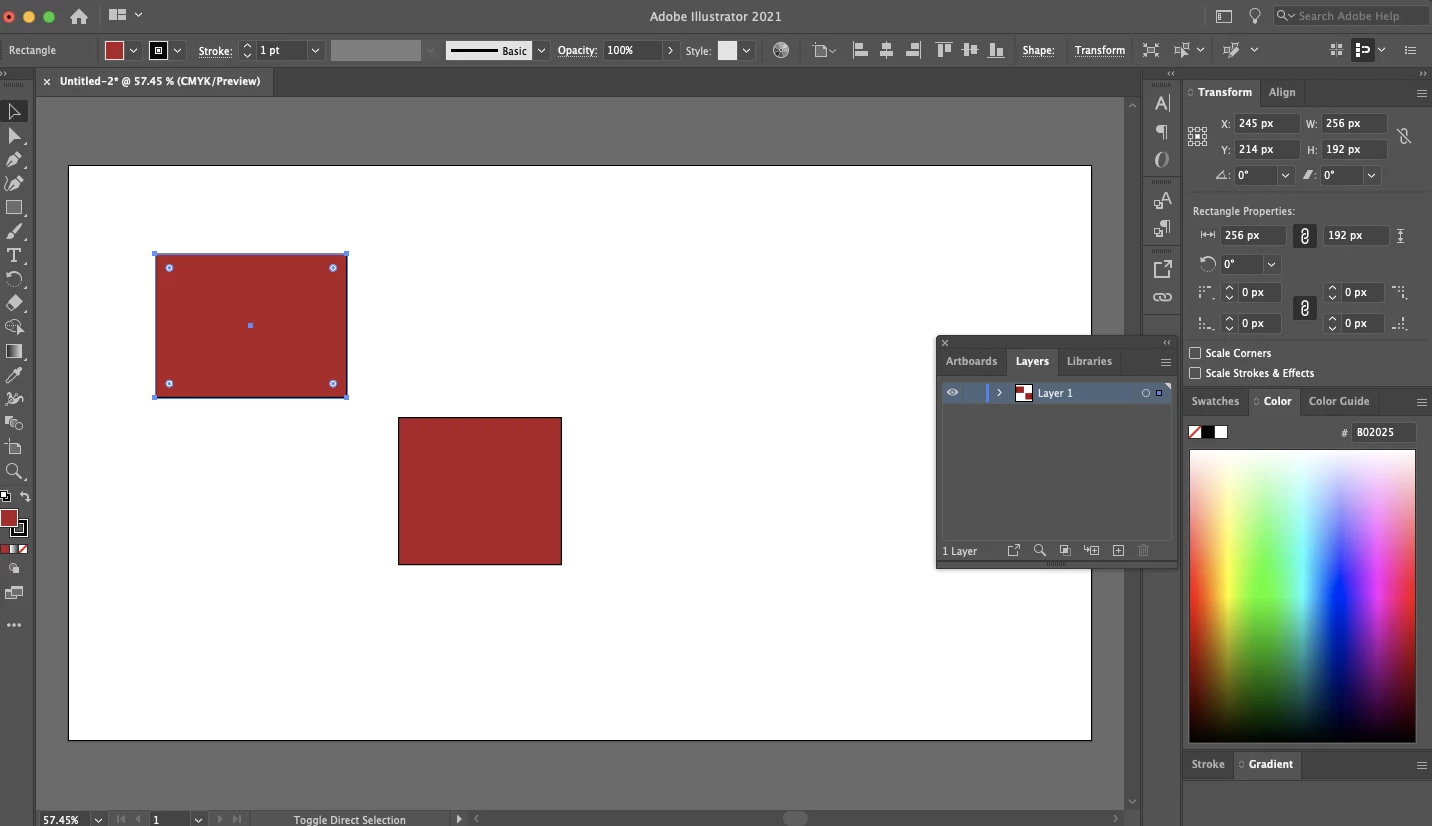
 

Do you know what's the problem with my Illustrator? Thanks 


This topic has been closed for replies.
Correct answer Monika Gause

Can you try View > Preview on CPU?

1 reply

barbara_a7746676
Community Expert
Community Expert
January 15, 2021

Could you post a screen capture with the Layers panel expanded so that we can see all of the objects on the layer?

RenKun25Author
Participant
January 15, 2021

Hi this one is the CMYK mode:

RGB MODE:


Monika Gause
Community Expert
Monika GauseCommunity ExpertCorrect answer
Community Expert
January 15, 2021

Can you try View > Preview on CPU?