Participant
December 28, 2020
Question

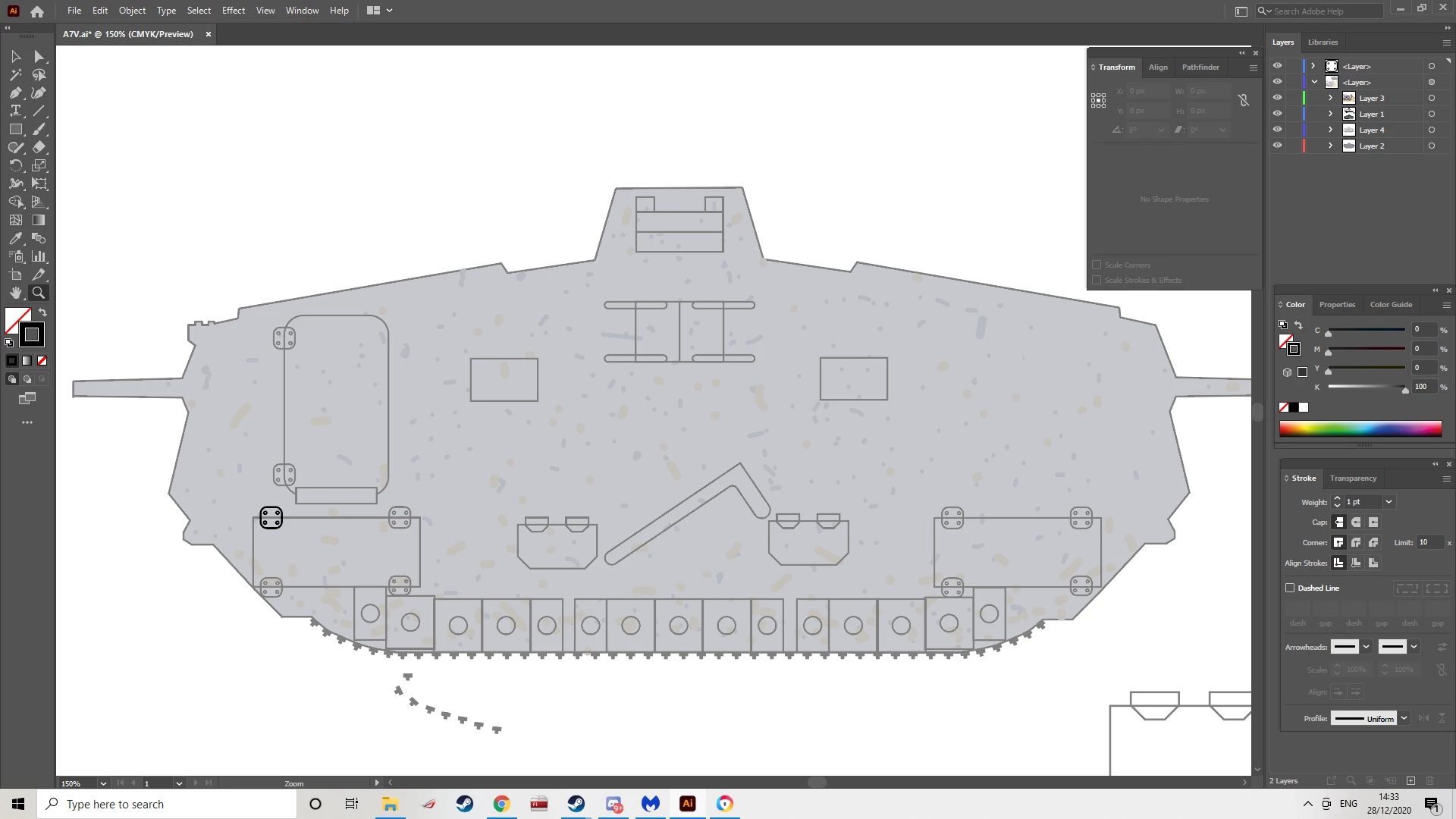
All my objects except for one became grey for a reason I don't understand, how do I fix it?
  • December 28, 2020
  • 2 replies
  • 2508 views

All the objects except for the one at the buttom left became grey, how do I fix it?

 

This topic has been closed for replies.

2 replies

Ares Hovhannesyan
Community Expert
Community Expert
December 28, 2020

DId you try to select gray objects and change color to white for that group of objects?

Monika Gause
Community Expert
Community Expert
December 28, 2020

There's probably a fill applied to the layer.

You need to target the layer and delete it.

Probably someone told you to click on the circle in the layers panel in order to select the objects on the layer. That works a lot of times, but is also bad advise if you don't know how to handle appearances.


So click on the circle one more time and then in the Appearance panel delete the fill.

Participant
December 28, 2020

I don't understand what you mean.

It was applied to all layers except for a spesific object which I was editing. No one told me to do anything, I didnt click on anything in the layers panel, I was moving an object on the screen when suddenly everything except for that object turned grey.

Monika Gause
Community Expert
Community Expert
December 28, 2020

One of your layers (unfortunately they all have the same name) has something applied to it. You need to check that and delete it if you don't want it.

So why not click on that circle and check the appearance panel?