
JemSow
Inspiring
October 31, 2018
Answered

Blend Tool Glitch

  • October 31, 2018
  • 1 reply
  • 1241 views

Hello, I have a strange problem with blend tool. I didn't use blend tool a lot in the past but I did it a few times before CC 2019 and didn't have such problems. It looks as if there was a white stroke but there isn't. If you zoom in, it looks different but still there are some strange lines in between blended objects.
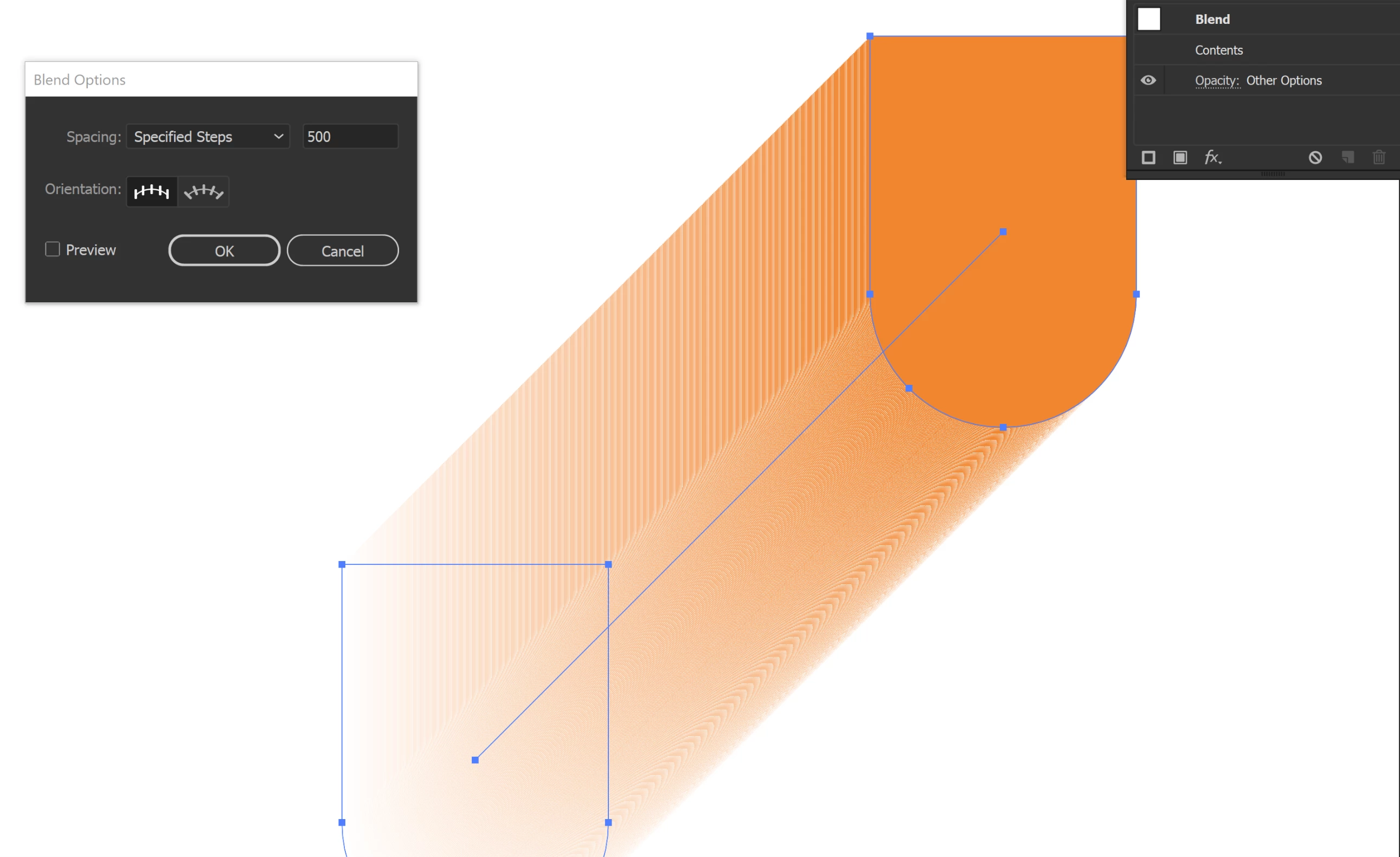
This topic has been closed for replies.
Correct answer Monika Gause

GPU rendering might change anytime. Whenever something gets an update: your system, the video card driver or Illustrator, the balance might break. Yu could try if an update to your video card driver is available.

1 reply

Monika Gause
Community Expert
Community Expert
October 31, 2018

Try View > Preview on CPU

JemSow
JemSowAuthor
Inspiring
October 31, 2018

Well, now it shows correctly, however it works slower. I've used GPU in previous versions and didn't have such problems, why has it changed? I have a Dell M7510 with I7 6820HQ, Quadro M2000M and 32GB RAM if it matters.

Monika Gause
Community Expert
Monika GauseCommunity ExpertCorrect answer
Community Expert
October 31, 2018

GPU rendering might change anytime. Whenever something gets an update: your system, the video card driver or Illustrator, the balance might break. Yu could try if an update to your video card driver is available.