
petrab60631600
Inspiring
January 11, 2020
Answered

blending tool

  • January 11, 2020
  • 2 replies
  • 908 views

Hello!

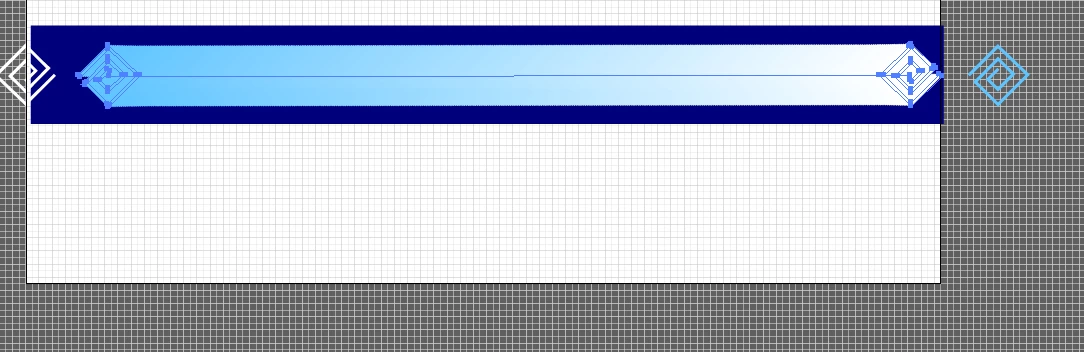
I got a problem with the blending tool. I would like to blend 2 objects, but it is not possible. I wanted to make blend them with this setting: blend options - specified distance: 10 px. 

I would be grateful for any advice. Petra 
This topic has been closed for replies.
Correct answer Monika Gause

Looks like the 2 paths have a different direction.

Use the pen tool.

Click on one the endpoints of one path.

Deselect

Click on the corresponding end point of the other path.

Try again and blend them.

2 replies

Ton Frederiks
Community Expert
Community Expert
January 11, 2020

Good to hear you've got it fixed.

Ton Frederiks
Community Expert
Community Expert
January 11, 2020

10 px is probably exactly what you are getting, the blend objects are move 10 px for each step.

Maybe increase the distance (look at the size of the object and add 10px) or use number of steps option.

petrab60631600
Inspiring
January 11, 2020


I think somewhere is the problem. I tried to set up the steps and the result doesn´t look okey.

Monika Gause
Community Expert
Monika GauseCommunity ExpertCorrect answer
Community Expert
January 11, 2020

Looks like the 2 paths have a different direction.

Use the pen tool.

Click on one the endpoints of one path.

Deselect

Click on the corresponding end point of the other path.

Try again and blend them.