

Blue to Purple Color Illustrator v 24.3 Win 7
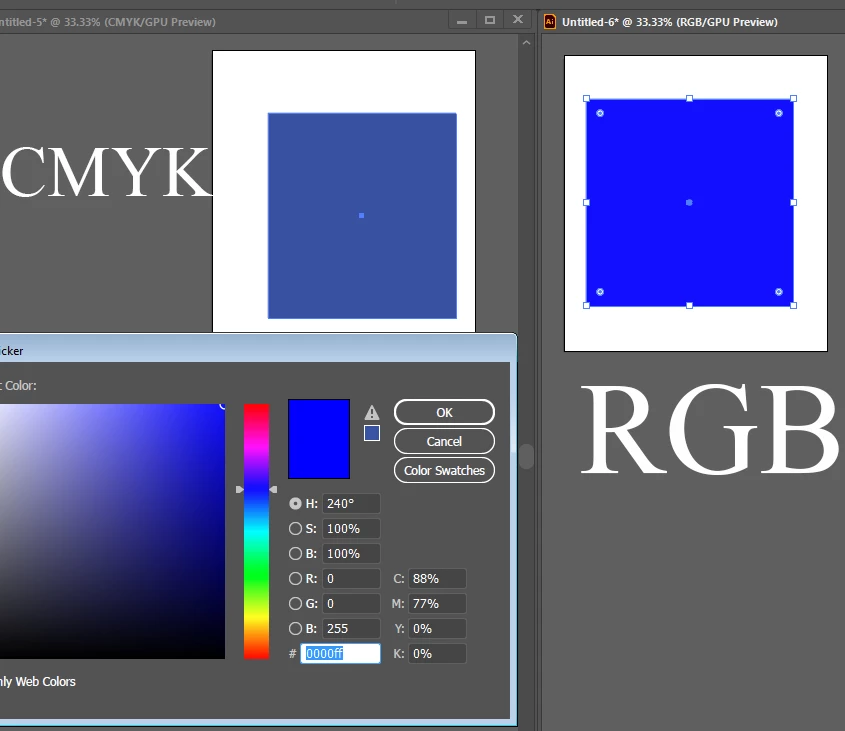
The blue (0000ff) looks purple. I know blue can print/look purple in cmyk. I just don't remember this visual shift in the swatch before. The solutions I found didn't help and this post from March mentioned a bug but I'm still posting my own thread in case my problem is different.
I made two documents for example and drew a shape with 0000ff. Left document color mode is cmyk. Right is rgb. Proofing is disabled. The swatch shift happens in both. Changing cpu/gpu preview does nothing and my monitor is calibrated.
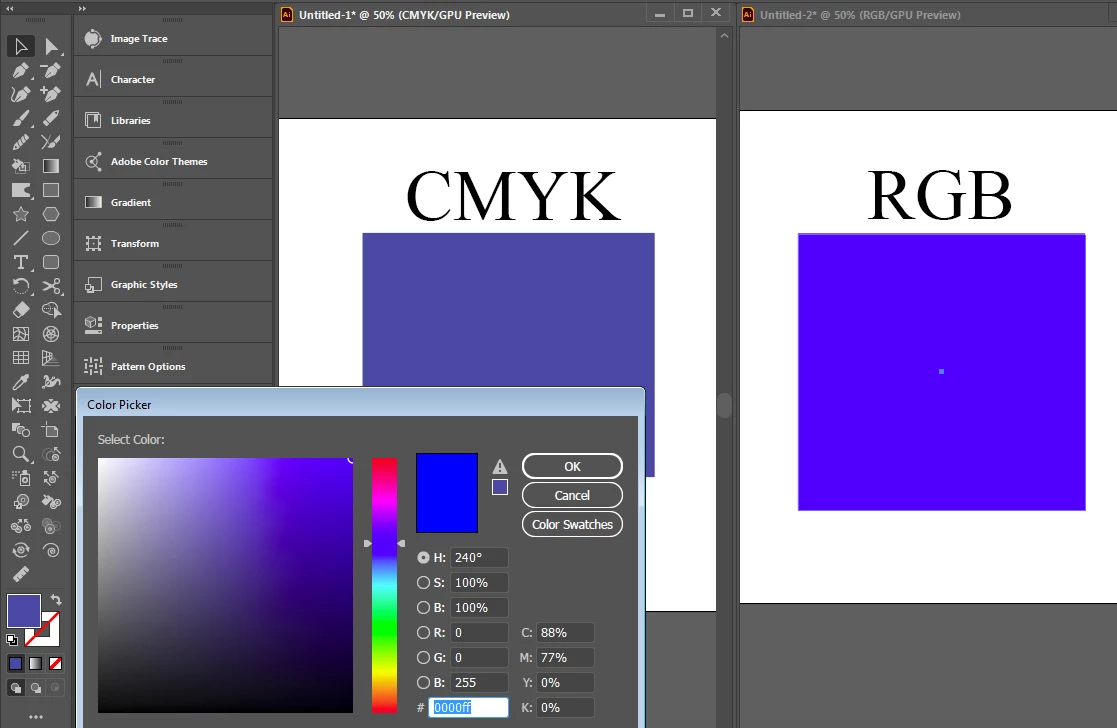
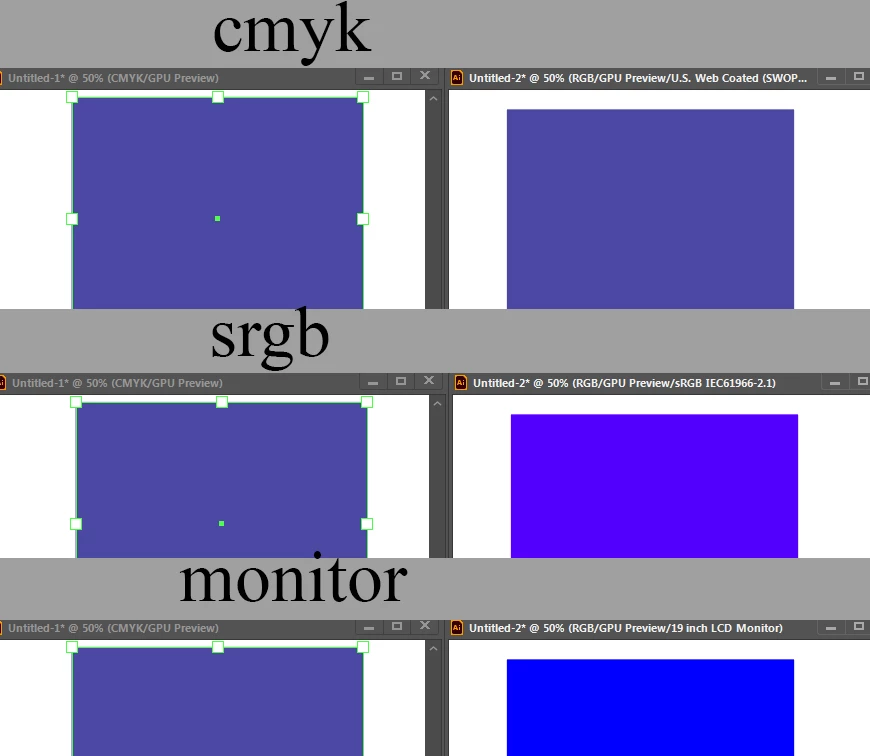
In the rgb doc, cmyk proofing looks kinda purple, srbg proofing looks closer to the blue I chose, and monitor proofing looks the most accurate. But the swatch and documents always looked like the proper blue before without proofing. And when I would check cmyk proofing, the color shift was nothing.
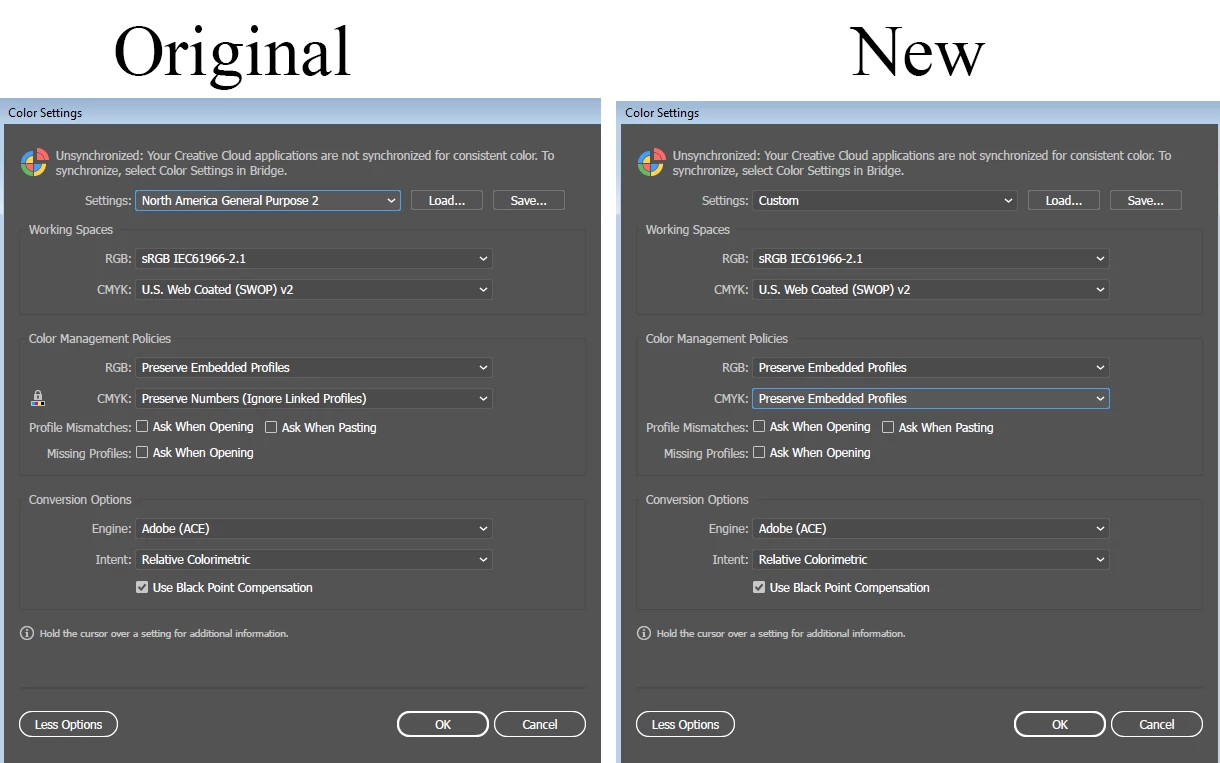
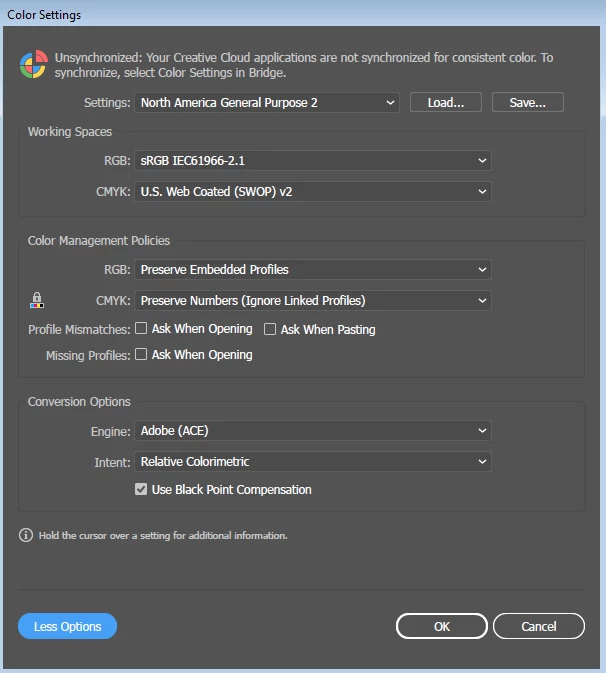
The left was my color setting before (the default). I changed it to the right recently.
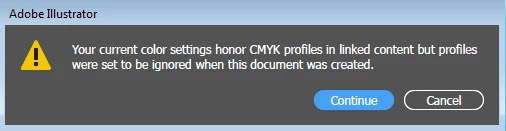
I then started getting this dialogue opening files.
But this weirdness with the blue/purple swatch and proofing not seeming consistent or showing shifts it didn't before started happening before I changed the color settings, so now I'm confused. Any thoughts?
 AdChoices