This topic has been closed for replies.

4 replies

Participant
September 18, 2019

Did you get it sorted? If yes, how?

Participating Frequently
February 20, 2017

I can actually see the view of the file in explorer.

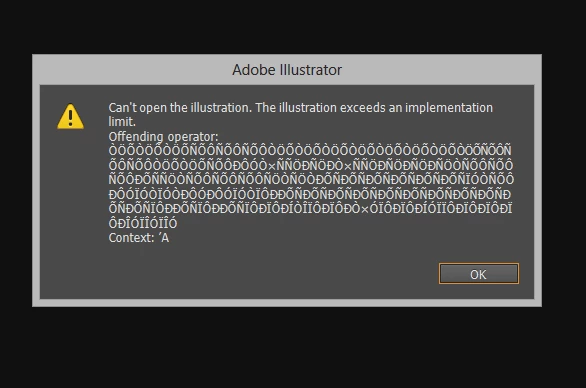
This is the error I get when I open

This is the view I get when I click OK.

Jacob Bugge
Community Expert
Community Expert
February 20, 2017

prameelaj,

If the File>Place option suggested by Ton fails to save you, here are some websites where you can see whether it can rescue the actual file, and if it can, you may pay for a subscription to have it done,

http://www.recoverytoolbox.com/buy_illustrator.html

http://markzware.com/adobe-software/fix-illustrator-file-unknown-error-occurred-pdf2dtp-file-recovery/

http://www.illustrator.fixtoolbox.com/

As far as I remember, the first one is for Win and the second one is for Mac, while the third one should be for both.

Here are a few pages about struggling with it yourself:

http://daxxter.wordpress.com/2009/04/16/how-to-recover-a-corrupted-illustrator-ai-file/

http://helpx.adobe.com/illustrator/kb/troubleshoot-damaged-illustrator-files.html

http://kb2.adobe.com/cps/500/cpsid_50032.html

http://kb2.adobe.com/cps/500/cpsid_50031.html

http://helpx.adobe.com/illustrator/kb/enable-content-recovery-mode-illustrator.html

Edit: I just spotted that the last link was in the first post by Barbara.

Hi Barbara.

Participant
September 18, 2019

Hi Jacob,

I still get the error following both the recovery tool way and also the adobe way given in your last two links.

Ton Frederiks
Community Expert
Community Expert
February 20, 2017

Where does this file originate?

Did you create it in Illustrator?

Participating Frequently
February 20, 2017

Yes i created in in Illustrator.

Participating Frequently
February 20, 2017

You don't have a backup, right?


I would not be asking for help if I had a backup Monika..!

Barb Binder
Community Expert
Community Expert
February 20, 2017

What version of Illustrator and what OS are you on?

This document, although dated, goes over how to recover a document. Take note of the suggestion to work on a copy of the original file. Enable content recovery mode | Illustrator CS2-CS5

~Barb at Rocky Mountain Training
Participating Frequently
February 20, 2017

I am on Adobe CC 17.1.0.

Barb Binder
Community Expert
Community Expert
February 20, 2017

and what OS are you on?

~Barb at Rocky Mountain Training