Participant
March 31, 2017
Answered

cannot change the type of brush stroke in Illustrator

  • March 31, 2017
  • 2 replies
  • 10527 views

Hello,

I'm learning to use illustrator and I've made a brush stroke, but I cannot change the type of brush stroke.

This is what I do: I select the stroke I've made, I go to the panel at the top, I change the type of brush stroke but it doesn't work.

Even if I select any type of brush stroke, and I use the brush , the brush stroke is always the same.

(setting of colors and width of the strokes works perfectly)

Which is the problem? How somebody can help me because I'm not able to find a solution.

Thank you!

This topic has been closed for replies.
Correct answer jane-e

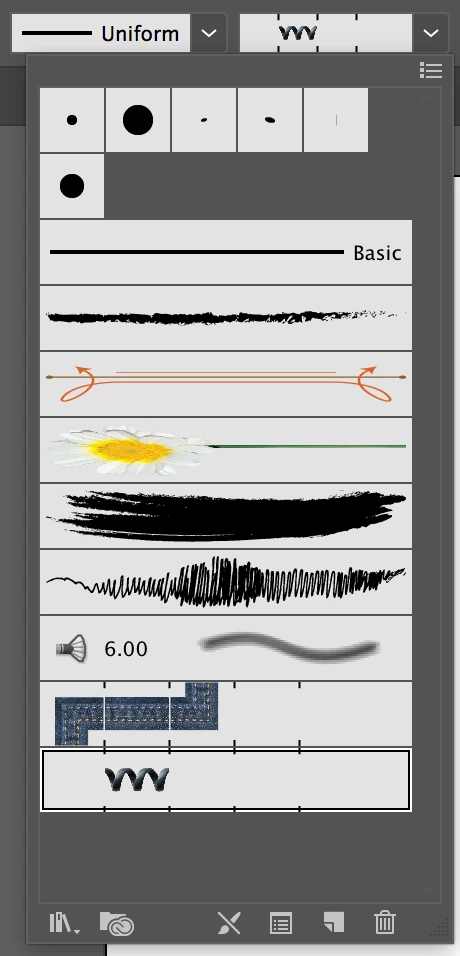
The triangle shape is for the Width tool. Your stroke is using a 5 pt. Round Brush. For now, put the width of the line back on Uniform and click the dropdown for Brushes to the right of it.

Experiment with multiple widths for lines later!

2 replies

jane-e
Community Expert
Community Expert
March 31, 2017

Make sure you are in Preview View, not Outline View. Can you see any Brush stroke?

If it does not look like the images below, please show what you are actually seeing.

zoeeeeAuthor
Participant
March 31, 2017

Hello Jane-e

I see the brushes...probably I haven't explained well what's the problem

In the screenshot uploaded you can that even if I set the "triangle shape" (or any other!) for the brush, the stroke doesn't change and it remains the one you see below...

jane-e
Community Expert
jane-eCommunity ExpertCorrect answer
Community Expert
March 31, 2017

The triangle shape is for the Width tool. Your stroke is using a 5 pt. Round Brush. For now, put the width of the line back on Uniform and click the dropdown for Brushes to the right of it.

Experiment with multiple widths for lines later!

zoeeeeAuthor
Participant
March 31, 2017

Update:

In the Appearance Panel Menu, "New Art Has Basic Appearance" is not checked.