Participant
January 8, 2020
Answered

Cannot get Spine to Reverse using Blend Tool

  • January 8, 2020
  • 5 replies
  • 2671 views

Howdy, 


Hoping someone here can help me. I'm trying to recreate this wave blend. The original is from shutterstock and unfortunately, expanded, making it hard to work with. Our client wants us to move the blue portion of the wave down which is near impossible with the expanded object. So I figured I would take the two paths, recreate the blend, and all would be well, right? 
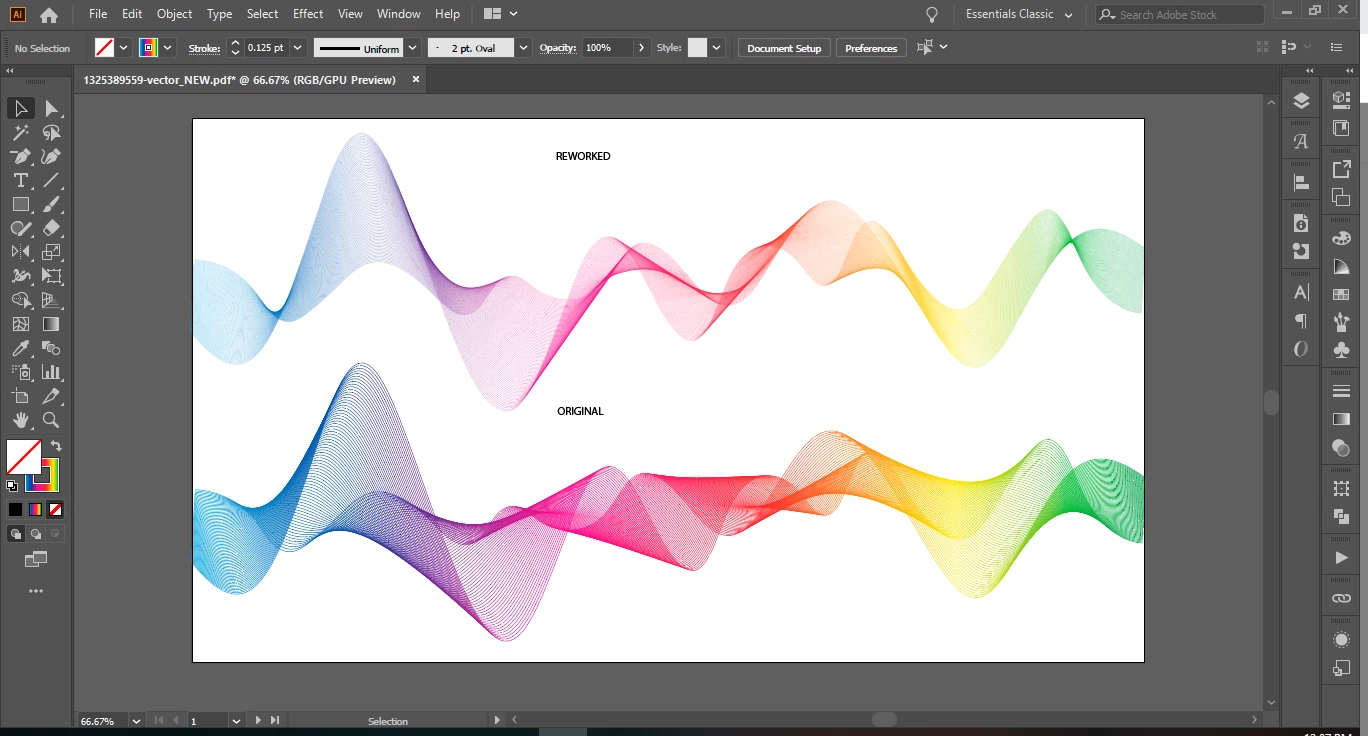


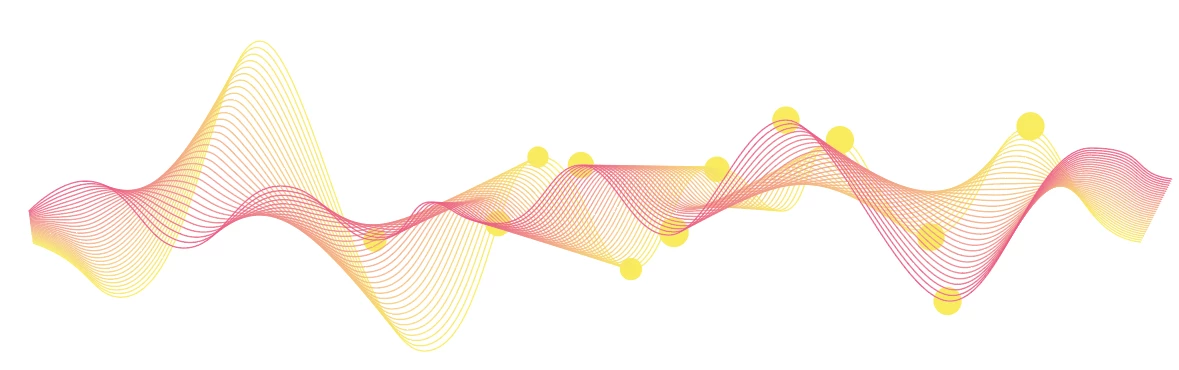
Wrong, because of course it can't be that easy. As you can see when I imitate the two blend paths, and use the blend tool, it blends but in the wrong direction. I've tried changing the path direction, reversing the spine, changing the hierachy of the objects - literally nothing is working and i'm about to tear my hair out. Am I doing something wrong? Or is what I'm trying to do impossible without the original paths? 
This topic has been closed for replies.
Correct answer Monika Gause

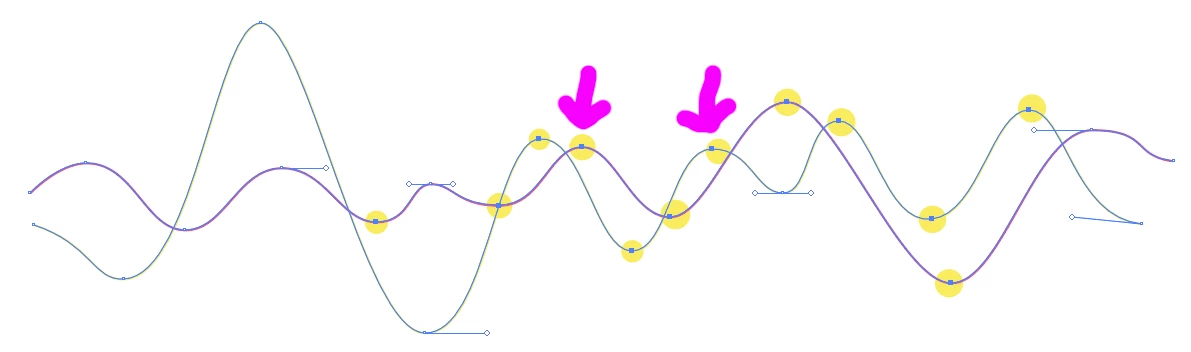
With the direct selection tool select the yellow marked anchors. Then with the blend tool click on the 2 marked with the arrows one after the other to create the blend.

5 replies

Monika Gause
Community Expert
Monika GauseCommunity ExpertCorrect answer
Community Expert
January 9, 2020

With the direct selection tool select the yellow marked anchors. Then with the blend tool click on the 2 marked with the arrows one after the other to create the blend.

Participant
January 9, 2020

This was the trick! Thank you so much for taking the time to show that to me, you've saved me and my team from a very large headache. 

manal shanableh
Legend
January 9, 2020

if this happened to me i would create the blend again, its easy. 

Participant
January 9, 2020

as you can see in my post - that's what i've been trying to do, however it is not going in the same "direction" as the original 

Kurt Gold
Community Expert
Community Expert
January 8, 2020

You may want to provide a sample .ai file in case you are allowed to provide it.


This way it would be easier to make a solution that may please you.

Monika Gause
Community Expert
Community Expert
January 8, 2020

I don't this is about the wrong direction. I rather think that the original artwork has been blended by selecting some reference points. You do that by selecting the same amount of anchors on both paths and then Illustrator focuses on those points when blending.

meganchi
Legend
January 8, 2020

I would suggest taking the shutterstock expanded wavy lines and turn them back into strokes in order to expand them.

Here is a link that explains how;

https://community.glowforge.com/t/how-to-get-a-centerline-trace-in-illustrator/21392

Participant
January 8, 2020

Hi Meganchi,  I did that already, the reworked artwork you see above is using strokes, not the expanded object.