
Participant
May 24, 2018
Answered

Cannot vectorize PDF

  • May 24, 2018
  • 1 reply
  • 775 views

I am trying to create a vector from  a PDF that I have.

I have tried flattening the pdf in  Adobe Accrobat, but this doesn't work. The file is still rastorized.

I have also tried flattening the pdf in illustrator itself, but it's greyed out.

Or it is horribly pixelated still.

Is there anything else I can do?
    This topic has been closed for replies.
    Correct answer Anna Lander


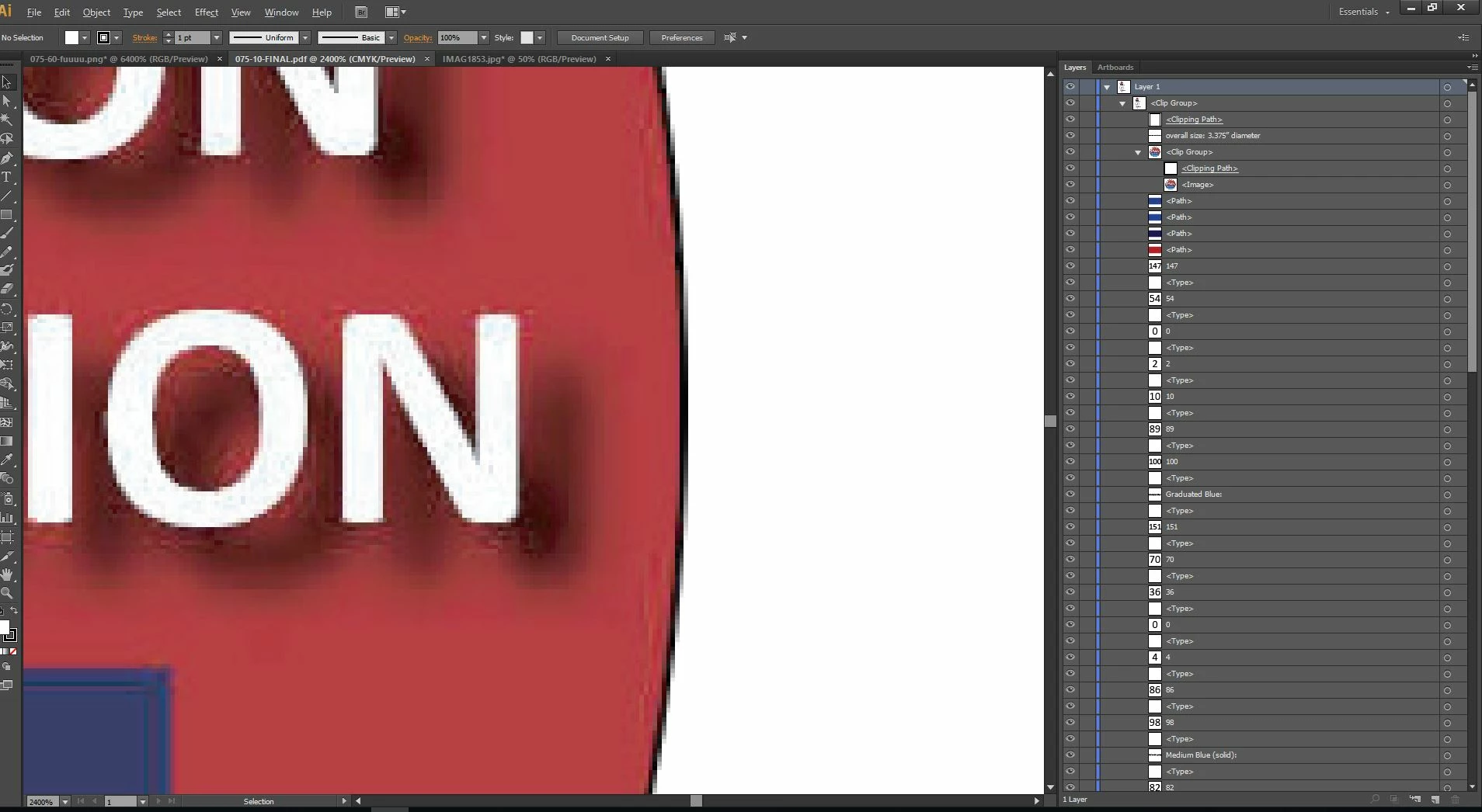
    yes, the screen shows that you have a raster image. You can't extract it as the vector without tracing. As you have the blurred shadow here, the best way is to redraw this part of the artwork. Live trace will provide quite rough and too complex result.

    1 reply

    Monika Gause
    Community Expert
    Community Expert
    May 24, 2018

    Please show a screenshot.

    Tiff-blahAuthor
    Participant
    May 24, 2018

    Hope this helps.

    Anna Lander
    Inspiring
    May 24, 2018

    please, share a screenshot with Layers panel expended. Now it looks like you have a raster image embedded into PDF file. If so, you will have to trace it - manually or with Trace Image module.