
Colors keep turning dull - possible bug
Hey folks,
So I've been using Illustrator CC for several months now and I always update (current version: CC 3.9.5.353), but I think I've run into a bug with colors / the color palette. I've found someone with a similar problem over on Stack Exchange, but I couldn't find anything on the Adobe forums.
I'm working on a file in RGB and I haven't switched color profiles or touched anything with the color menu. Color setting is North America General Purpose 2, Working Spaces is sRGB IEC61966-2.1, Color Management Policies for RGB is "Preserve Embedded Profiles". I'm running macOS Sierra version 10.12.3 on an iMac (Retina 5K, 27-inch, Late 2014). The file is stored on Dropbox, not on my computer's hard drive.
Here is an image of a file I'd been working on for a few days, as well as the color palettes from each file. The RGB values have gradually gotten darker and I have no idea why. The leftmost image are the correct colors, and the rightmost image was taken after a day or two.


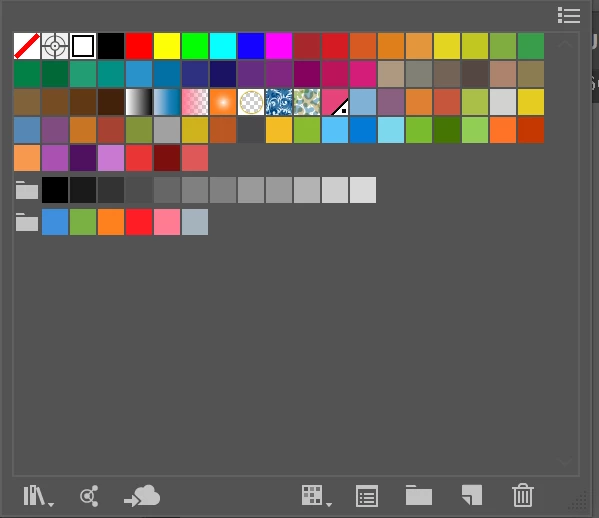
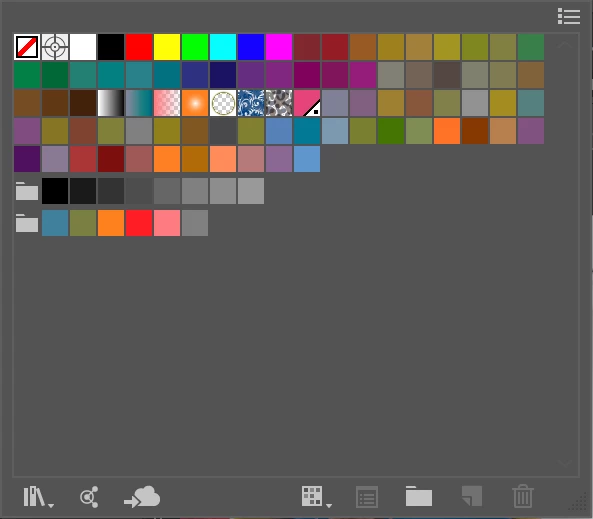
This is happening while I'm still in Illustrator, not after exporting or saving as a different file type. If I switch over to another open file in Illustrator and then come back to the bugged file, the colors will be slightly darker.
Help please!
 AdChoices