
Participant
January 24, 2017
Question

Convert a Photograph into an Illustration

  • January 24, 2017
  • 4 replies
  • 4166 views

Hi All -

I'm wondering what is the best way to turn a photograph into a black and white (or one color) vector type of illustration? I have found a few tutorials online, but nothing that is achieving the effect I am going for. I have attached a photo of what I am hoping to similarly achieve.
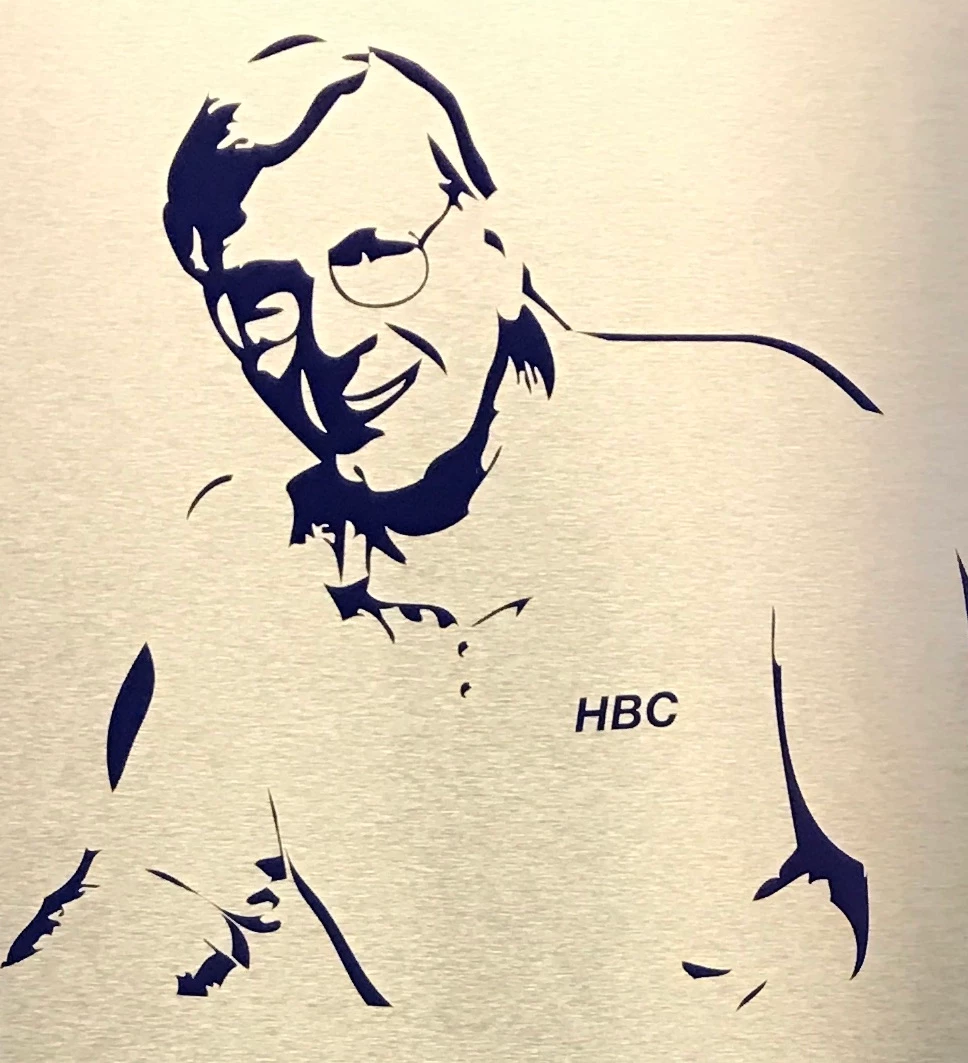
Thanks in advance for your help!

    This topic has been closed for replies.

    4 replies

    rcraighead
    Legend
    January 24, 2017

    I'd start in PSD, using a "Threshold" adjustment layer on photo. The photo could be converted to a Smart Object and a Gaussian Blur Effect applied, to smooth out the edges. This method allows you to play with the amount of blur vs. Threshold to use to get the effect you're after. The resulting image can then be auto-traced in AI.

    Kurt Gold
    Community Expert
    Community Expert
    January 24, 2017

    Can you show the photo in question?

    It would then be easier to provide possible ways.

    Monika Gause
    Community Expert
    Community Expert
    January 24, 2017

    Any automatic functions will only be as good as the source image. Even by editing in Photoshop you can only improve what's already there.

    A manual approach would be best.

    Myra Ferguson
    Community Expert
    Community Expert
    January 24, 2017

    You could try various settings in Image Trace to see if something works, but most likely you'll have better results if you take your image into Photoshop first. Adjust your curves/levels/contrast until the features you want highlighted are the ones that remain. Then take that image into Illustrator and use Image Trace.