
Participant
June 4, 2019
Answered

Créer une ligne de contour d'une silhouette dans une image

  • June 4, 2019
  • 3 replies
  • 2343 views

Bonjour,
Je souhaite réaliser le contour d'une silhouette dans une image.
Considérons la pomme sur la photo. Je souhaite obtenir la ligne de contour (vectorisée), sans avoir à créer moi-même une multitude de lignes courbes et à les ajuster manuellement avec les poignées.

Est-ce possible sur Illustrator ? Si c'est possible avec un autre logiciel, je suis aussi preneur !

Merci d'avance pour votre précieuse aide.

Bien cordialement,

Thibault
    This topic has been closed for replies.

    3 replies

    Myra Ferguson
    Community Expert
    Community Expert
    June 4, 2019

    Like c.pfaffenbichler recommended, I would say try Image Trace. Go to Window > Image Trace to open the panel to adjust the settings. Here's what I used to get the result below where the bite marks aren't rounded:

    After you adjust the settings, you'll need to Expand then change the fill to white and the stroke to black.

    Participant
    June 13, 2019

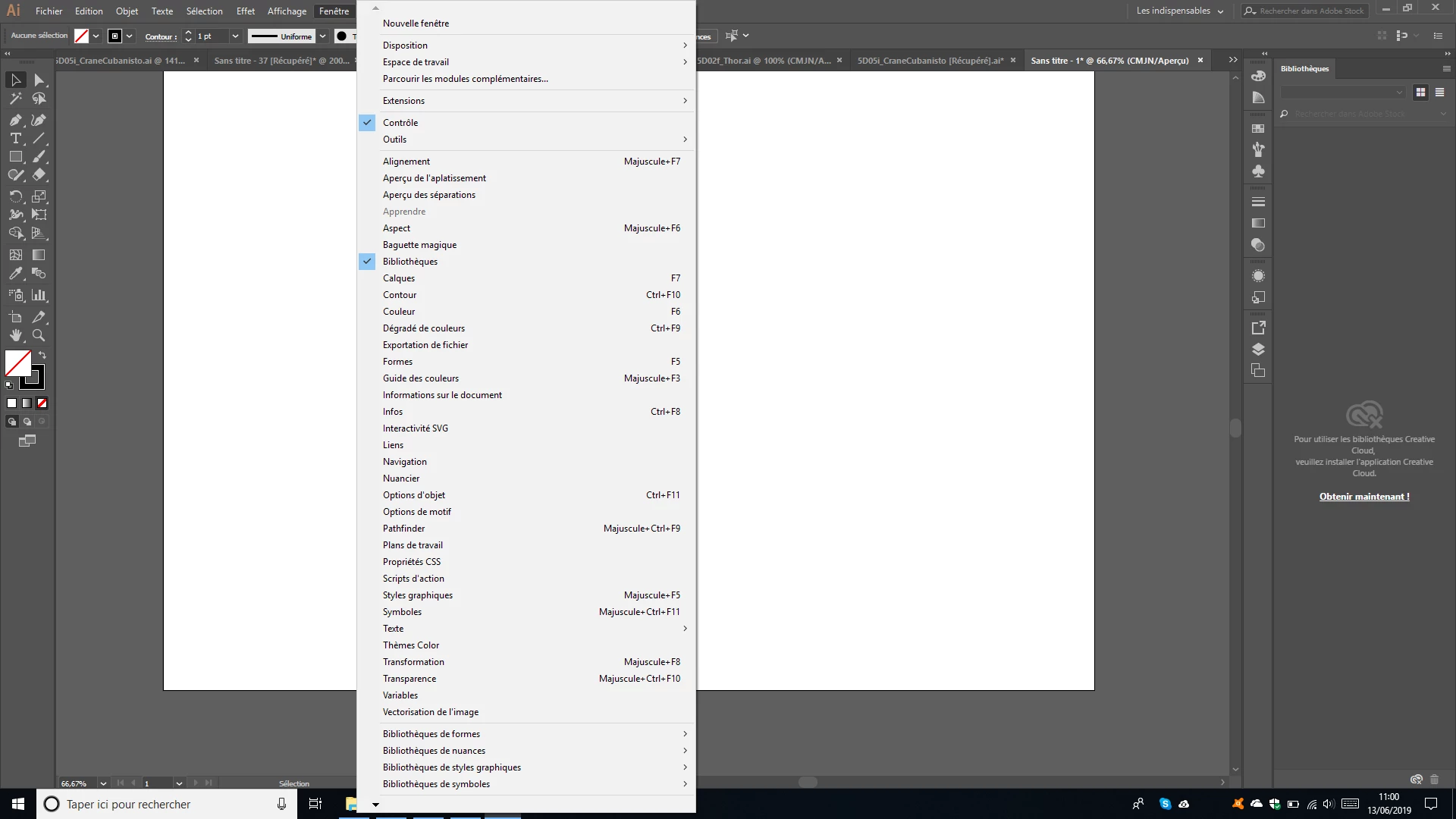
    I don't find/have "Image trace" in "Windows"...

    c.pfaffenbichler
    Community Expert
    Community Expert
    June 13, 2019

    Could you post a screenshot of the expanded menu?

    Jacob Bugge
    Community Expert
    Community Expert
    June 4, 2019

    Tibor,

    As I (mis)understand it, you may create crude versions of the single (cutout) paths with the Pencil (or Pen) Tool, then apply the free Arc Correction script available here:

    s.h's page : Scripts for Adobe Illustrator CS

    Participant
    June 4, 2019

    Thank you for your answer.

    How can I use this Arc correction script ?

    Jacob Bugge
    Community Expert
    Community Expert
    June 4, 2019

    Tibor,

    When the scripts are installed, you can create each of the cutout paths, then select all of them, then just click File>Scripts>SHS jsx (or aics_scripts_en or something similar)>Arc Correct to apply the script.

    c.pfaffenbichler
    Community Expert
    Community Expert
    June 4, 2019

    Have you tried Window > Image Trace?

    How to edit artwork in Illustrator using Image Trace