Known Participant
June 23, 2018
Answered

Creating a repeat pattern

  • June 23, 2018
  • 2 replies
  • 2443 views

Hi Guys,

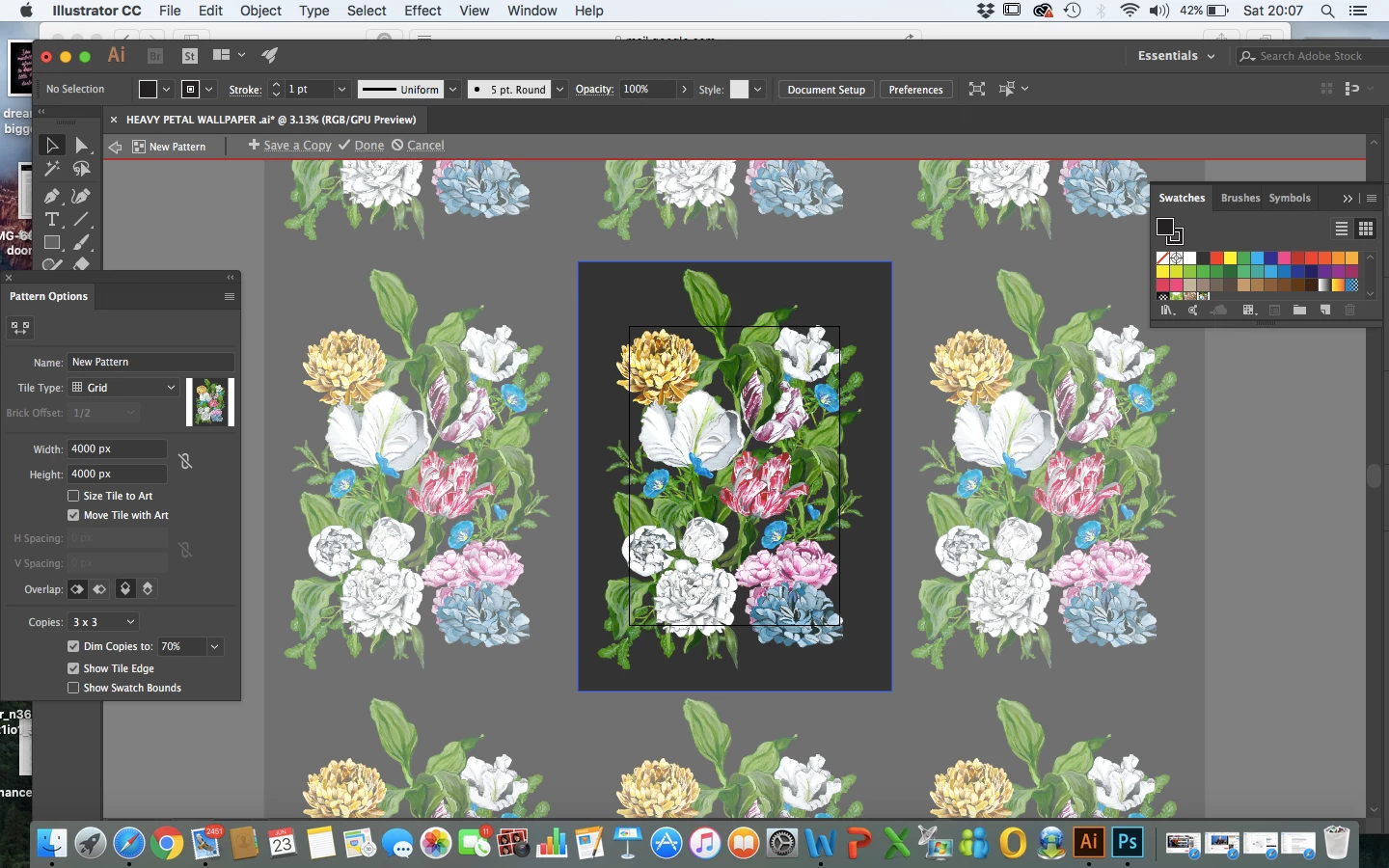
I am very new to illustrator. I have just created a pattern of flowers using layers for each flower all sitting on a simple black background.

I then went to create a repeat pattern by going WINDOWS > PATTERN OPTION > MAKE PATTERN

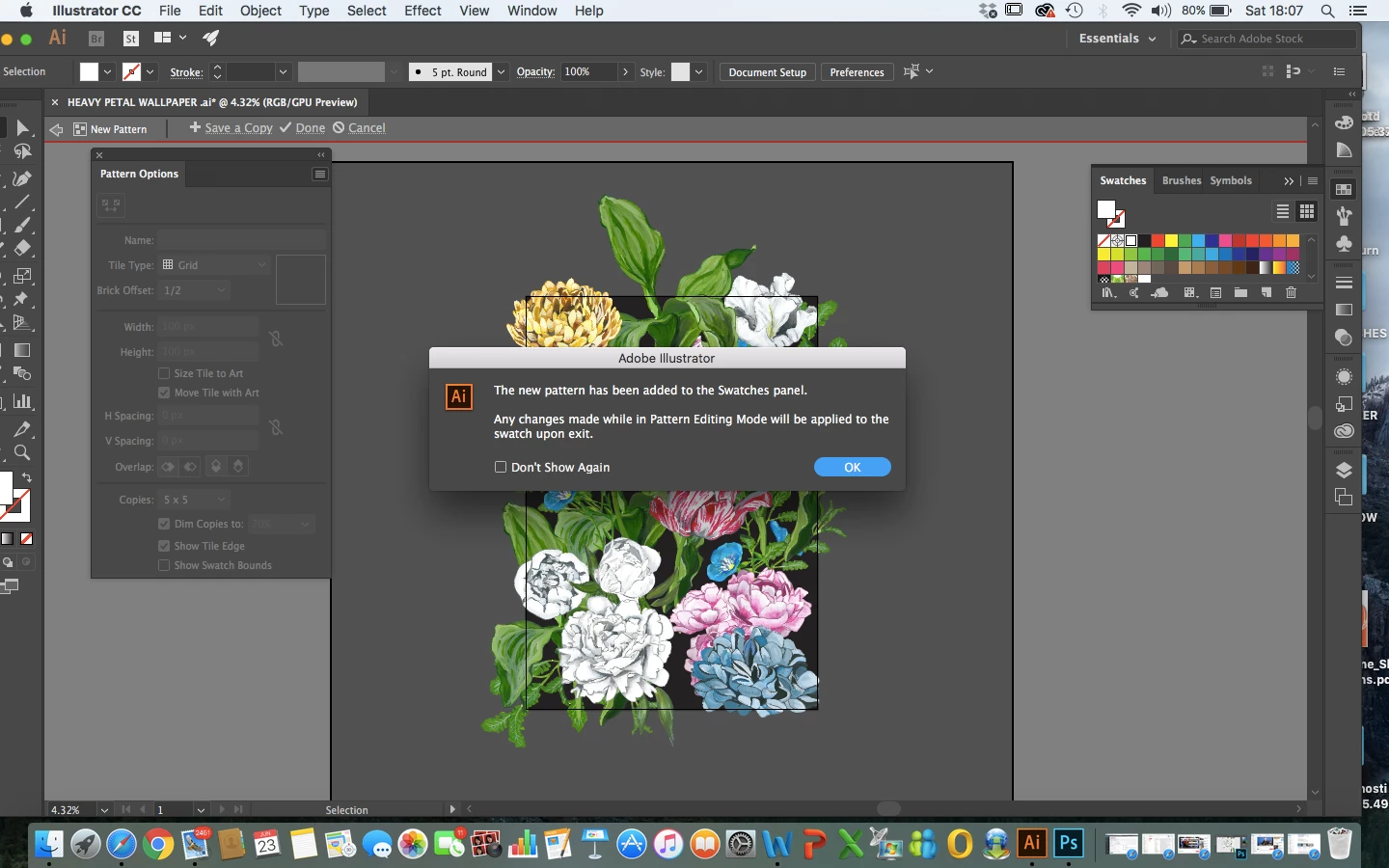
So firstly this notice pops up to which i pressed ok...
Then my pattern just went white blank as shown in the image attached.
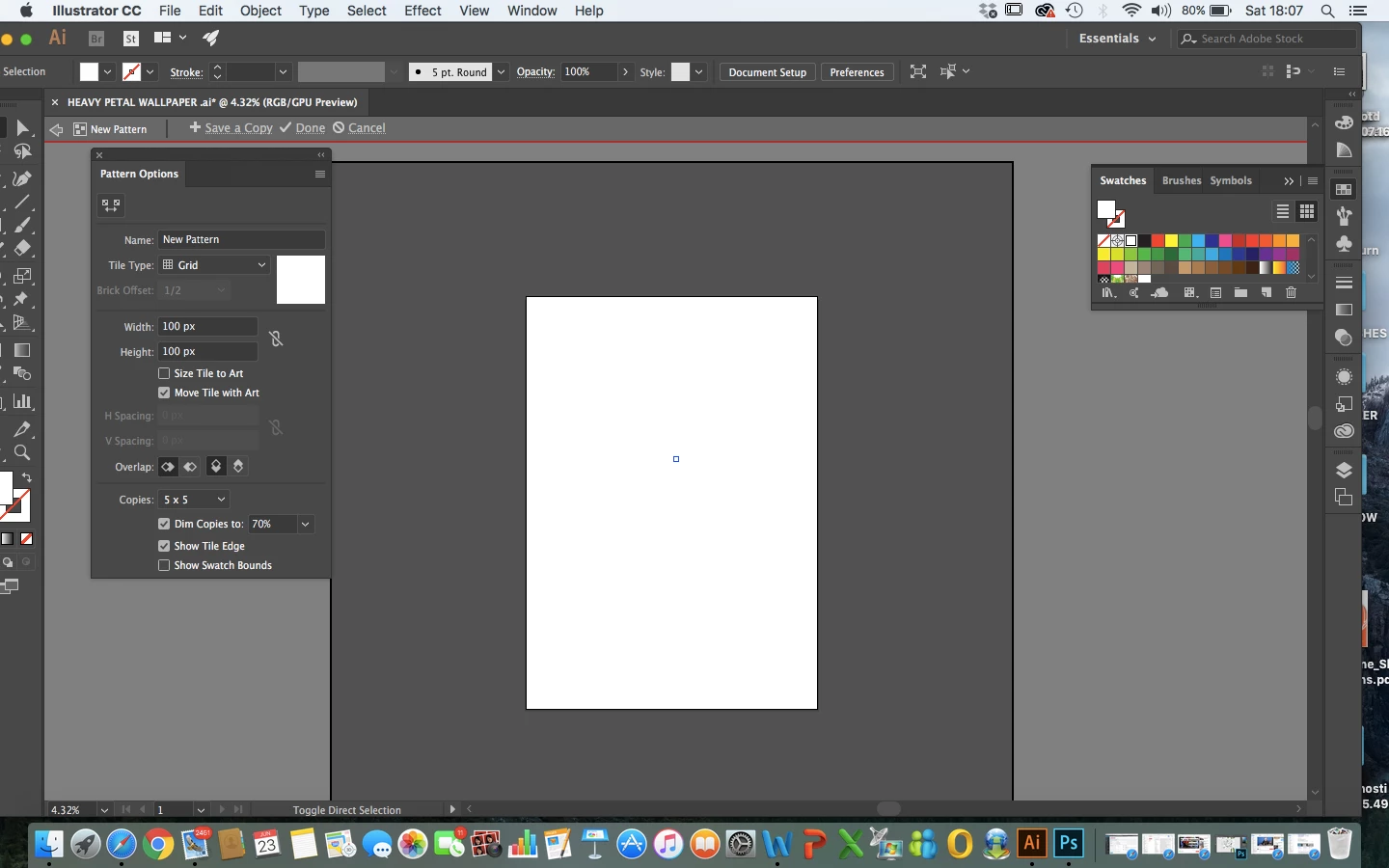
Cab someone please tell me where I am going wrong if possible?

The pattern is for a repeat pattern wallpaper so the dimensions also need to be 52cm width by 75cm length but I didn't see where I could add those dimensions either?

Any help would be greatly appreciated!

Thank you in advance!

    This topic has been closed for replies.
    Correct answer Jeff Witchel, ACI

    Jeff, you superstar both those suggestions worked thank you!

    Although my pattern still isn't overlapping at the top, bottom, left and right. Is that a simple thing to correct?

    Thanks in advance!


    Get rid of the black background in the Pattern. It is only going to complicate things. You can add the black afterwards in any object as a second fill in the Appearance panel.

    After you get rid of the black fill, try making the Pattern again. Change the Width and Height of the Pattern in the Pattern Options panel until the Pattern overlaps itself. It should work.

    Please let me know.

    2 replies

    ceyhun_akgun
    Legend
    June 23, 2018

    You can do this through the Illustrator Pattern Maker panel.

    Create the image in the frame of the measurement you want to give while you are working.

    Especially the outline will be the position of the pattern, its structure is very important.

    Then, you can apply it by converting Pattern Designer to Pattern Maker.

    Graphic Designer Educator / PrePress Consultant
    michelew83603738
    Community Expert
    Community Expert
    June 23, 2018

    I can't tell you exactly what went wrong, but it is clear that a pattern wasn't made, because the pattern option panel is grayed out. How did you make the pattern and was everything selected when you then went to make new pattern?

    Known Participant
    June 23, 2018

    As I'm so new to all of this so I just literally opened up illustrator created a new first layer which I've named the background like it's called on photoshop then I coloured that in black. Then with every layer after that I just added a pdf painted flower or leaves etc vectorised each painting on each layer and that just built it all into an amalgamation of a somewhat floral pattern. Then I just went to WINDOWS > PATTERN OPTION > MAKE PATTERN

    Not sure how I select everything how would I do that?

    This is literally my second day using illustrator so please excuse any obvious questions.

    Thanks in advance.

    Anna Lander
    Inspiring
    June 23, 2018

    Illustrator works differently. To do anything with any item you have to select it. You don't need to create a new layer for each item, they are separate objects. So you have to select all your objects and then create a pattern with them. You can just take the Select tool (black arrow)and draw the rectangle around all objects. They will become selected. Then you can group them for more convenient work, they will collect to the top layer and transform together like linked layers in Photoshop.

    Keeping them selected, open the Pattern Options panel and create your pattern.