
Inspiring
February 14, 2021
Answered

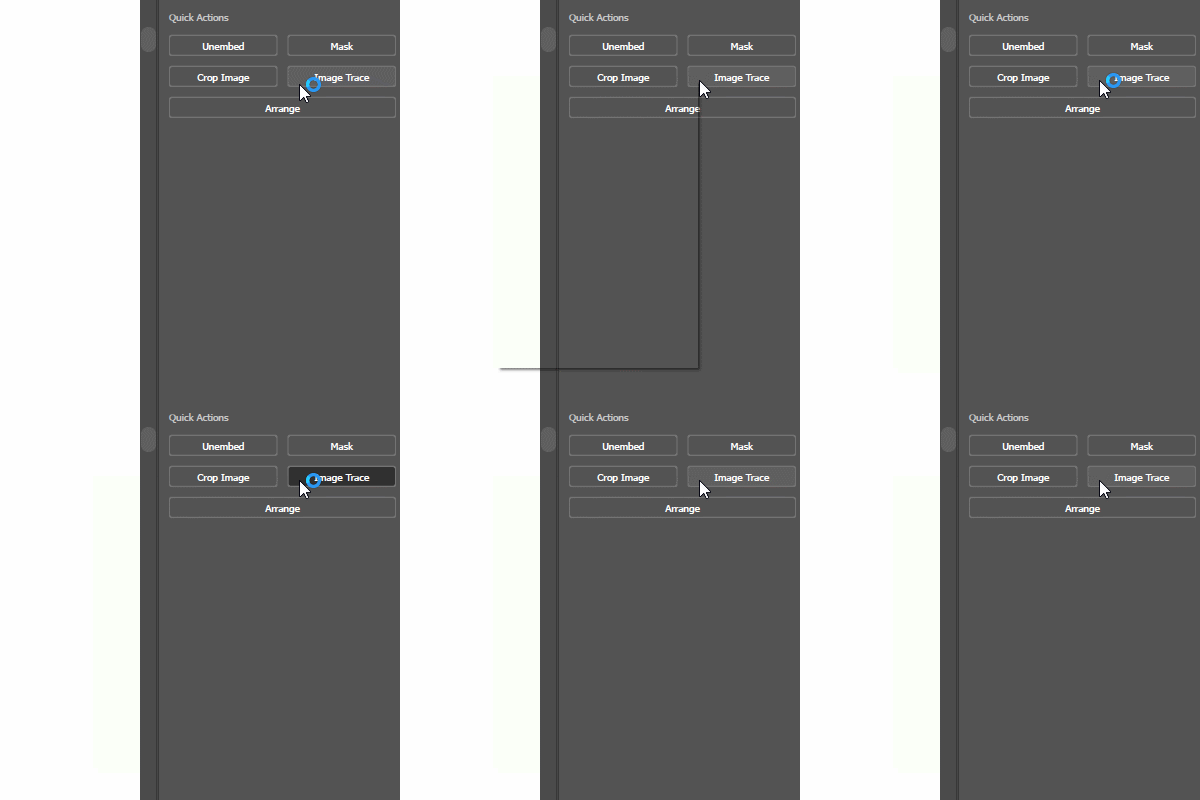
Cursor flashing "working in background" can't right click, Only happens in Ai
  • February 14, 2021
  • 2 replies
  • 723 views

This only happens in Adobe Illustrator, nothing else. makes it flash even outisde Ai when it is open. Can't right click anything as seen here. only flashes up for a few frames then disappears.

I know my PC auto scans every evening so I really doubt this is by some malware or virus.

This topic has been closed for replies.
Correct answer callumh38162047

EDIT: I couldn't find the cause to the problem and had to reinstall windows, that did fix the issue.
So my guess that it was a third party program but idk what.

2 replies

callumh38162047AuthorCorrect answer
Inspiring
March 3, 2021

EDIT: I couldn't find the cause to the problem and had to reinstall windows, that did fix the issue.
So my guess that it was a third party program but idk what.

Monika Gause
Community Expert
Community Expert
February 14, 2021

Can you check the "Save in background"setting in the preferences?

Also perhaps try and disable the GPU acceleration?

Do you have any plugins installed?

Do you use font management?

Inspiring
February 22, 2021

No, I can't open any dropdowns they do the same thing.
Nope there is no plugins, this is a clean install.
No, pretty new to Ai and don't know what that is.


Where can you disable the GPU acceleration?

Monika Gause
Community Expert
Community Expert
February 22, 2021

In the preferences you can deactivate it.