Participant
January 29, 2021
Answered

dashes and ticks

  • January 29, 2021
  • 7 replies
  • 686 views

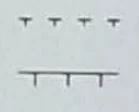
Does anyone know how to produce these dashed line segments consistently? 
This topic has been closed for replies.
Correct answer tromboniator

You can also do this with two dashed-line strokes applied to a single path, and save the appearance as a graphic style. The dash and gap of each stroke (black and red) must total the same number (24+24 = 1+47) to stay in sync, but can be adjusted to any value. The red tick stroke has a stroke profile applied in which the width is all on one side. I think (hope) that it's fussier to explain than it is to make.
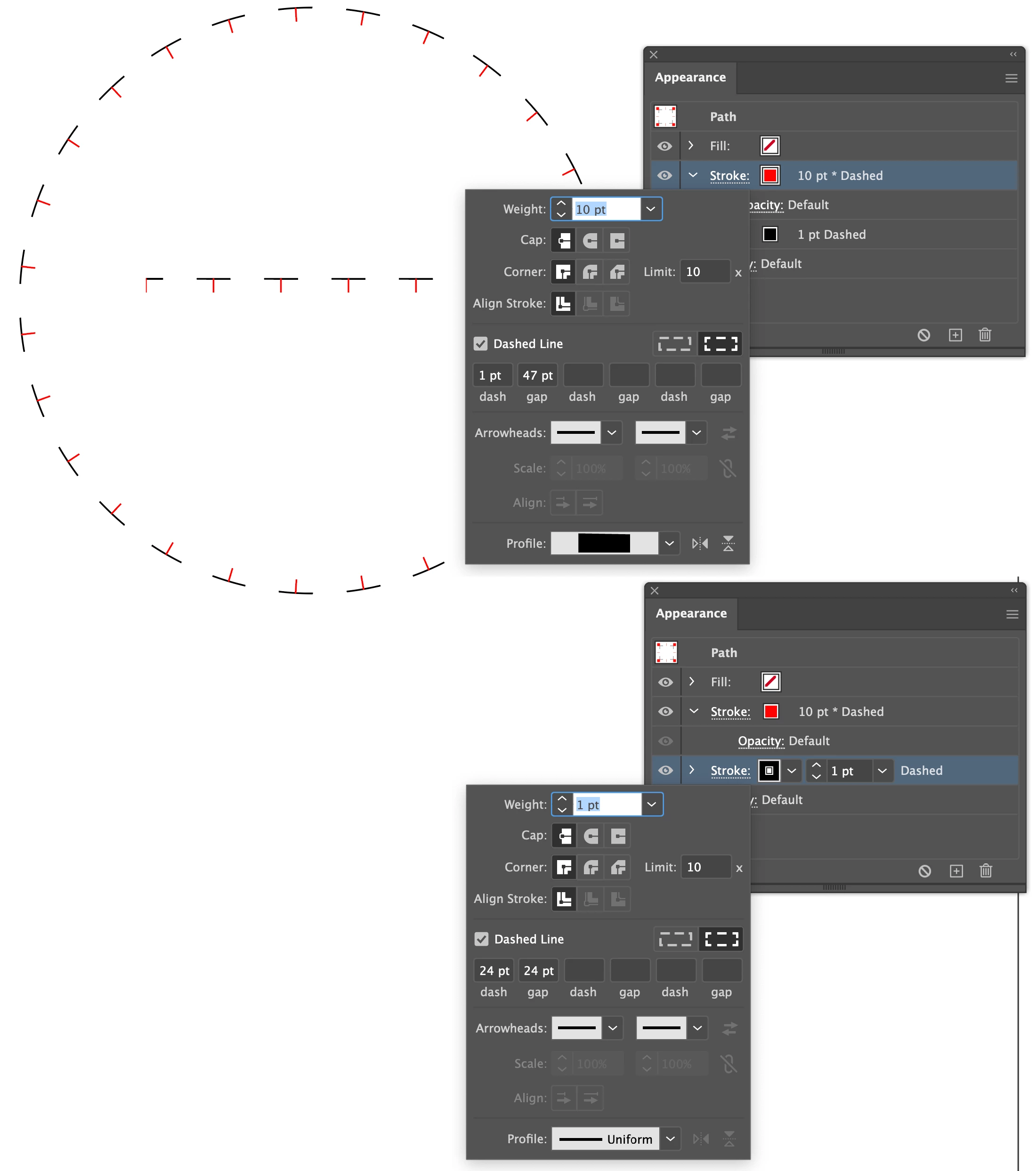
 

The solid-line version can be done the same way, but the black line is not dashed, and requires no adjustment for spacing:

Graphic styles are here. 


Peter


7 replies

tromboniator
Community Expert
Community Expert
February 3, 2021

Excellent! And thanks should go to my cat, who helped me.

Tim5E73Author
Participant
February 3, 2021

Yes! Peter's answer worked beautifully. 

Jacob Bugge
Community Expert
Community Expert
January 30, 2021

Tim,


I think the exquisite Double Dash by Peter is what you are looking for.


Edit: Hi Peter, it is here still (at least partially), how there?


tromboniator
Community Expert
Community Expert
January 30, 2021

Off for several days, on for several days. Currently the on days phase, Jacob, thank you.

tromboniator
Community Expert
tromboniatorCommunity ExpertCorrect answer
Community Expert
January 30, 2021

You can also do this with two dashed-line strokes applied to a single path, and save the appearance as a graphic style. The dash and gap of each stroke (black and red) must total the same number (24+24 = 1+47) to stay in sync, but can be adjusted to any value. The red tick stroke has a stroke profile applied in which the width is all on one side. I think (hope) that it's fussier to explain than it is to make.


The solid-line version can be done the same way, but the black line is not dashed, and requires no adjustment for spacing:

Graphic styles are here. 


Peter


Tim5E73Author
Participant
January 30, 2021

Thanks.  I think the scatter brush is what I am looking for.  BTW do you know if the scatter brush can be shared in my CC library?

Jacob Bugge
Community Expert
Community Expert
January 29, 2021

Tim,


In both cases, you can create it as follows:


1) Create the visible tick as Stroek/Nofill as desired vertically, then move a copy up by the height and set its Stroke to None, then Group the two;

2) Define the Group as a new Scatter Brush, with the desired settings, remember to rotate relative to path;

3) Create the path and copy it, then apply the Scatter Brush to the copy, then Group the two.


Mylenium
Legend
January 29, 2021

You could create a custom pattern or art brush... I suggest you research the procedures in the online help or find a tutorial on the workflow.


Mylenium
