

AmandaMc14
Inspiring
September 3, 2017
Answered

Dotted border

  • September 3, 2017
  • 2 replies
  • 4515 views

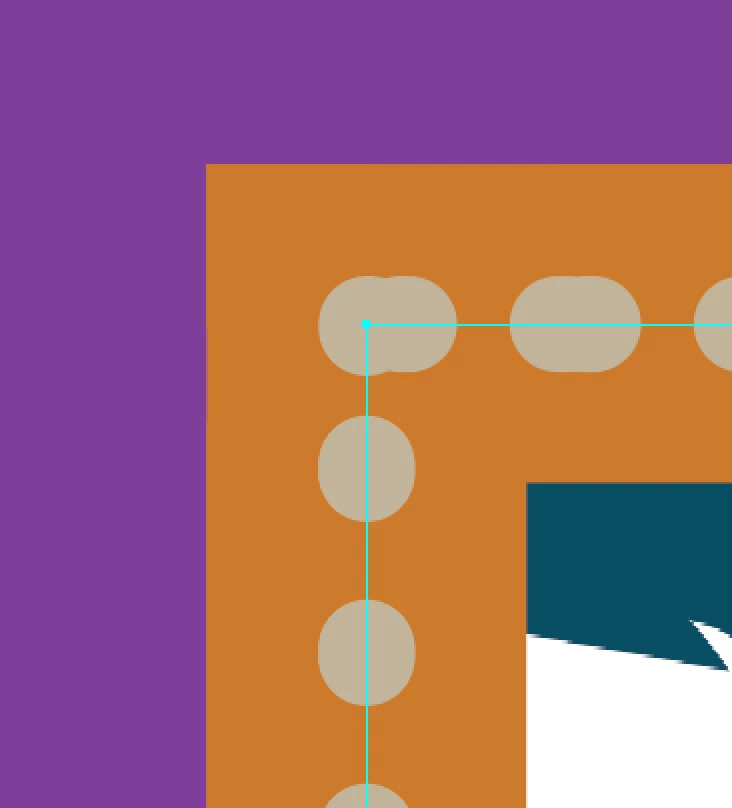
Hi I have used a dotted border around a rectangle but can only get one side of the border to look how I would like it to appear, see screenshots.  As you can see the corner is almost a double dot and the top border as well.  The left hand side border is how I am trying to get it to look.
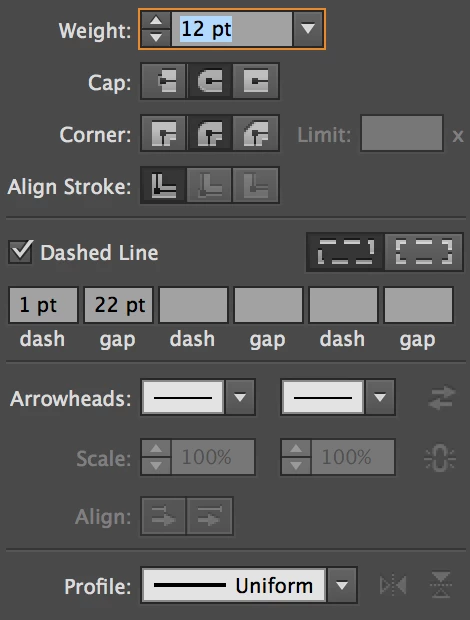
These are the settings for the stroke
Appreciate your help, thanks!

This topic has been closed for replies.
Correct answer Bill Silbert

Thanks Bill .. I did google how to do it and this was the way it was portrayed.  Can you suggest a better way, thanks so much for your help so far


I would make them into two different strokes. The simplest way at this point would be to copy the stroke as it is (command-c on mac control-c on a PC) and then while the stroke is still selected paste the copy in front (Command-f for mac control-f on PC) and while what is now the copy is still selected put it on a new layer. Then on the original layer select the original stroke and in the appearance panel delete the dotted stroke. In the top layer select the stroke and in the appearance panel delete the 40 point stroke. Now use the settings I gave you for the dotted line on the top layer stroke and make sure that the stroke on the lower layer does not have the dotted settings. Your dotted line should look like the one I showed in my earlier post.

2 replies

Ton Frederiks
Community Expert
Community Expert
September 3, 2017

Your screendumps from the Appearance panel show that you have added the strokes to the layer (it says Layer at the top). I guess you have added another stroke at the path level, that is why they are showing as duplicates.

Get rid of the layer appearance.

Click the circle next to the layer name and clear the layer appearance effects in the Appearance panel.

AmandaMc14
Inspiring
September 4, 2017

Hi thanks for your response, I am having difficulties with this despite Bills really helpful instructions and I am assuming it is because of the fact that I have added 2 borders to the layer.

If I follow Bills instructions and copy the dotted border and paste in front the dotted border on a new layer, I get this .. whereby I lose half the orange border

with the body layer having a 40 pt stroke and the new layer having the dotted border.  I am assuming its because the fill gets copied when I try to copy the dotted stroke.  Not sure how to fix it.

I am also unsure as to what you mean .. Click the circle next to the layer name and clear the layer appearance effects in the Appearance panel.

AmandaMc14
Inspiring
September 4, 2017

The weird thing is that when I click the path layer, I cant even see the orange border in the appearance panel.

Participating Frequently
September 3, 2017

AmandaMc14
Inspiring
September 3, 2017

Hi yes I already tried that, this is the outcome.  Thanks for trying though.

Participating Frequently
September 3, 2017

Check the appearence panel that you have only 1 stroke.