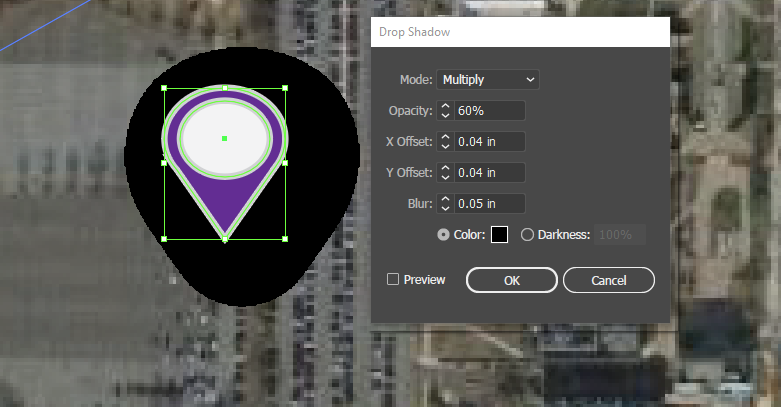
Recently my drop shadow effect has been acting very strange (I think the change happened when I did an update). When I apply a drop shadow to an object or text and use the "Multiply" mode the shadow looks like a huge dark blob behind the object, see image below. This happens even when I adjust the opacity, blur, or X/Y offset. I have found that the only mode that seems to work at all is "Normal" but most of my drop shadows were created with "Multiply" as the default, therefore when I open any older document all of the drop shadows look like the image below.
Maybe there is a setting or something that I need to adjust?
I have tried restarting my computer and setting displays back to default, and I am still experiencing the same issues. I am currently using Adobe Illustrator CC 2018.






 2
Replies
2
Replies


 AdChoices