

DarrenFMc17167703
Known Participant
May 20, 2020
Answered

Drop Shadow or Outer glow effect in Symbol turns solid grey when 3D Extrude and Bevel is applied

  • May 20, 2020
  • 2 replies
  • 1430 views

Hi,

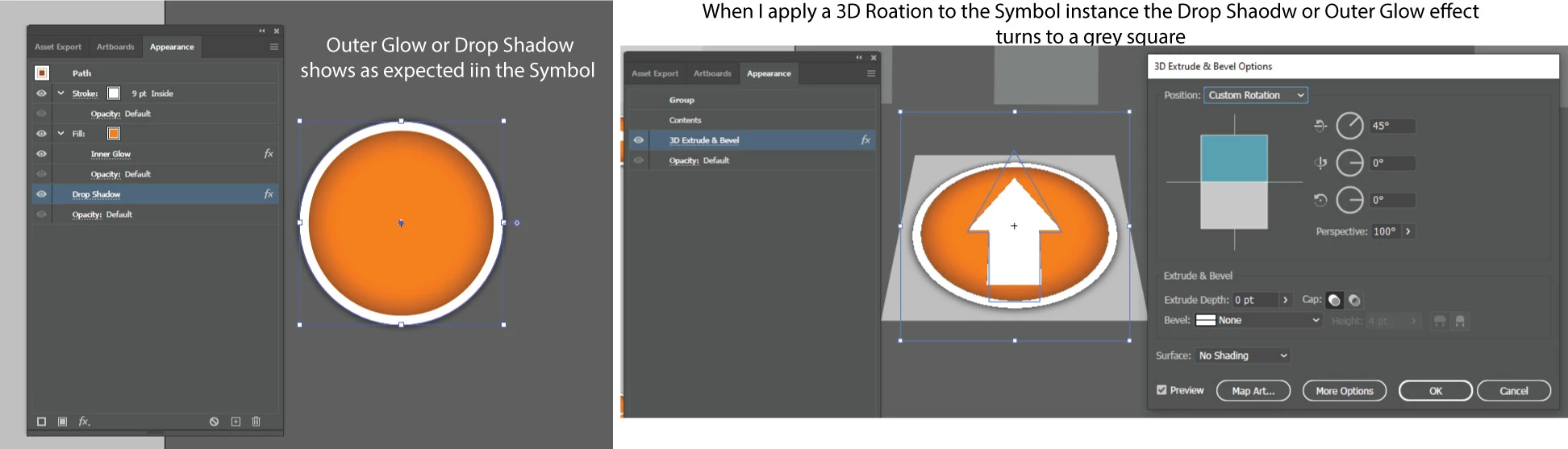
I created a symbol that has either an outer glow or drop shadow effect applied to the fill. This is fine.

The issu occurs when I add the 3D Extrude and Bevel effect then to the Symbil instance on the artboard. The outer glow or drop shadow then becomes a solid square.

Any idea how to get around this please?
This topic has been closed for replies.
Correct answer federico platon

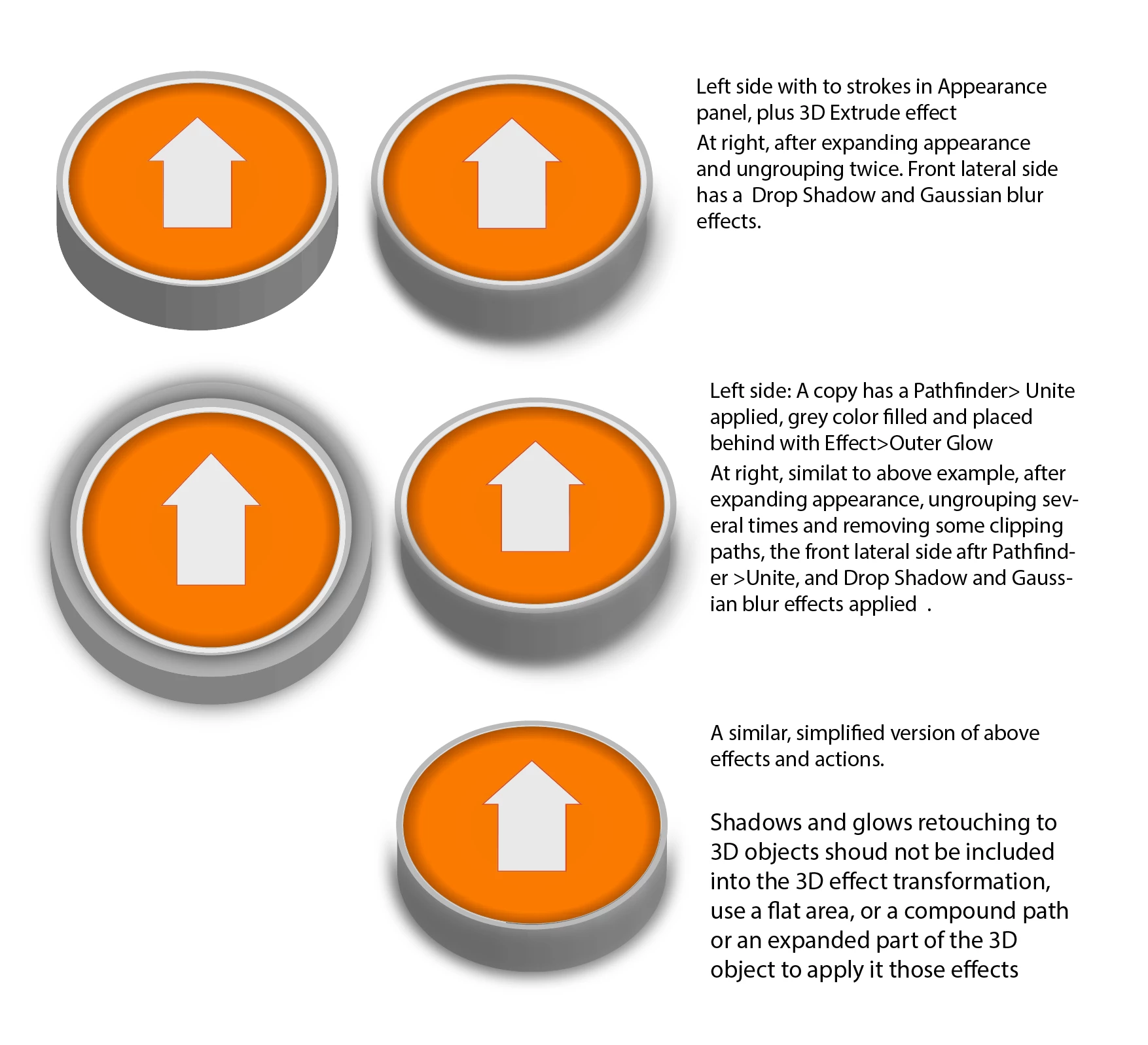
Thereafter, you can select those surfaces, edges, aound the button to fill them ith gradients that add some ligth direction and provide extra relief and realism. 

Also add some shapes that simulate reflections on top and use transparency modes,....

2 replies

federico platonCorrect answer
Legend
May 20, 2020

Thereafter, you can select those surfaces, edges, aound the button to fill them ith gradients that add some ligth direction and provide extra relief and realism. 

Also add some shapes that simulate reflections on top and use transparency modes,....

Monika Gause
Community Expert
Community Expert
May 20, 2020

It just doesn't work the way you want it to.

You will have to create that glow differently.

Please tell us what you want this to look like.

DarrenFMc17167703
Known Participant
May 20, 2020

I want it to look as it is...but without the grey box? Ther icons have four difference angles, 30, 45,60 and 75 degree perspectives. It works fine, until I add the outer shadow or outer glow...which is required.

Monika Gause
Community Expert
Community Expert
May 20, 2020

Then don't add the 3D effect. So what do you want it to look like?


The grey box will always be there when you do it like you did.