
DWG Import Error
I've run into a problem when importing a DWG into Illustrator.
The DWG in question is a detailed portion of coastline seen below.
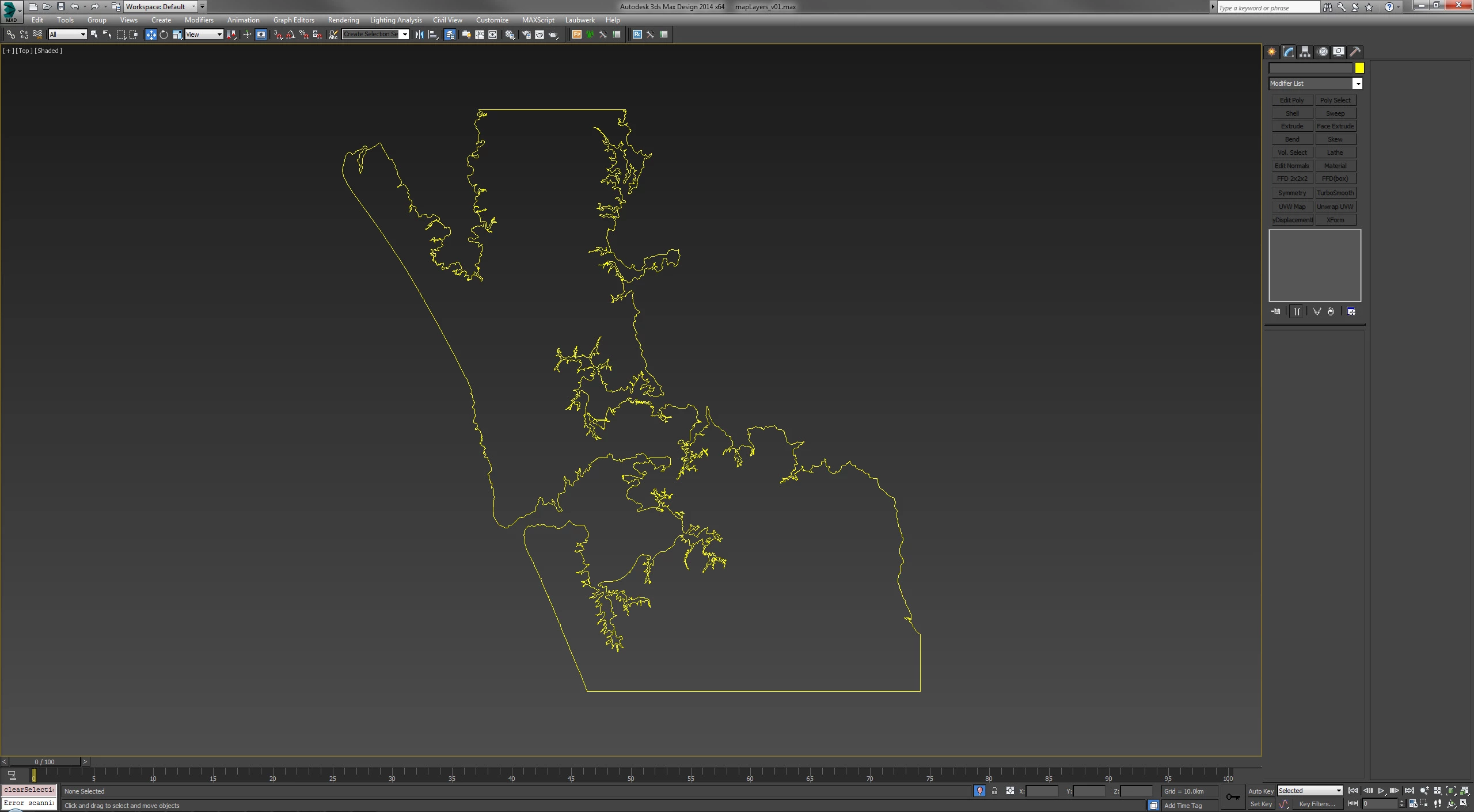
I've checked and triple checked in 3ds Max, Rhino and AutoCAD that it is a singular enclosed path with all points welded and no missing edges. When importing the .dwg into Illustrator I get the error below.
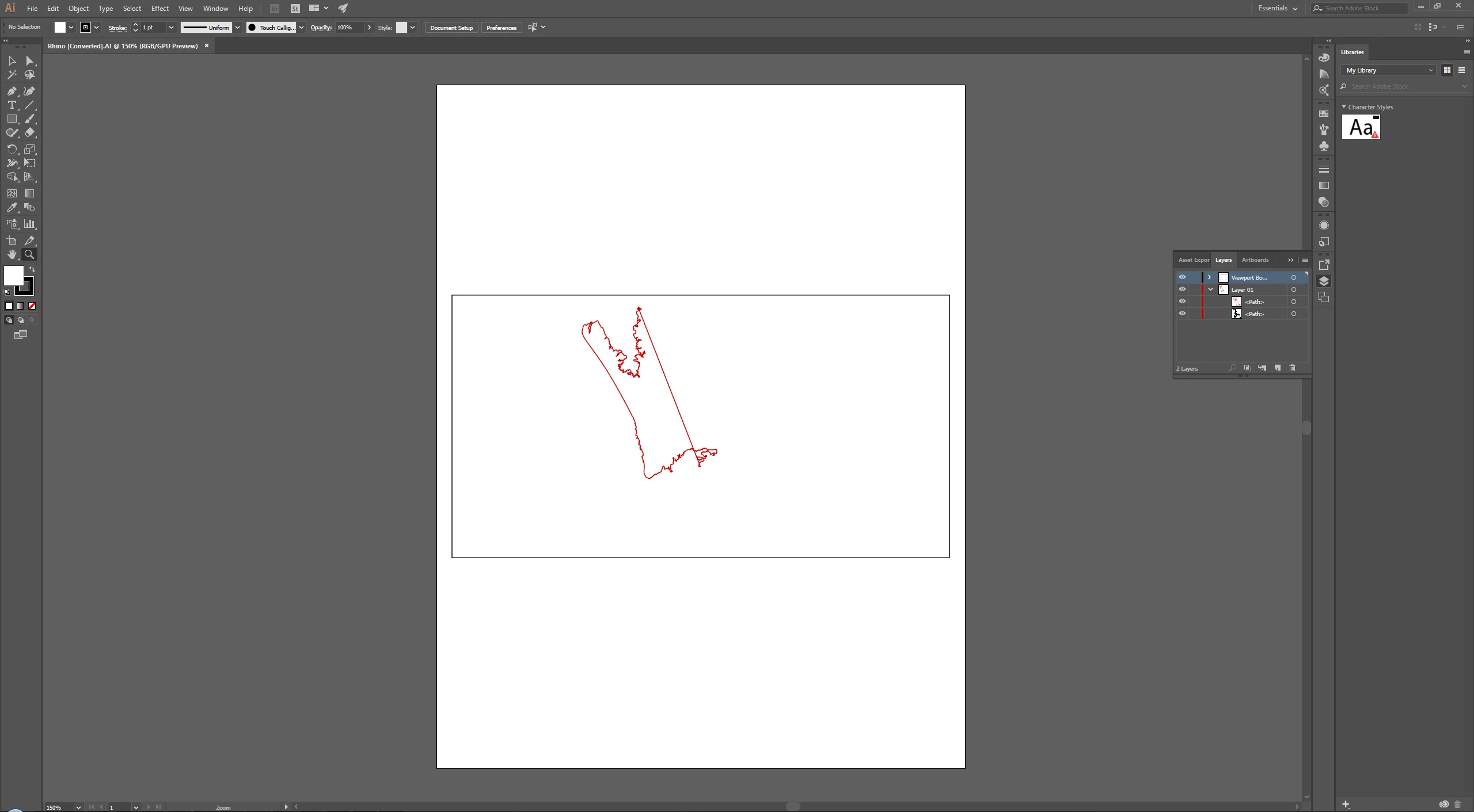
It seems when Illustrator is drawing the path it gets stuck on a point, gives up and draws a straight line back to the first point. I've checked the problem point in question it's exactly the same as every other point and if I delete it, the problem just gets passed onto it's nearest neighbor. The rest of the path is also imported as
separate path below the problem path.
If I greatly simplify the original path in 3ds Max, which results in a loss detail, and export again it does import correctly.
I could just delete the straight segment and merge the two paths back together. But that is a band aid on this singular problem, I'm after a solution as this is only one of many layers I need to import.
I've exported as multiple formats (ai, dwg, dxf) from multiple software packages (CAD, 3ds Max, Rhino) and more or less get the same error. Running the latest Illustrator 2017.
Any help or ideas would be greatly appreciated.
 AdChoices