
Inspiring
October 7, 2019
Frage

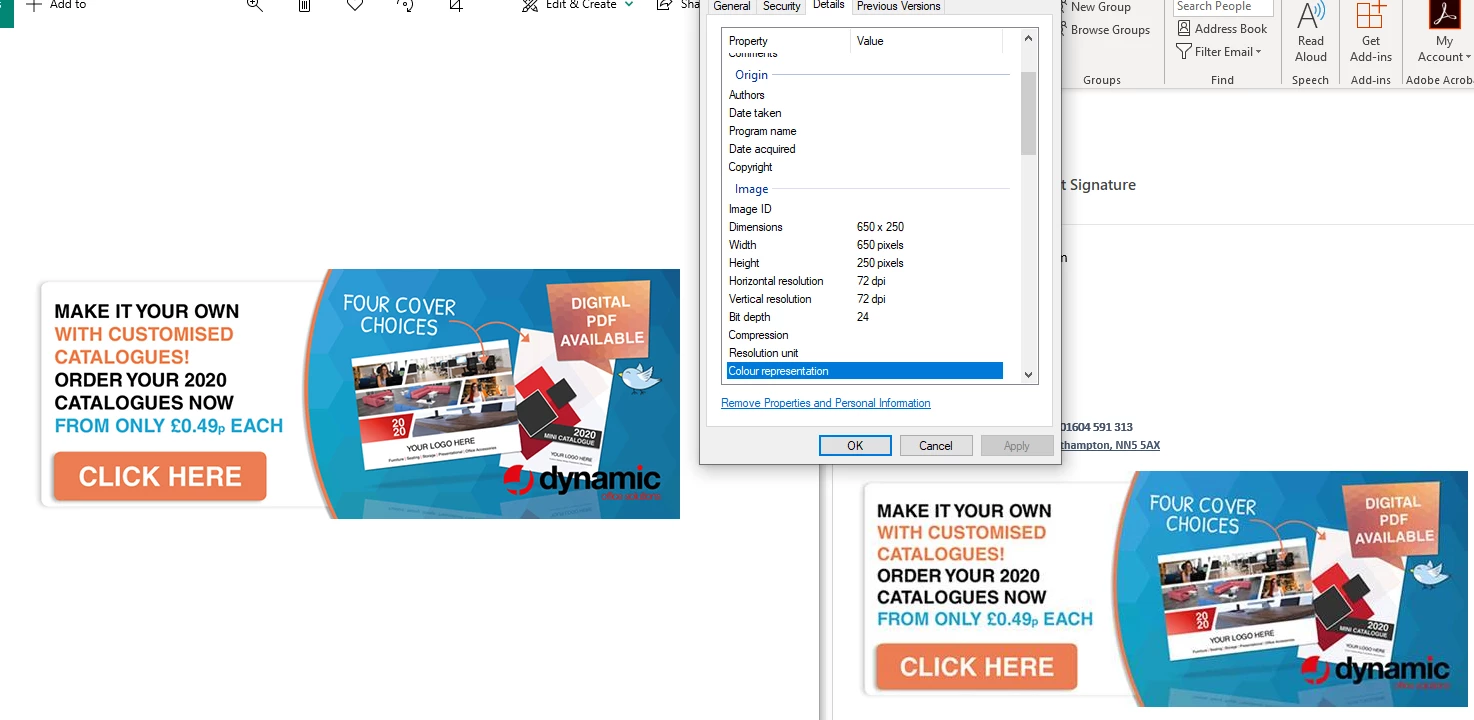
Email Signature low resolution, looks good when saved...

  • October 7, 2019
  • 3 Antworten
  • 2251 Ansichten

Hello!


Hoping you can help us out - We've got an email signature that looks good onces saved but when i bring it into Outlook and send the email, it's compresses the image into a pixel mess...


Any advice on how i can stop it doing this? Or how i can get my original image down to a file size that won't be compress but will still be clear and clean for our customers to read.


Many thanks,

Charles
 

    Dieses Thema wurde für Antworten geschlossen.

    3 Antworten

    Danny Whitehead.
    Legend
    October 7, 2019

    What format are you exporting to? Looks like Outlook is doing some pretty awful compression. I can't advise on what Outlook settings might help.


    It would probably better to upload a PNG of the design somewhere, and code an HTML signature that references it. This will also avoid it being an attachement, which isn't good practice. You should be able to find quite a few turorials for doing this online.

    Inspiring
    October 7, 2019
    It's just a Jpeg - I may redesign this as i've taken John's message to heart haha!
    John Mensinger
    Community Expert
    Community Expert
    October 7, 2019

    The only way you might get an acceptable result is to (if you're running Windows), export your composition as .emf, and import it to Outlook's signature editor using the Insert Picture feature.


    Nevertheless, I interpret Monika's advice as "forget having a banner ad as your email signature," and I'm inclined to agree. There is too much deatil in your design to effectively serve that purpose and render reliably in the potential variety of email clients. I'm also inclined to mention my personal take on it, which is: if I was someone who regularly received emails with a graphic like this at the bottom of each one, it would annoy me to the point that I would block the sender or turn off image download. Burdening your email recipients with this kind of spam-bloat is discourteous.

    Inspiring
    October 7, 2019
    Thanks for the feedback - Do you think thinning, simplifying and less "In your face" colours might do the trick? or would you suggest no signature like this?
    Monika Gause
    Community Expert
    Community Expert
    October 7, 2019
    If you ask me, then e-mail is text.
    Monika Gause
    Community Expert
    Community Expert
    October 7, 2019

    Just forget that. There's too much information in your tiny image. Once you convert it to pixels then you can zoom into it endlessly anymoe.

    Inspiring
    October 7, 2019
    I'm confused, forget what? Scrap the design and start again? "Then you can zoom into it endlessly" doesn't make any sense!
    Monika Gause
    Community Expert
    Community Expert
    October 7, 2019
    Sorry, that was meant to be "cannot". There's too much detail in your design. What you design in Illustrator can be scaled indefinitely. When you export to pixels you cannot do that anymore. So what you want to do, just does not work. Of course you can export it at 2000 pixel width or the like, but then it will be huge filesize and your recipients won't like it. https://en.wikipedia.org/wiki/Vector_graphics