a.ma
Participant
October 16, 2018
Answered

File prep for image printing on kraft paper for shipping boxes

  • October 16, 2018
  • 1 reply
  • 1118 views

Hi there,
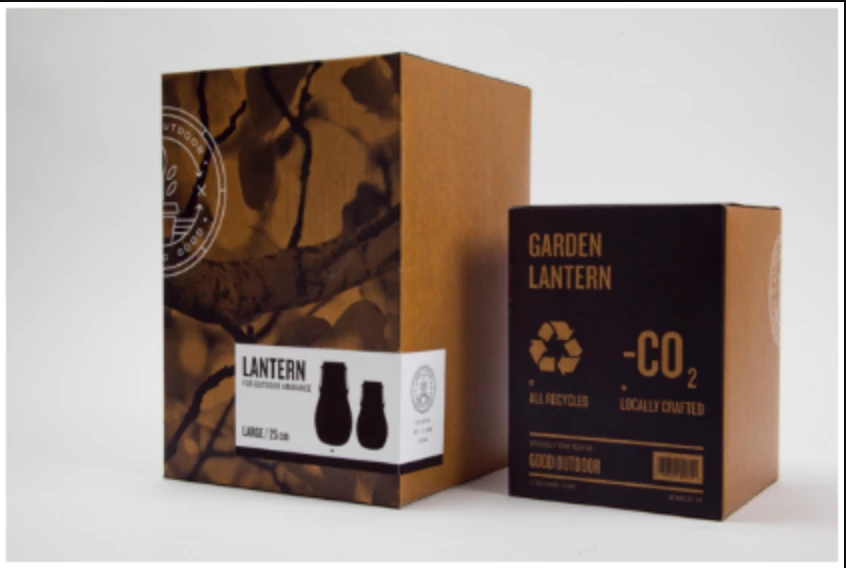
I'd like to achieve the picture print effect for the design of a shipping box with kraft paper, using Illustrator.

Any help/tutorial on how to set the file?

Thanks
This topic has been closed for replies.
Correct answer Monika Gause

Halftone effects can be better done in Photoshop. For the mockup consider Adobe Dimension

1 reply

Luke Jennings
Inspiring
October 16, 2018

Your image appears to show two inks, a black and a spot opaque white. The label might be applied after printing, or could be white ink.

Generally, you would start with a dieline of the flat (pre-folded) box, provided by the package printer, and you would add the images in the correct position & orientation in Illustrator. Save a layered PDF from Illustrator (with the overprinting dieline on top) to send to the package printer. Spot white inks swatches are often tinted light blue in Illustrator, just so you can see it on-screen, but the actual ink will be white.

a.ma
a.maAuthor
Participant
October 16, 2018

Hi Luke, thanks for your help. I've the dieline of the box, that's no problem. From the image I've attached, I'm more interested just at the printed image (the plant). My question is about the color preparation, but also for real mockup effect inside Illustrator. Do I have to prepare the image in some way, like an halftone one color image? Any recommendation? Thanks!

Monika Gause
Community Expert
Monika GauseCommunity ExpertCorrect answer
Community Expert
October 16, 2018

Halftone effects can be better done in Photoshop. For the mockup consider Adobe Dimension
