
Participant
August 9, 2017
Question

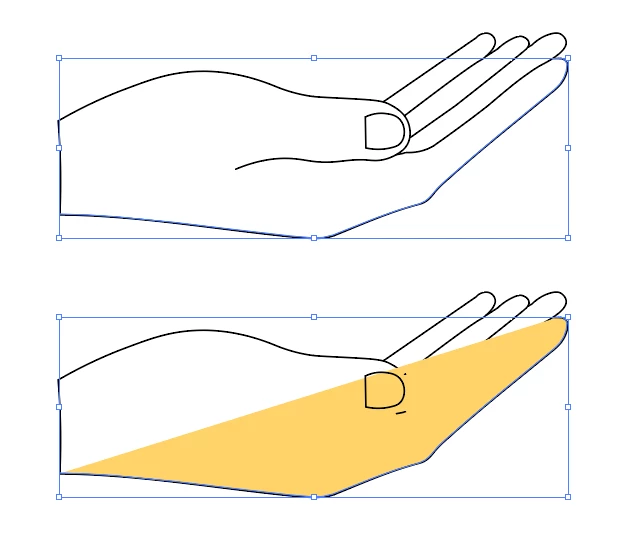
Fill color is spilling onto lines

  • August 9, 2017
  • 2 replies
  • 1782 views

Hello. I'm extremely new to illustrator and I am having trouble will the fill option. I select my lines and choose a fill color and it changes some of my black lines to the fill color. Any help would be greatly appreciated!
    This topic has been closed for replies.

    2 replies

    Kurt Gold
    Community Expert
    Community Expert
    August 9, 2017

    The forefinger is an open path and you filled just that.

    Your hand may be a task for Live Paint or the Shape Builder tool. Depends on which version of Illustrator you are using if they are availabe or not. Which version are you using?

    Bill Silbert
    Community Expert
    Community Expert
    August 9, 2017

    This is what happens when you try to fill an open path. Illustrator will run the color between the end points of the open path. If you were to look at the drawing in the artwork mode (Command/Control-Y) you would see that the lines have been obscured in the preview but are still actually there. You can either make sure that all of your paths are closed and then fill the closed shapes or you can use the Live Paint Bucket Tool to fill the incomplete shapes. To do the latter select the whole drawing that you’ve shown and choose the Live Paint Bucket tool. Click on the color you want in your swatch panel and then hover with the tool over an area of the drawing. You will see a red outline appear as it defines an area that it will fill then click and that color will be put within that area. Repeat the process throughout your drawing until it is all filled.

    Participant
    August 9, 2017

    Thank you guys! Im currently using version CC 2017, the latest version.

    Monika Gause
    Community Expert
    Community Expert
    August 9, 2017

    In that version you have both the shapebuilder tool and live paint.

    Live paint allows you to make edits easily. You might want to read about it: How to create and work with Live Paint groups in Illustrator