
Participant
October 22, 2018
Answered

Filling custom Ribbon with Text

  • October 22, 2018
  • 3 replies
  • 4039 views

Hello - I've youtubed and tried to do this, but for some reason it isn't working out. What's the trick on filling a custom shape as text? I've tried the envelope distort with top object and it doesn't work. Attached is the shape I need filled with..

    This topic has been closed for replies.
    Correct answer cinziamarotta

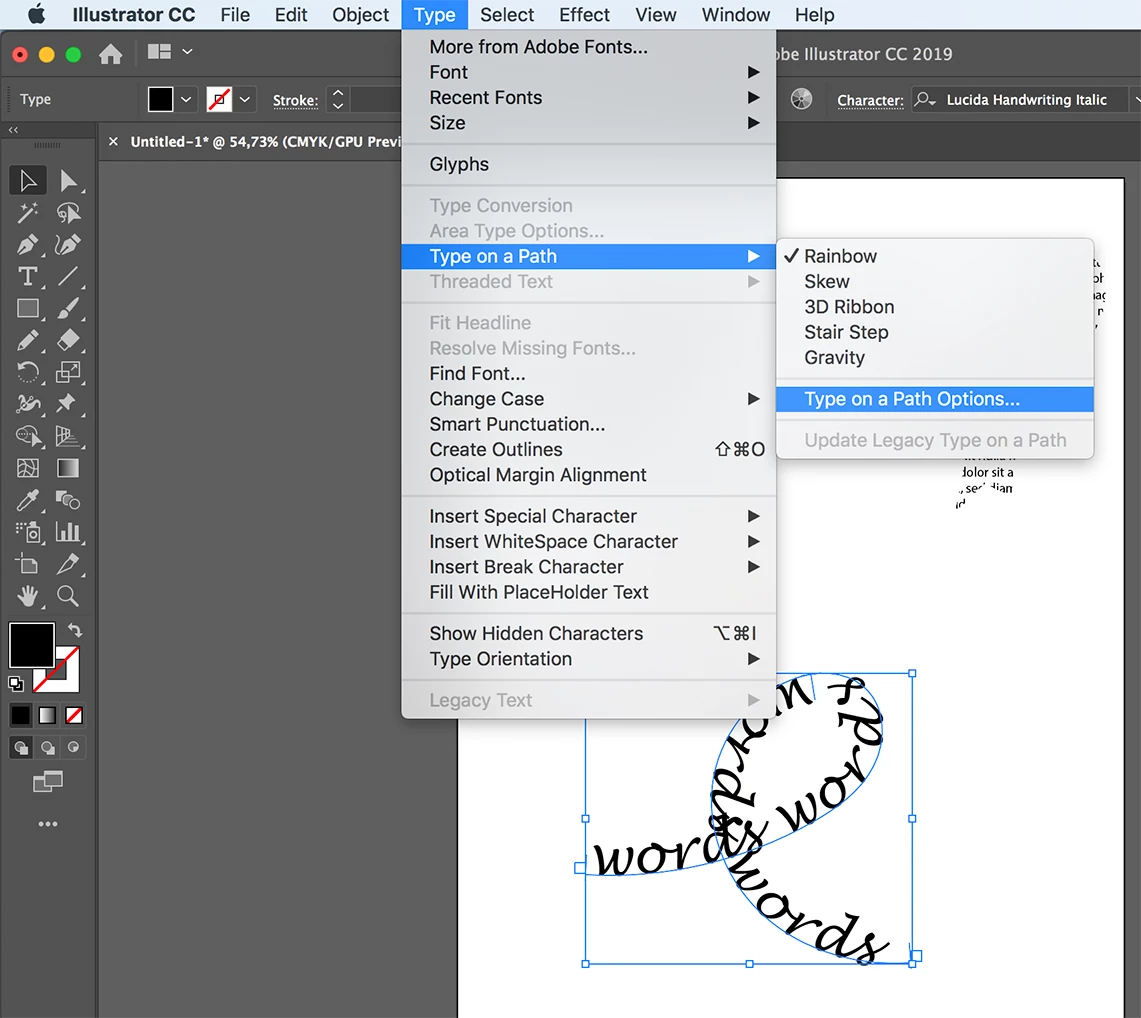
    It's a simple text on path:

    1. draw a path

    2. use type tool on path

    3. insert text

    4. Eventually change the options (type > type on a path > type on a path options)

    3 replies

    Monika Gause
    Community Expert
    Community Expert
    October 22, 2018

    The thing with envelopes is to get the corner points correct.

    Specify 4 points for one shape  by selecting them with the direct selection tool. Then  use Object > Create gradient mesh.

    Then use that as a custom envelope.

    Please show a sketch of what you intend to do if you want more detailed instruction.

    Participant
    October 22, 2018

    This is like what I'm thinking..

    Participant
    October 22, 2018

    It's a simple text on path:

    1. draw a path

    2. use type tool on path

    3. insert text

    4. Eventually change the options (type > type on a path > type on a path options)


    Thank you! I knew I was overthinking and over-complicating it.. I've been under the weather and stressed with work, so I just needed someone else's opinion on the matter!

    meganchi
    Legend
    October 22, 2018

    I'm not sure if you want individual words to follow pieces of each area of ribbon, but here is a site that shows how to slice up a shape and use envelope distort.

    Warping Text to Fit into Shapes with Illustrator

    cinziamarotta
    Participating Frequently
    October 22, 2018

    Hi,

    make a compound path from that shape (Object > Compound path > make) and use it as clipping mask on a text (Object > clipping mask > make):