It can be done using some set type and the pen tool:
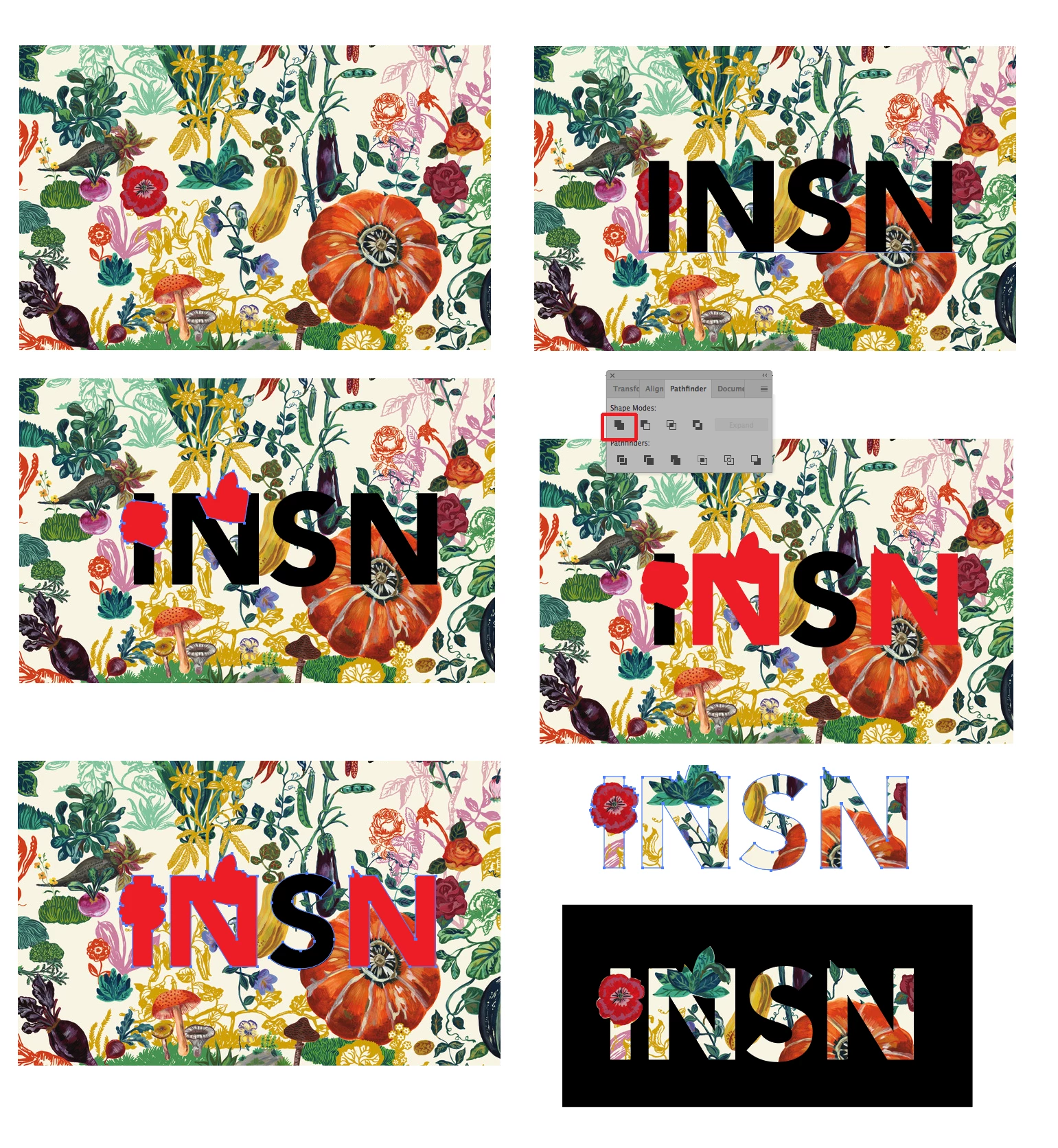
Start with the pattern (Picture One above). Set the type you want and place it to your liking. Convert the type to outlines and make sure that the outlined text is ungrouped and no longer a compound path (Shift-Option/Alt-Command/Control-8) (Picture Two). With the pen tool draw the outline of the flowers you want to overlap (Picture Three). Select each letter and its overlapping shape one at a time and use the Pathfinder Unite function to combine them into one shape (Picture Four). When all the letters are done select them all and make them into a single Compound Path (Command/Control-8) (Picture Five). Then select the compound path and the background pattern and make a clipping mask (Picture Six). Place a black square behind it for the final result. Once you get the black square in place you might want to tighten the pen tool paths around the exposed flowers using the direct-selection tool.


 AdChoices