Answered
Golden Ring Gradient
Hi,
I'm new to Illustrator.
Does anyone know how the Golden Ring gradient was made transparent?
Thank you.
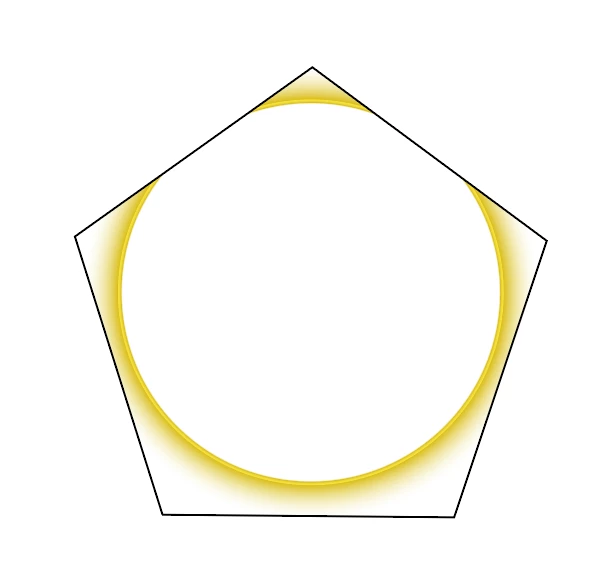
[ attachment inserted as inline image by moderator ]

Hi,
I'm new to Illustrator.
Does anyone know how the Golden Ring gradient was made transparent?
Thank you.
[ attachment inserted as inline image by moderator ]
There are at least several, and possibly many, ways to accomplish this. I'll offer one or two.
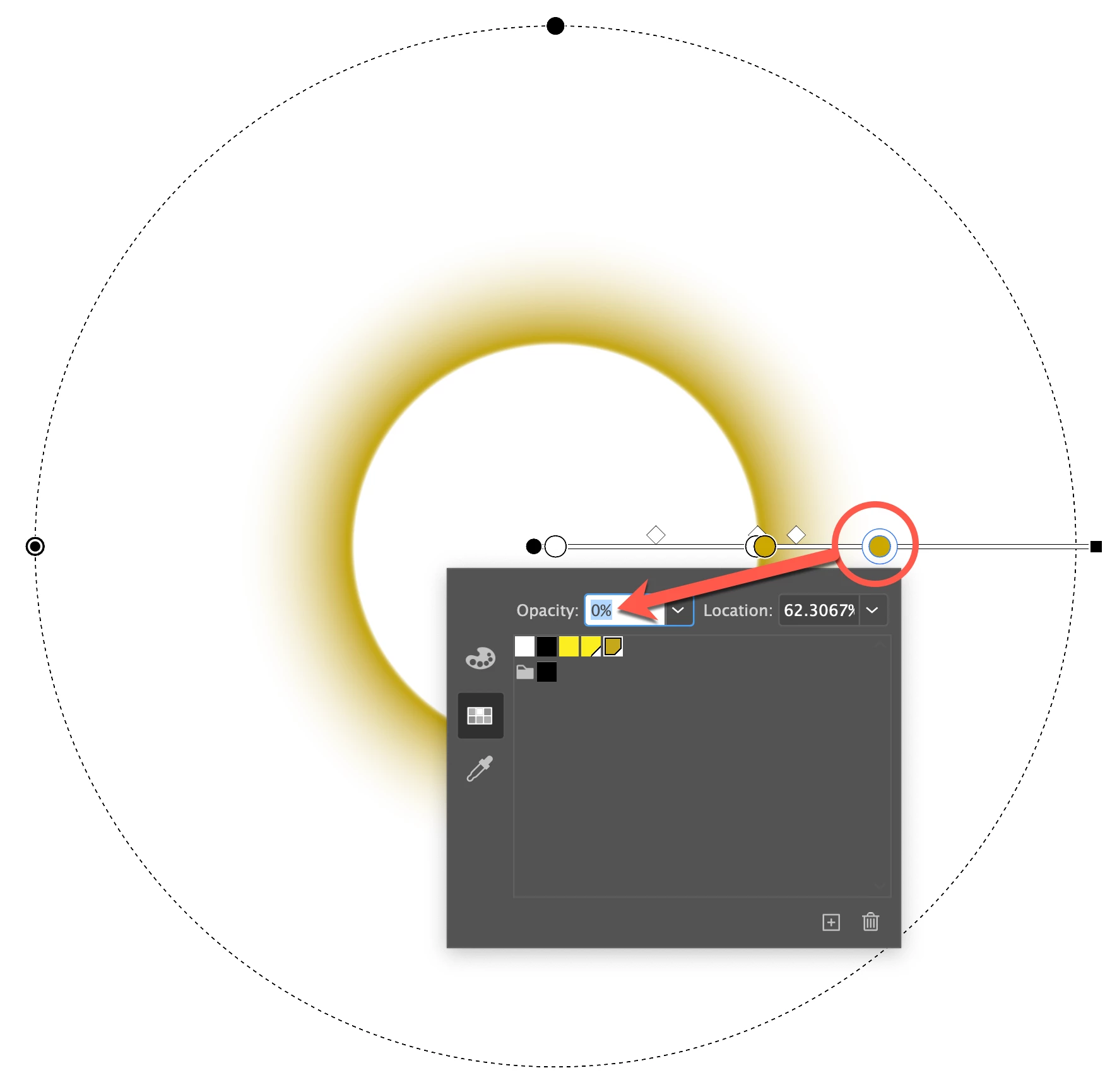
For this first one, for simplicity I'll leave out the yellow ring, which can also be added in various ways.
This is a radial gradient applied to a circular path, the color stop on the right having an opacity of 0%. In fact, the two color stops on the left also have 0% opacity, so that the inside of the circle is transparent as well.
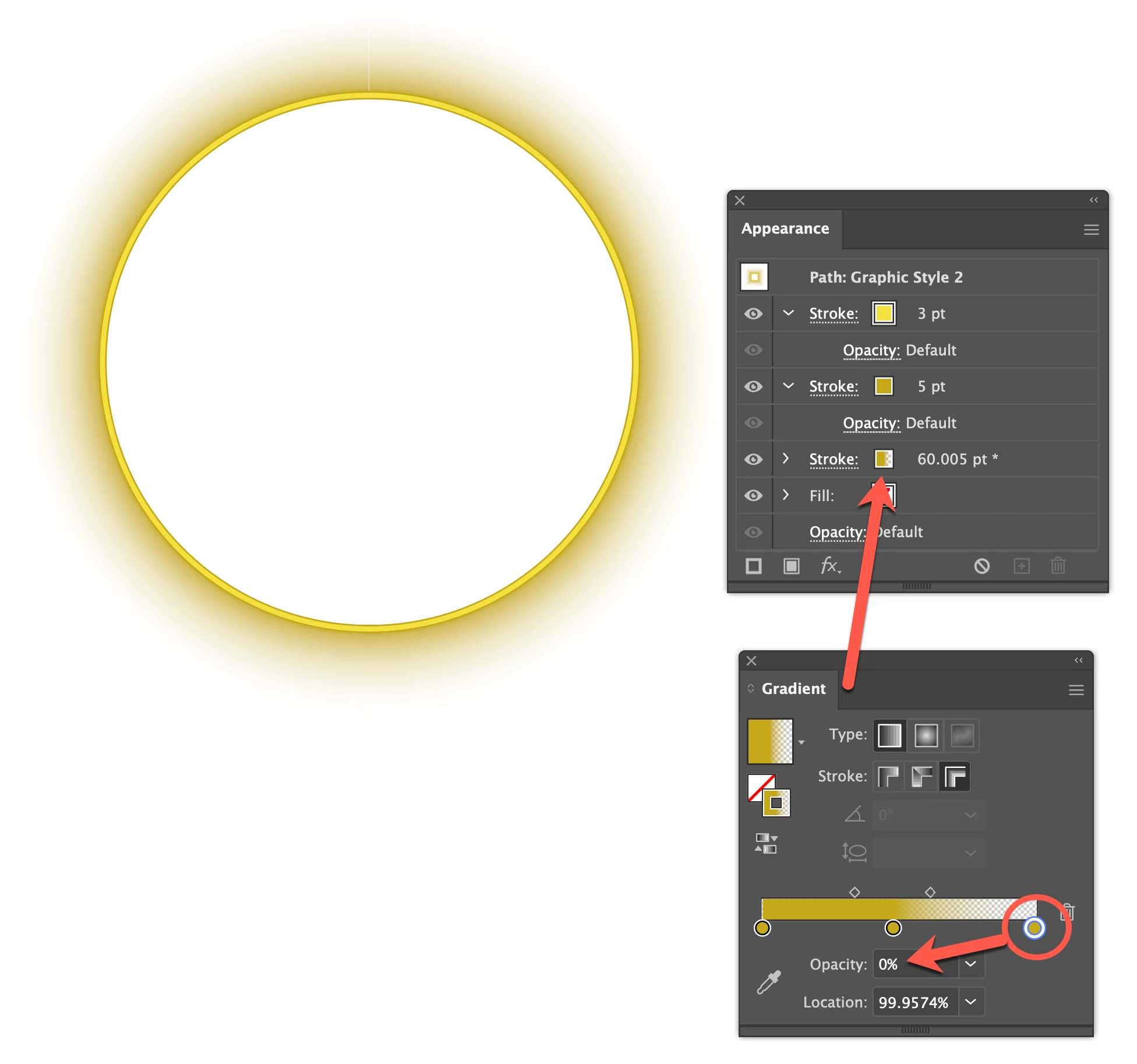
This one is all done with strokes in the Appearance panel. The bottom stroke is a gradient placed all on one side of the path with the Width Tool:
This stuff is not difficult, but familiarity with the program would be a huge asset.
Peter
Already have an account? Login
Enter your E-mail address. We'll send you an e-mail with instructions to reset your password.
 AdChoices