Participant
March 27, 2021
Answered

Google Map location markers

  • March 27, 2021
  • 2 replies
  • 552 views

How can I draw the location marker accurately? My shapes are looking wonky.
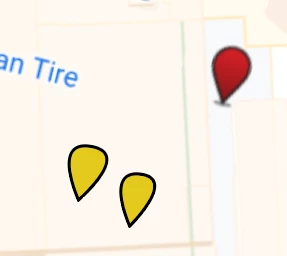
 

This topic has been closed for replies.
Correct answer mjbelt

https://helpx.adobe.com/illustrator/how-to/draw-edit-curves.html

  • Draw a Circle
  • Use the Curvature Tool
  • Generally using the Curvature Tool creates a curve line segment. 
  • Position the cursor over the Point and double-click to convert it to a Corner point.  
  • You can add more points (anchors) bend to form the shape with ease

2 replies

mjbeltCorrect answer
Participating Frequently
March 27, 2021

https://helpx.adobe.com/illustrator/how-to/draw-edit-curves.html

  • Draw a Circle
  • Use the Curvature Tool
  • Generally using the Curvature Tool creates a curve line segment. 
  • Position the cursor over the Point and double-click to convert it to a Corner point.  
  • You can add more points (anchors) bend to form the shape with ease
pixxxelschubser
Community Expert
Community Expert
March 27, 2021

One possibility:

  • draw a circle
  • choose the Anchor Point Tool (CC) | Convert Anchor Point Tool (former name)
  • convert the bottom anchor (click on it)
  • choose the Direct Selection Tool
  • select (only) the bottom anchor point and move it down (while additional holding Shift )


  • if needed - rotate you "location marker" as desired
