

Help getting Illustrator radar graph tool to behave the same as the Excel one
Hi all! I have a specific problem with the radar graph toll in Illustrator and I'm hoping there's an expert in here that will know how to get it to behave the way I need it to.
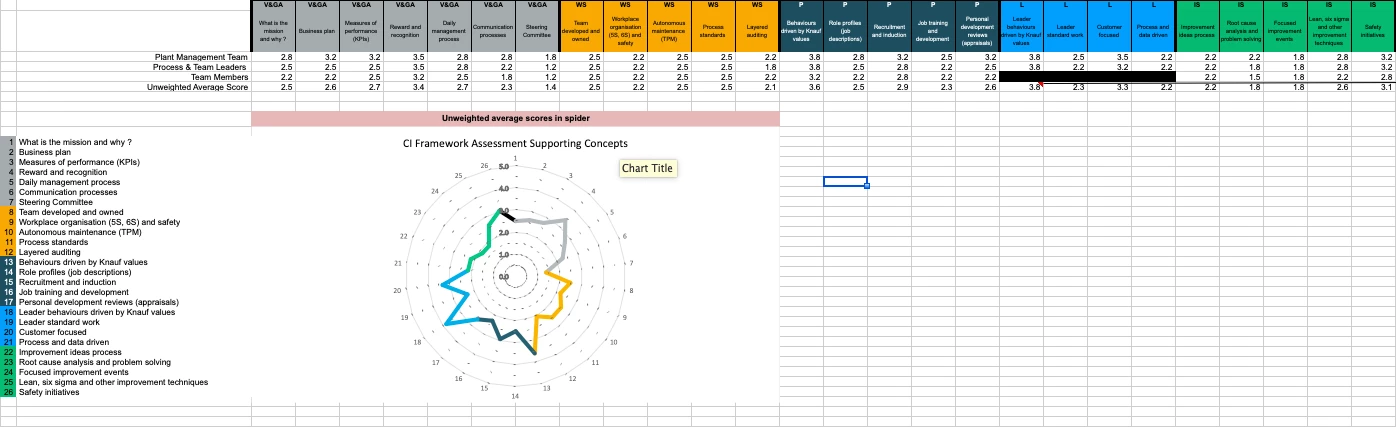
I have been given a radar graph (and assocated data) in Excel. I need to replicate it in Illustrator. The problem I'm having is, when I input the data I can't get the Illustrator graph to look the same as the Excel one....and it needs to.
Attached screenshot of the Excel version:
Close up of the graph:
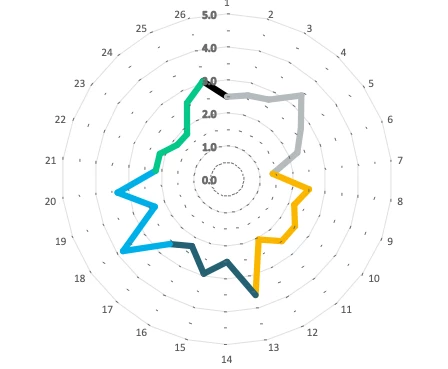
The data it is using is the one shown in the row "unweighted average score".
And screenshots of the kind of results I'm getting in Illustrator:

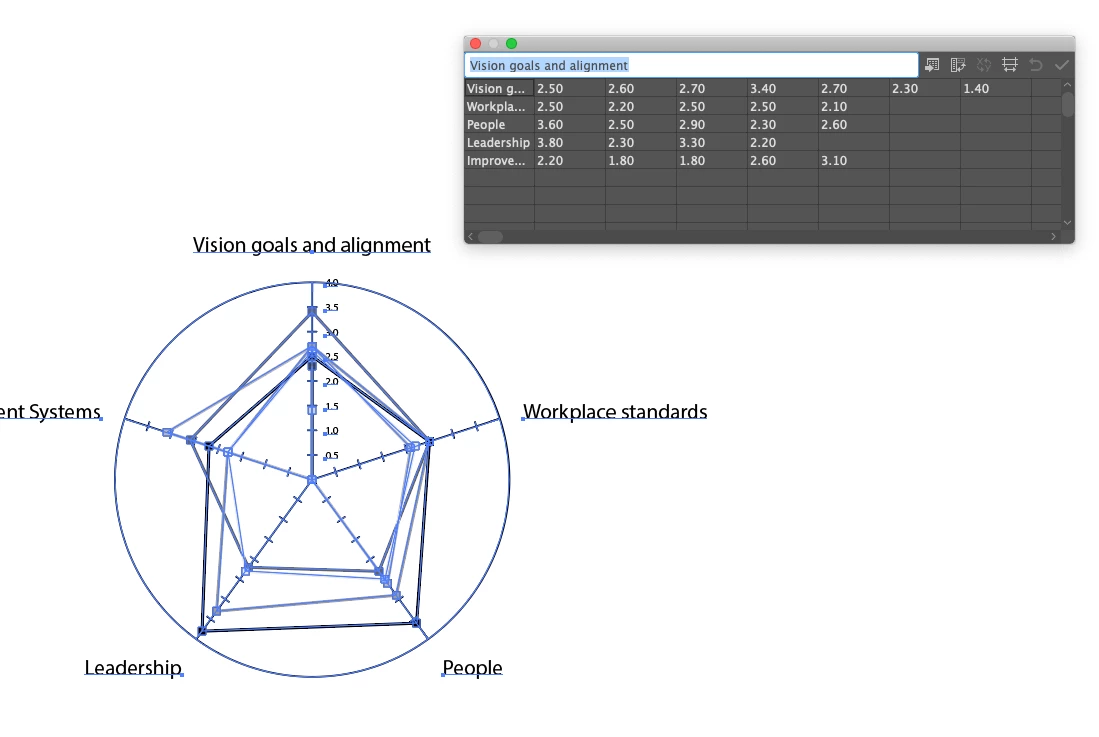 Does anyone know how I should be inputting this data into Illustrator in order to replicate the Excel version? Is it even possible? I really want to avoid doing this manually if I can (as it's something they'll need changing in future, so it would be great if I could just edit the data!)
 AdChoices