
Answered
Help, how to make this curly shape in Illustrator?
I'm trying to make this curly shape in Illustrator but if I do it by hand with a pen tool it just doesn't look well. Is there an easier and more effective way to do this?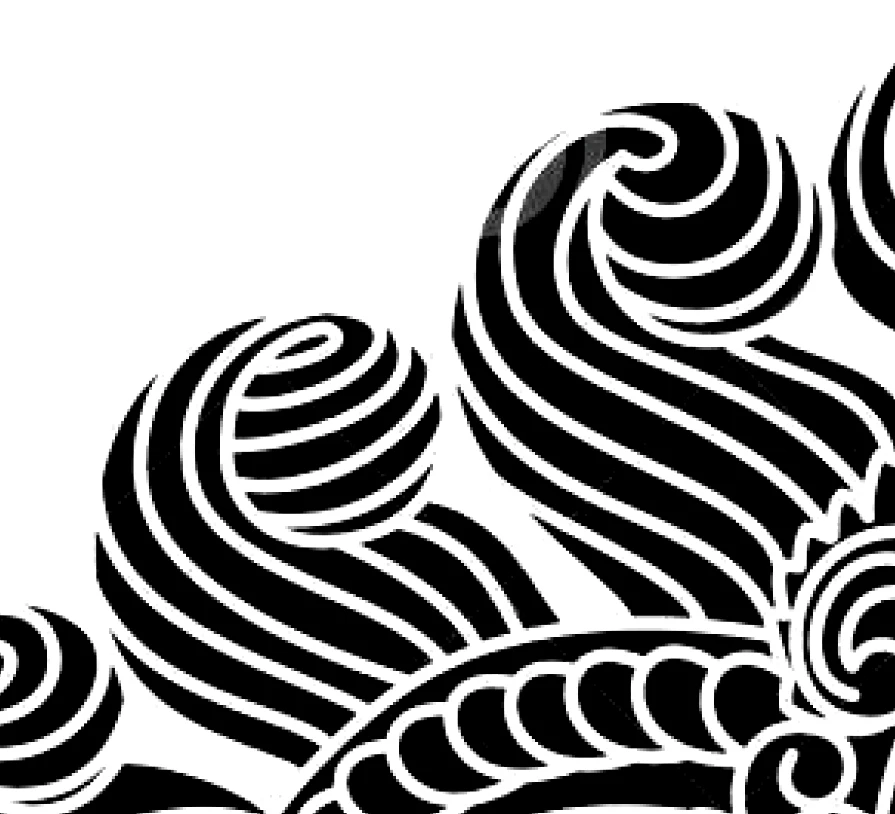

I'm trying to make this curly shape in Illustrator but if I do it by hand with a pen tool it just doesn't look well. Is there an easier and more effective way to do this?
Hi, I agree, learning and using the pen tool is really the best. But here is an idea.
Make a circle (in your logo, make the larger outline shape of all that would be black) for now, Ill use a circle.
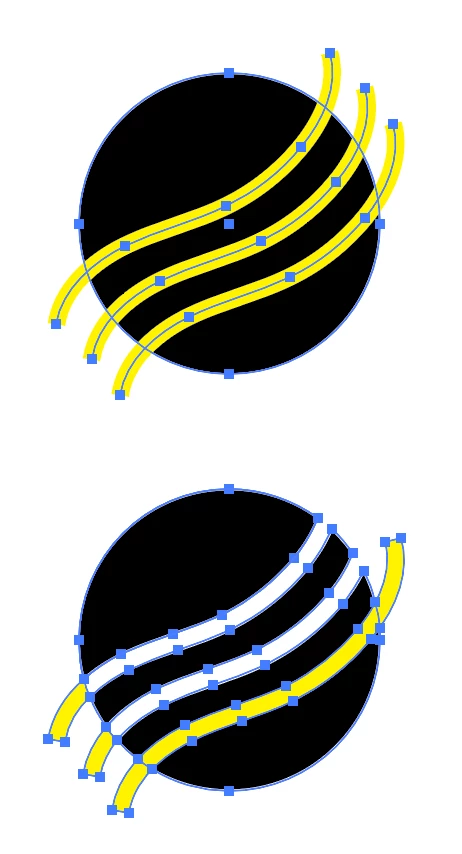
Make a line with any tool, pen, pencil, arc or line tool (using the WIDTH tool might be fun to make interesting lines). color the stroke of the line yellow (color really doesn't matter, just anything that you can see), stroke width is a few points 3-5pts. Make duplicates of the yellow line and readjust the lines to make the cut outs that you're looking for.
Once the lines are correct, select ONLY the yellow lines, and choose Object > Path > Outline Stroke.
Now select the circle and the lines, and zoom in close.
Choose the Shape Builder Tool (shift M)
Hold down the Option (mac) or Alt (win) and drag the tool very carefully on the yellow lines. When you release, the yellow will be removed and the black of the circle will stay. Continue holding the option/alt key to remove all the shapes that you don't want.
If you don't use the option key, shapes will be added together BTW.
You'll still have to get good at drawing, and the pen tool is really the best, but this might help you draw the larger shape then removing items, instead of drawing each and every item.
I've attached a screen shot where the top is the circle and the lines, and the bottom is after lines have been outlined and some have been removed by the shape builder tool.
Good luck!
Already have an account? Login
Enter your E-mail address. We'll send you an e-mail with instructions to reset your password.
 AdChoices