
Participant
March 5, 2020
Question

Help please - Seamless pattern not lining up perfectly

  • March 5, 2020
  • 2 replies
  • 3439 views

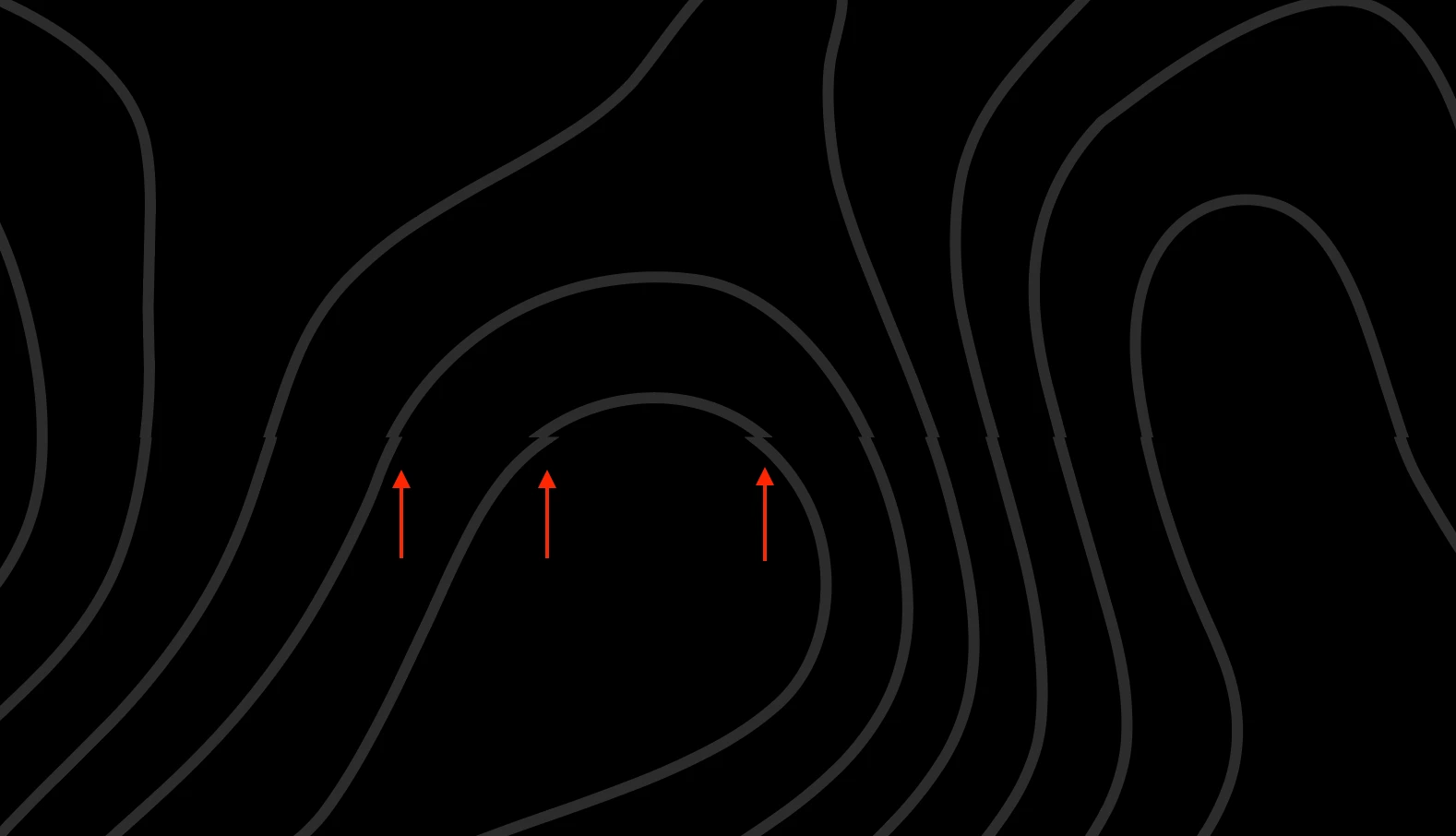
I have this seamless pattern (eps) and can't get the ends to line up perfectly when repeating. What is the best way to resolve something like this? I can double-click on it in the swatches to edit it but does anyone have a good way to fix this where I'm not destroying the pattern? Thanks! 
 

2 replies

pixxxelschubser
Community Expert
Community Expert
March 6, 2020

That seems to be only a small part of your pattern - right?

Without to see the whole pattern it's not possible to help you fullfully.


And: In which way you tried to build your "seamless" pattern?
Manually?


Maybe menu: Object --> Pattern --> Create... does help you more.

In every case: disable align to grid and align to pixel grid.


Jacob Bugge
Community Expert
Community Expert
March 5, 2020

edsonh,


As far as I can see, the pattern tiles are made as parts cut out of (copies of) the greater pattern, and they are too high: a correction corresponds to moving the upper parts of the curves down a specific amount to smootly fit the lower parts (or move the lower parts up by the same amount), so if the tile height is reduced by that amount you will get the exact fit.


You should be able to do it by correcting/applying the needed nofill/nostroke rectangle with that height beneath the pattern artwork (in the stacking order) and redefine the pattern tile.


Was this woolly and unintelligible enough?