
Known Participant
January 5, 2017
Answered

Help With Painting text with white brush

  • January 5, 2017
  • 2 replies
  • 1373 views

Hi all,

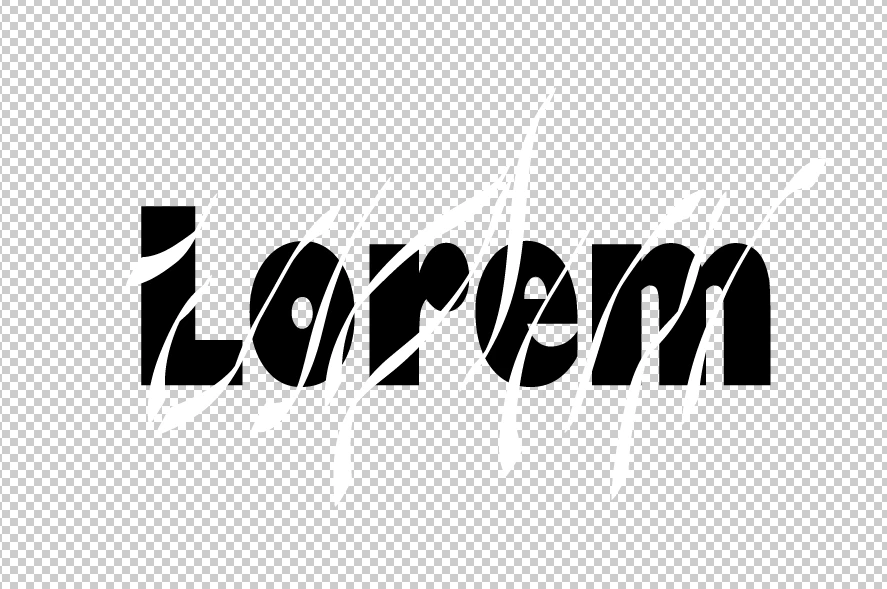
I want to paint some black text with a bunch of white brush strokes but I only want the white brush strokes to stay within the text and any part of the brush stroke outside of the black text to go away. See my starting point below.

Thanks for your time and patience,

Greg
This topic has been closed for replies.
Correct answer Monika Gause

Okay here is a video of the weird loss of text. Thoughts?

Go Here


When you apply a clipping mask via the object menu, you will use stroke and fill color. Has been like that as long as I remember.

Just select the objects and apply fill and stroke color again.

Select objects:

How to make selections in Illustrator

Select colors:

How to choose colors in Illustrator

Select and apply color to text:

How to format type in Illustrator

2 replies

Silkrooster
Legend
January 5, 2017

Edit ignore below is for photoshop Sorry...

  • Ctrl-click (windows) or cmd-click(mac) the text thumbnail in the layers panel to create a selection of the text
  • Select the brush layer (this layer should be above the text layer if not go ahead and move it by dragging it)
  • Layer>Layer Mask>Reveal selection to create a mask on the brush layer (requires the brush layer is selected as previous step requested)

MBorowiec
Participating Frequently
January 5, 2017

It's quite simple there is two ways to do this:

  1. Expand text (change to curves - CTRL+O) , then with pathfinder just cut out white elements out of the text.
  2. Duplicate text and turn it to outlines (similiar as above) and than just make an clipping mask within outlined text.
Ton Frederiks
Community Expert
Community Expert
January 5, 2017

Select your text with the Selection tool.

Click on the Draw Inside icon at the bottom of your Tools panel.

Click outside the text.

Select White as fill color.

Start painting.

The text will stay live so you can still change it's characteristics.

Known Participant
January 5, 2017

I can do it with one text. The fill first vanishes, but you can reapply it


I'm confused by "reapply."