Participant
April 24, 2020
Answered

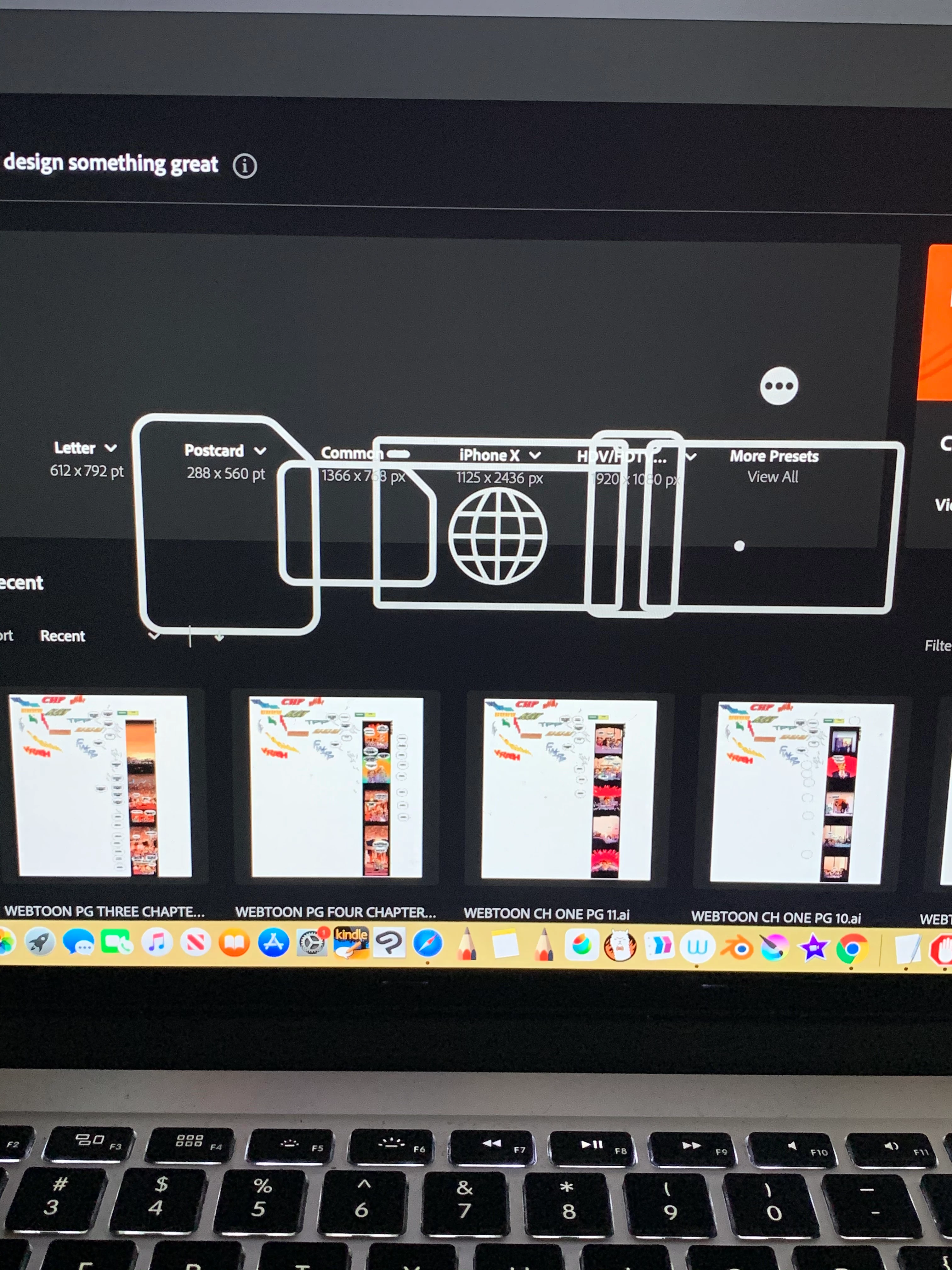
Home screen presets icons display issue in Illustrator CC2020
  • April 24, 2020
  • 2 replies
  • 2549 views


{Renamed by MOD}

This topic has been closed for replies.
Correct answer Srishti Bali

Hi there,


Sorry to hear about this issue. It has been reported by a few other users as well and we have tried to fix this in our latest update for Creative cloud. Please make sure that the Creative Cloud Desktop app is upto date. 
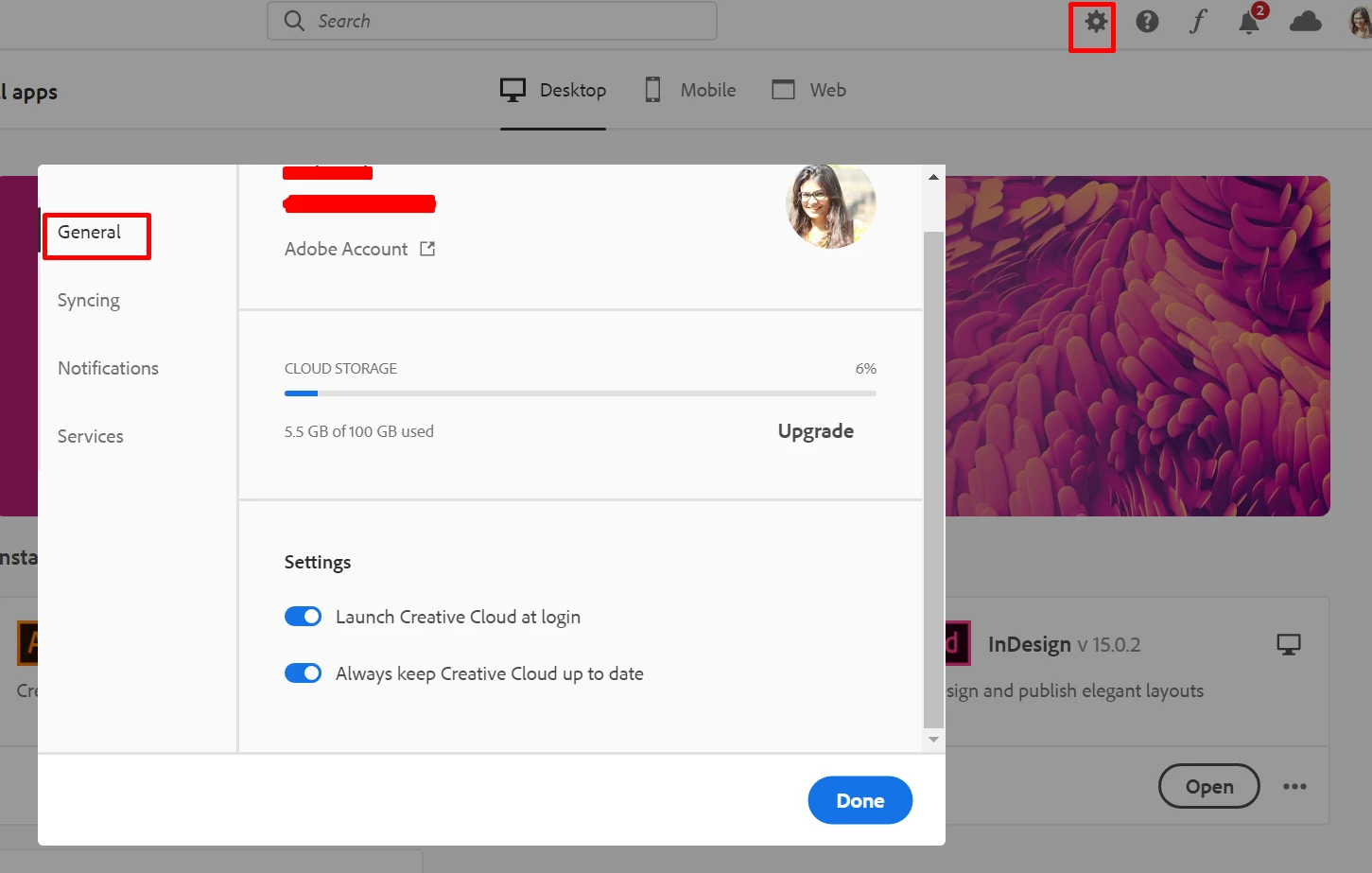
  • Click on Settings Icon > General > and make sure "Always keep Creative Cloud up to date" is turned on (image 1).
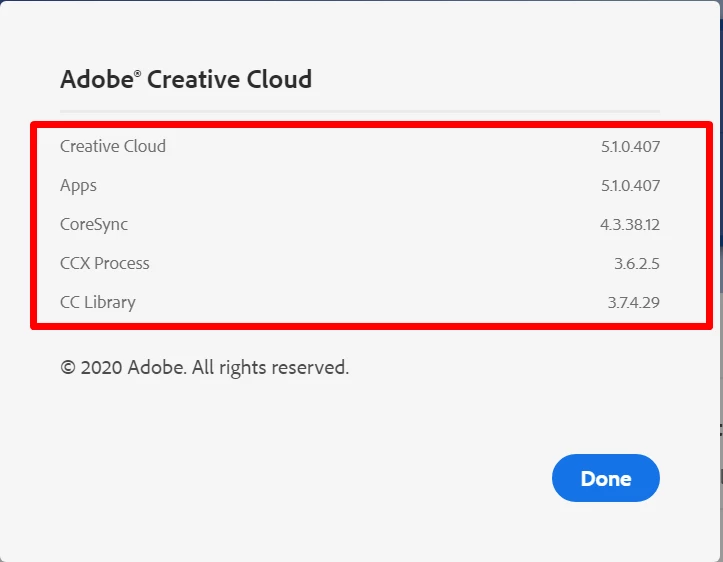
  • Then Go to Help > About Creative Cloud and check the the version of Creative Cloud (image 2). 


  • If that doesn't help, go to following locations and rename extensions folder to extensions_old
    MAC:  /Library/Application Support/Adobe/UXP
    Windows: C:\Program Files\Common Files\Adobe\UXP


Regards,

Srishti

2 replies

Inspiring
May 15, 2020

Hi, thanks for the help.
Creative Cloud app was already up to date, but renaming the extensions folder worked. Back to normal now!

Artelles
Known Participant
June 1, 2020

Same problem


The solution doesn't work

1. CCD updated

2. extensions folder just doesn't exist in /Library/Application Support/Adobe/UXP


Perry Schumi
Participant
June 3, 2020
Same problem for me.. No extensions folder to be found..Did you solve it?
Srishti Bali
Srishti BaliCorrect answer
Legend
April 24, 2020

Hi there,


Sorry to hear about this issue. It has been reported by a few other users as well and we have tried to fix this in our latest update for Creative cloud. Please make sure that the Creative Cloud Desktop app is upto date. 
  • Click on Settings Icon > General > and make sure "Always keep Creative Cloud up to date" is turned on (image 1).
  • Then Go to Help > About Creative Cloud and check the the version of Creative Cloud (image 2). 


  • If that doesn't help, go to following locations and rename extensions folder to extensions_old
    MAC:  /Library/Application Support/Adobe/UXP
    Windows: C:\Program Files\Common Files\Adobe\UXP


Regards,

Srishti
