
How to avoid the filling of 3 anchor points.
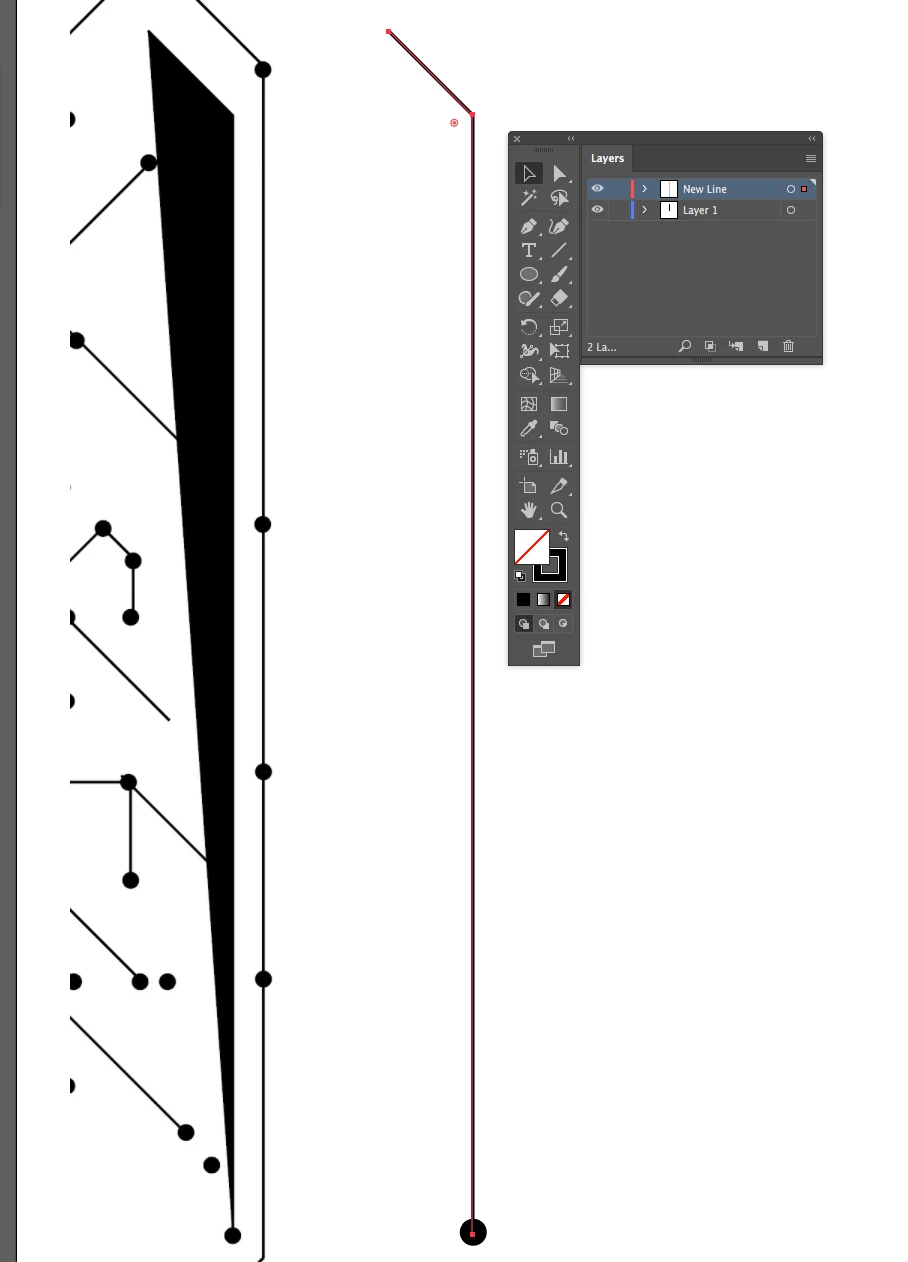
I read a lot about how to manipulate paths, how to cut a path, how to delete an anchor points, etc. But I am stuck with the filling of 3 anchor points. I can create an anchor point and path with the pen tool. My problem is that when I create a third anchor point, it fills the space between the 3 anchor points in black (whatever the colour).
On a clean artwork space, I can create a path with several anchor points without the filling, but when I go back to my original illustration, it does not work the same way, meaning that it fills the 3 points. I have attached a screen shot of the problem. I tried to delete the anchor points of the path and try again, but the filling seems unavoidable. To be clear, the lines that seems to intercept the filling are not part of the filling. The path and the 3 anchor points does not touch other paths. What can I do? Thanks.

 AdChoices