
Question
How to cut a top layer shape without cutting the lower layer?
Hey guys,
I found a tutorial on youtube but I can't find it anymore 😞
Basically, what is the process to cut the top layer as the same shape of the lower layer while keep the lower layer intact.
1 - The shape builder - (minus) tool cuts both layers, leaving nothing left behind.
2 - The 'divide' tool in pathfinder does cut all pieces but it still makes the black box not in-tact.
Please dont take the below example too literally, as I know the line tool and other methods like below can cut the star in half perfectly.
But I have complex shapes in another project that I just need the top layer the same pieces as the bottom layer but have the bottom layer still intact.
THANKS!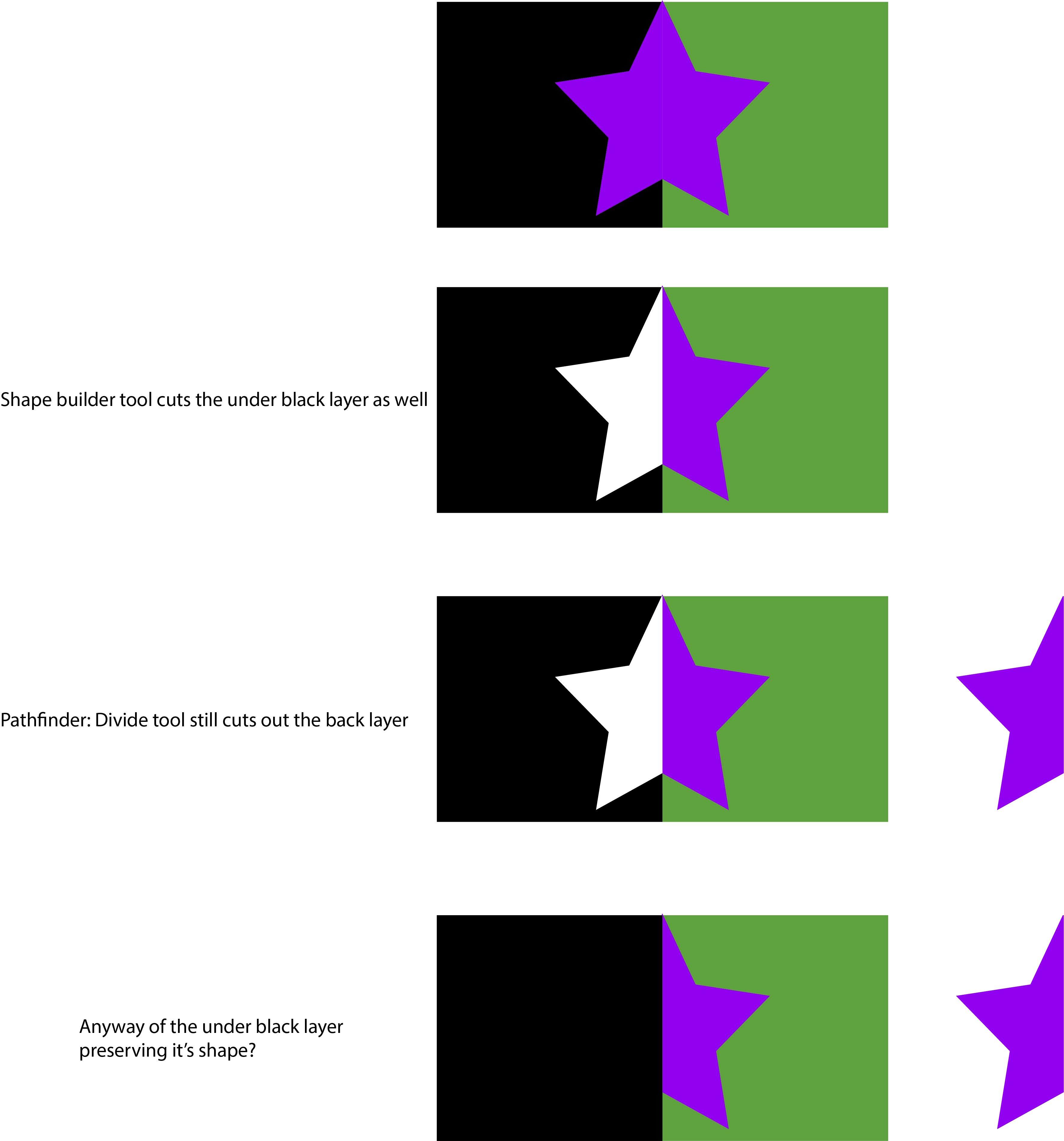
 AdChoices