
How to fill area between different paths?
Hi
This is a newbie question about filling areas between a number of paths in Illustrator CS4 which form a bounded area. Here is an image I created using Illustrator:
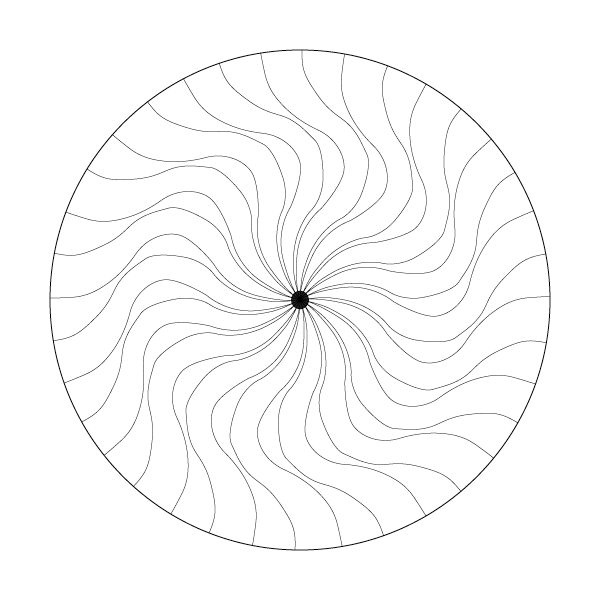
I would like to be able to fill the area between the lines that flow from the centre of the circle. I have a path for each line coming from the centre and a path for the outer circle. When I select two lines next to each other and try and fill them by selecting the fill colour I get this:
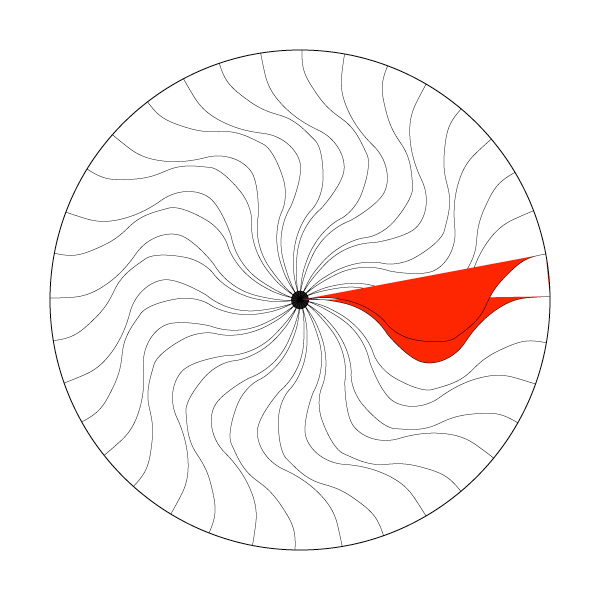
i.e. Illustrator is filling between the start point and end point of each path, rather than the area bounded by the two paths and the outer circle, which is what i would like. I have tried grouping the paths and dividing the outer circle into separate paths for each section of the outer circle between the paths coming from the centre, but can't get this to work. If i open this Illustrator file in Photoshop however i simply need to click on an area bounded by lines/paths with the paint bucket tool and they are filled which whatever colour I choose. So i am looking for a similar method in Illustrator.
I would be grateful for any help in getting this working
Thanks
Nick
 AdChoices