
elektrik309
Participating Frequently
December 20, 2016
Question

How to: Radial text around a circle / infographic

  • December 20, 2016
  • 3 replies
  • 2035 views

Hi everyone,

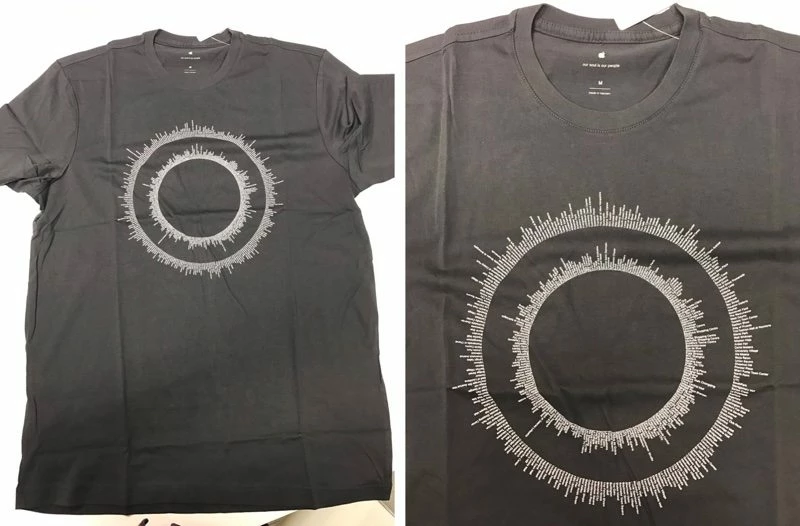
Apple has a great example of what I'm looking to accomplish with a list of text. But I haven't seen any recent discussion that actually explains how to do this with current tools and I'm stuck. Can someone explain the steps to create a circle of text like this?

Bonus: group/align items in "wedges" so that, for example, country names in the inner circle could be connected to cities in the outer circle. Like a list item with sub-items: ex) United States (inner); Detroit, Chicago, Atlanta, San Diego (outer). But I can manually deal with that, too.

Many thanks in advance,

Matt
This topic has been closed for replies.

3 replies

elektrik309
Participating Frequently
December 20, 2016

Thanks. Post #3 in this thread was helpful: https://forums.adobe.com/message/9029892#9029892 . I haven't got to the Tate-chu-yoko part yet, but I made a successful test run with 89 items, pasted in all at once from plain text. The trouble becomes when that list changes in number -- if adding or subtracting items could automatically change the rotation/spacing, that would be ideal. But this gets me most of the way there.

Kurt Gold
Community Expert
Community Expert
December 20, 2016

You may do a forum search for 'Tate-chu-yoko'.

Mylenium
Legend
December 20, 2016

The stuff you ask for is typically done in data analysis software, a lot of which is custom, nerdy and a usability nightmare. As far as crating arbitrary designs just baseed on phrases, manually laying out the stuff will do just fine - crate a circle, convert it to a guide, calculate the necessary rotation angles, move stuff around and align it. It will be tedious, but perfectly doable on a lazy afternoon.

Mylenium