Participant
August 16, 2017
Answered

How to recreate this logo as a vector?

  • August 16, 2017
  • 4 replies
  • 1408 views

Hi all, I have created this in photoshop but I need to create it in illustrator in order to freely transform it bigger or smaller as a vector image, however, I can't seem to get the drop shadow effect. The white areas are in effect a cut out, thus showing the drop shadow....any ideas would be very greatly appreciated. TIA.

    This topic has been closed for replies.
    Correct answer JonathanArias

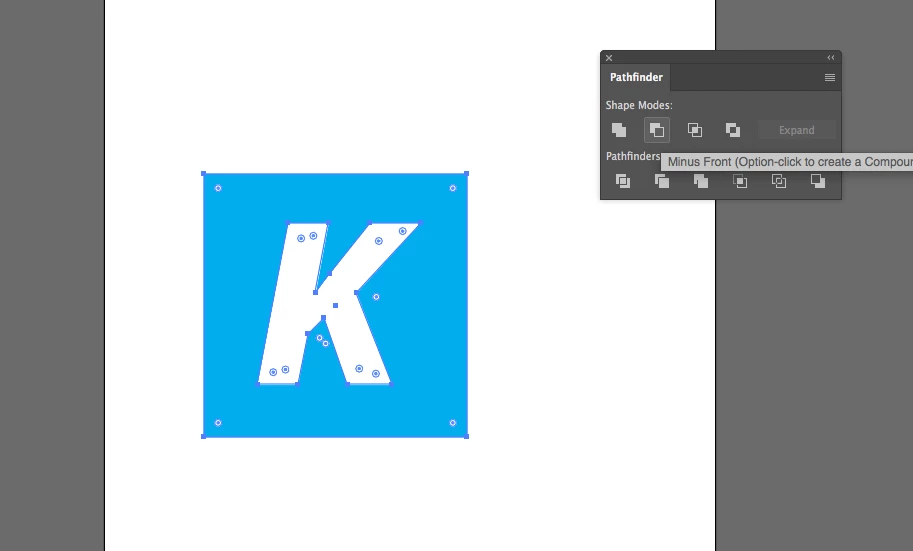
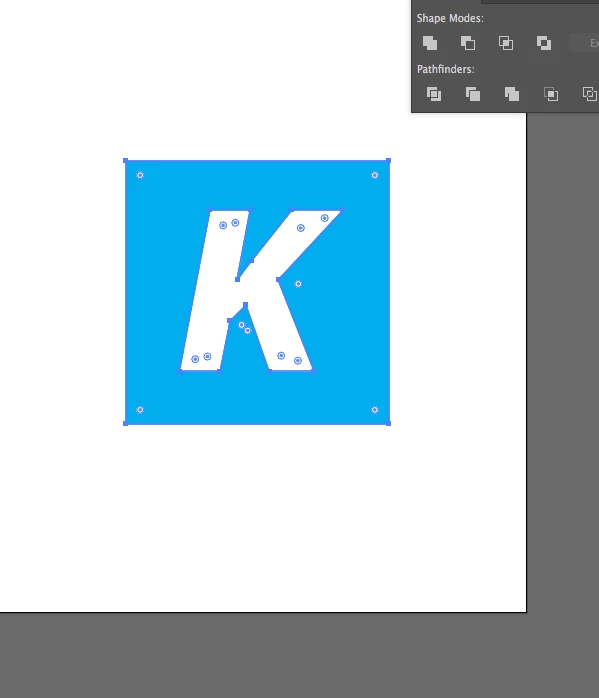
    make a copy of it so you have the working letter as a font.. selected it, go to TYPE >> create outline, once you do that you converted the letter into paths. like on my screenshot below. now that is paths, place it on top of the square, and using the pathfinder tool you cut it out with the minus from, see screenshot. Now the letter is cut out of the square.

    hope this gives you the effect you are looking for.

    4 replies

    JonathanArias
    JonathanAriasCorrect answer
    Legend
    August 16, 2017

    make a copy of it so you have the working letter as a font.. selected it, go to TYPE >> create outline, once you do that you converted the letter into paths. like on my screenshot below. now that is paths, place it on top of the square, and using the pathfinder tool you cut it out with the minus from, see screenshot. Now the letter is cut out of the square.

    hope this gives you the effect you are looking for.

    Participant
    August 25, 2017

    Thank you for your help, very much appreciated!

    Participant
    August 16, 2017

    That doesn't seem to work as they are not overlapping as such..the LCK is on top of the square but I still can't get it to cut out the LCK.....Having said that I couldn't change the letters to outline, how do you do that?

    JonathanArias
    Legend
    August 16, 2017

    Sure, you can turn the letter to outline, select the square and the letter and use the pathfinder to cut it out. does that give you the effect you are looking for?

    JonathanArias
    Legend
    August 16, 2017

    in illustrator you can do the inner glow effect, set it to multiply and make the color black and adjust it as you want. see if that gets you where you want to be.

    Participant
    August 16, 2017

    Thank you Jonathan for the reply, I think I explained it wrong...the LCK, where I have drawn the red lines I want to cut out so its left with just the black as we see above. I can then add a drop shadow to it. Any idea how I would 'cut out the letter shapes? Really sorry for my explanation, not very good at it as you can tell! ;-)