
jrc4
Participant
September 9, 2017
Answered

How to resize the user interface of Ai?

  • September 9, 2017
  • 2 replies
  • 19757 views

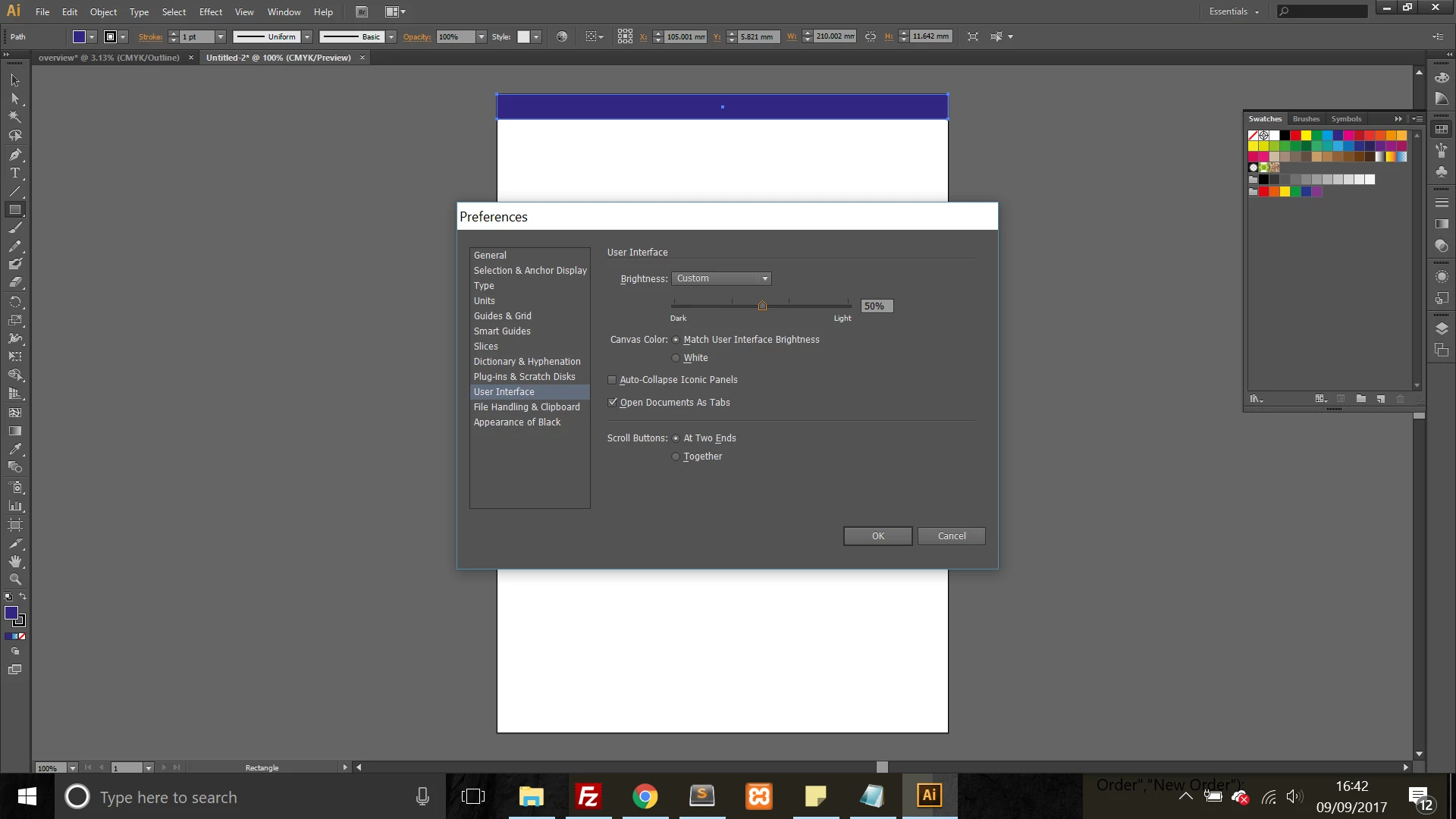
I am very new to all adobe software, and am currently trying to resize the interface of Ai CS6 as it is currently very small (see below image - I have a 13" display).

How can I rescale the user interface, so that the text and icons are a reasonable size? Many thanks.
This topic has been closed for replies.
Correct answer Monika Gause

Scale to Higher Supported Scale Factor is only available on High-PPI displays (my 21 inch iMac with Retina Display does not have it). It most likely is not available on the OP's 13 inch display.

It's a Windows thing. My 12" (?) Surface has it.

2 replies

Srishti Bali
Legend
September 15, 2017

Hi jrc4,

It looks like you are not on the updated version of Illustrator. In addition to Monika's suggestion, please update application and try

user interface options in Illustrator preferences.

If you have any further query please feel free to update the discussion.

Regards

Srishti

Bill Silbert
Community Expert
Community Expert
September 16, 2017

Scale to Higher Supported Scale Factor is only available on High-PPI displays (my 21 inch iMac with Retina Display does not have it). It most likely is not available on the OP's 13 inch display.

Monika Gause
Community Expert
Monika GauseCommunity ExpertCorrect answer
Community Expert
September 16, 2017

Scale to Higher Supported Scale Factor is only available on High-PPI displays (my 21 inch iMac with Retina Display does not have it). It most likely is not available on the OP's 13 inch display.

It's a Windows thing. My 12" (?) Surface has it.

Monika Gause
Community Expert
Community Expert
September 9, 2017