

How to scale selection - from center - based on Selection?
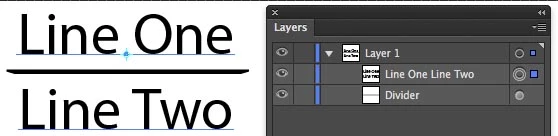
I have a snippet that gets the width of the current selection and scales a named path by percentage or set amount. But I don't know how to make it scale from the CENTER. It only scales from the left. I also tried "resize" but could not get it to work at all. What am I doing wrong?
var aDoc = app.activeDocument
var myItem = aDoc.selection[0];
var dimensions = {"width" : myItem.width, "height" : myItem.height};
aDoc.pathItems.Divider.width = myItem.width+20 //add points
//aDoc.pathItems.Divider.width = myItem.width*1.20 //by percentage
//~ aDoc.pathItems.Divider.resize(
//~ myItem.width*1.1, //x
//~ 100.0, // y
//~ false, // changePositions
//~ false, // changeFillPatterns
//~ false, // changeFillGradients
//~ false, // changeStrokePattern
//~ false , // changeLineWidths
//~ Transformation.CENTER); // scaleAbout
 AdChoices
