
jansen_art_center
Participant
July 14, 2018
Question

I can only select one line of text at a time in Illustrator

  • July 14, 2018
  • 1 reply
  • 4436 views

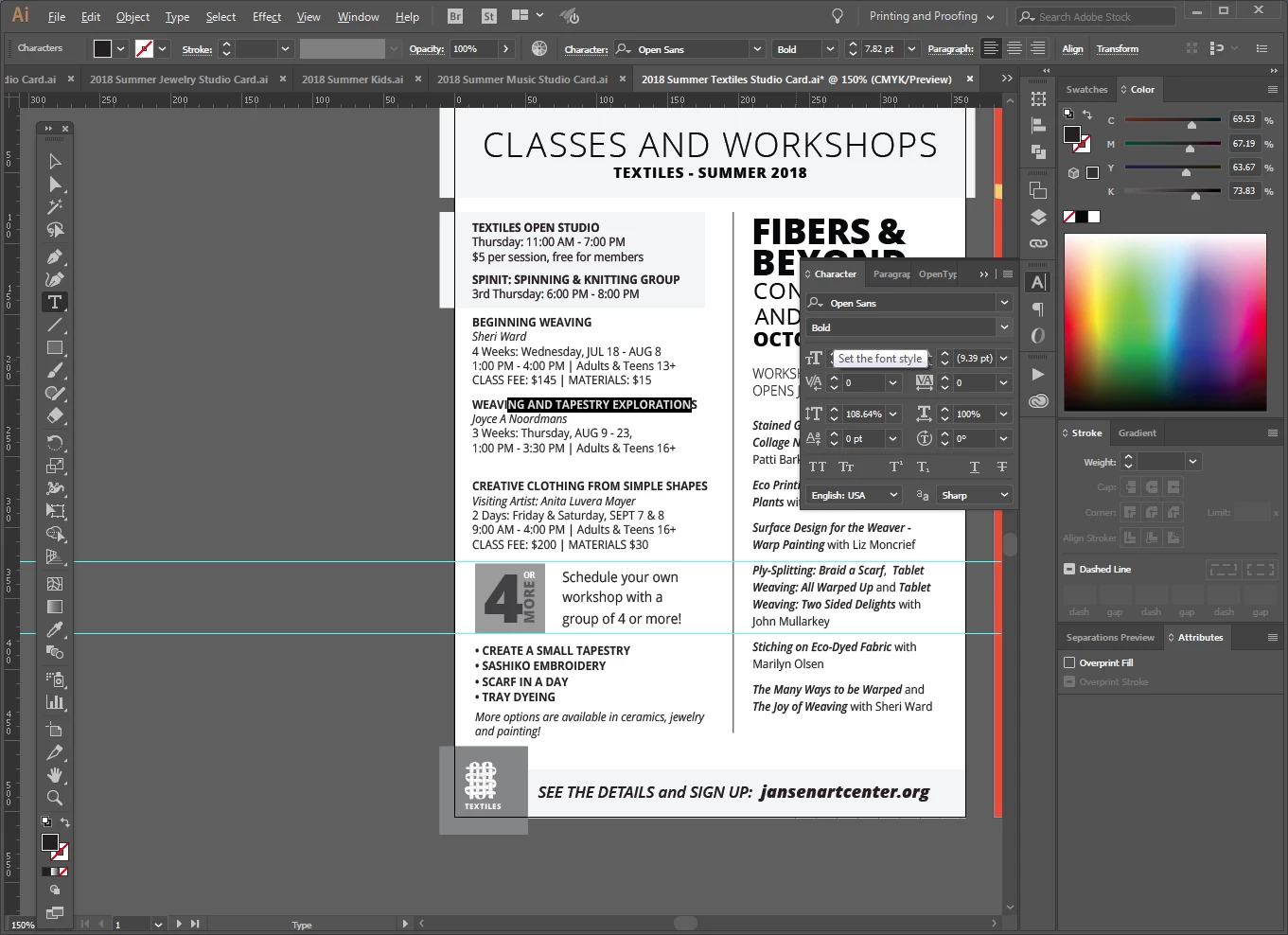
I have 7 files that I update every quarter. Each file is the same, but for different parts of our business. I currently have three of them open, and on only ONE of them, I am unable to select more than one line of text at a time.

It will only let me select the text on one line, no matter where I put the curser in the text block, I can only highlight that one line. But on the other files, I can select as much as I want...which is how these files normally work. I have worked using the same files for the last 9 months, so I'm not sure what's happened.

What I have I done to cause this and how do I fix it?

THIS ONE IS WORKING PROPERLY

THIS ONE ONLY LETS ME SELECT ONE LINE OF TEXT AT A TIME
This topic has been closed for replies.

1 reply

jane-e
Community Expert
Community Expert
July 14, 2018

Please select the text with the Selection tool and show another screen shot.

Also, look at it in Outline View if necessary.

Is it Point text, made by clicking and typing, or Paragraph text, made by dragging with the Type tool and typing?

Are the pieces in one frame or separate frames?

If you click with your Type tool, does Ctrl + A select all?

jansen_art_center
Participant
July 14, 2018

Please select the text with the Selection tool and show another screen shot.

Like this?

Also, look at it in Outline View if necessary.

Is it Point text, made by clicking and typing, or Paragraph text, made by dragging with the Type tool and typing?

It was created as one large text box that continues into the 2nd column.

Are the pieces in one frame or separate frames?

they were set up as one frame, but it seems like they are now in separate frames?

If you click with your Type tool, does Ctrl + A select all?

No, just one line

I don't know how this was changed this way. I think I'll just have to recreate it from another studio card version, all 6 other files work just fine. I just don't know what I might have done to change this one (because I don't want to do that again).

jane-e
Community Expert
Community Expert
July 15, 2018

The things is - these files were all created the same way and have worked in the same way since last November - through three sets of updates. I don't know how this one particular file changed to having each line as a separate text frame.

It is really frustrating. It sounds like the easiest thing will be to delete all the individual text boxes and just create an all new text frame.

Unless I'm missing something.


The only way to get Point text is to either click and type or to convert from Area type by double-clicking the widget (circle) to the right. I agree that it's odd that the one is different.

Point type is not in a frame. You can see this in View > Outline. Point text has a point where you click, and alignment goes around that point. Area type has a frame, which you can also see in Outline View.

You can also use the Select menu to select just Point text or just Area type.

If you have this in Microsoft Word, you might just place it again.

Sympathies offered as you reconstruct!