
stanj35354233
Participant
December 30, 2016
Question

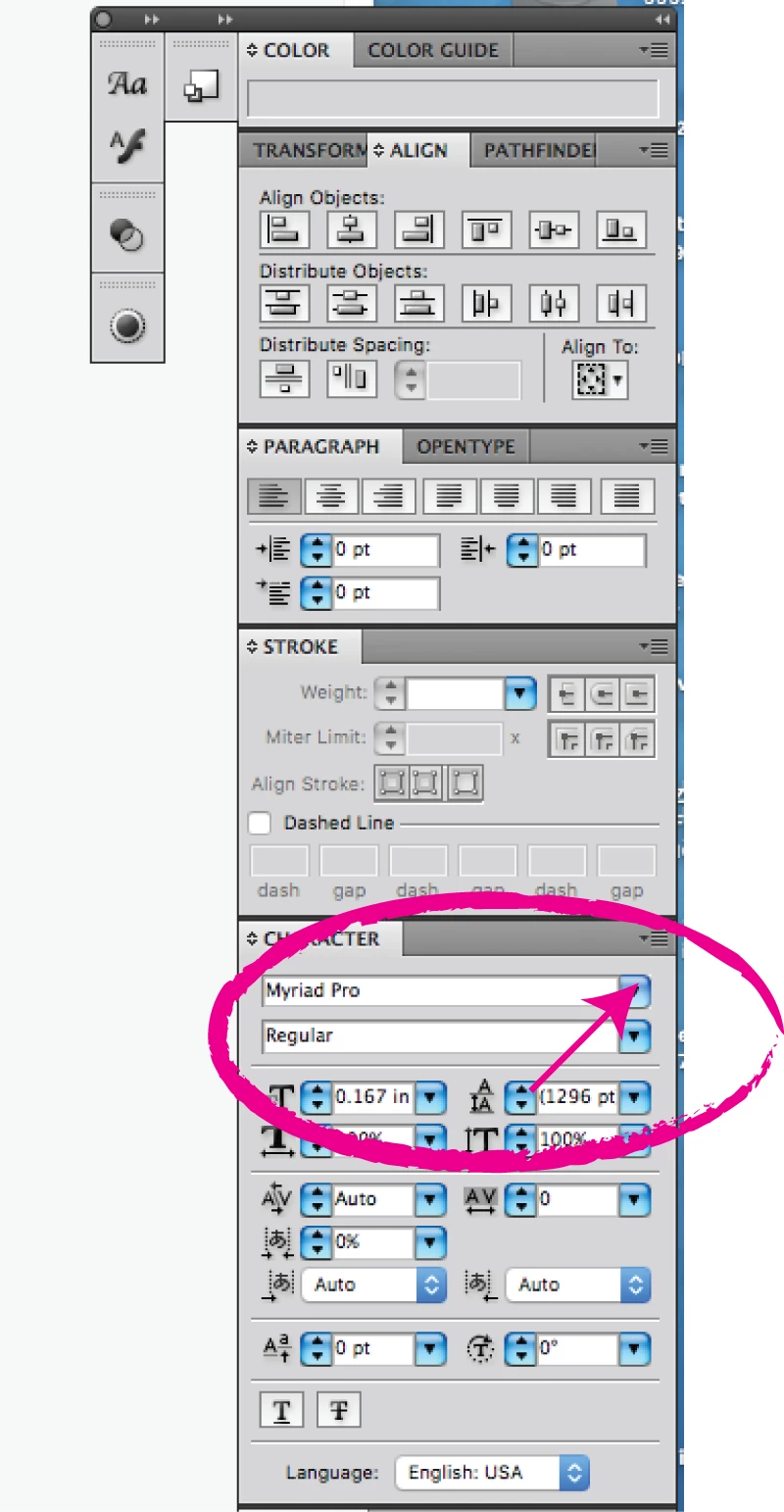
Illustrator crashes when I click the text selection in my Control Panel

  • December 30, 2016
  • 1 reply
  • 1629 views

At first, I would select the text option to see what text i'd like to use from the toolbar at the top of the program, it works fine but it does not give me the example of how the text looks. So from the "character" panel  in the control panel, when i select the drop down box, the program either crashes or it will show me the font list all "whited" out. Can someone help me correct this issue?
    This topic has been closed for replies.

    1 reply

    Monika Gause
    Community Expert
    Community Expert
    December 30, 2016

    So this is CS5?

    Which system?

    Do you use font management? Is it compatible with Illustrator and the system?

    Have you checked your fonts for corruption?

    stanj35354233
    Participant
    December 31, 2016

    It's CS4.

    Mac 10.12.2 Siera

    Mike_Gondek10189183
    Community Expert
    Community Expert
    December 31, 2016

    CS5 came out in 2008 Sierra came out in 2016. Suggest you do not upgrade your OS until you update an older software you need to still function.

    The  previewing of your font is likely what is crashing your system.

    Quickest solution is  remove  fonts you do not use. Most suspect are:

    • Old type 1 technology fonts (shown by "a" in find font
    • Free fonts

    Use Font Book to validate fonts, or a commercial tool such as font doctor.

    You can flash your font cache a number of ways. Footnote is free and one of the most thorough.

    https://www.jamapi.com/products/fontnuke/

    Please reply to let us know your findings and the name/source of the font, so others will know what  to avoid.