
margaretc50243365
Participating Frequently
December 20, 2016
Question

Illustrator PNG Option Missing
  • December 20, 2016
  • 1 reply
  • 1247 views

Illustrator version CS6

Please bear with me as I'm not particularly tech savvy and I don't really like going on forums but here goes ...

I am trying to save a document as 'PNG' but the option is not coming up, just BMP. I have tried 'export for screens' and 'save for web' but it doesn't do anything.

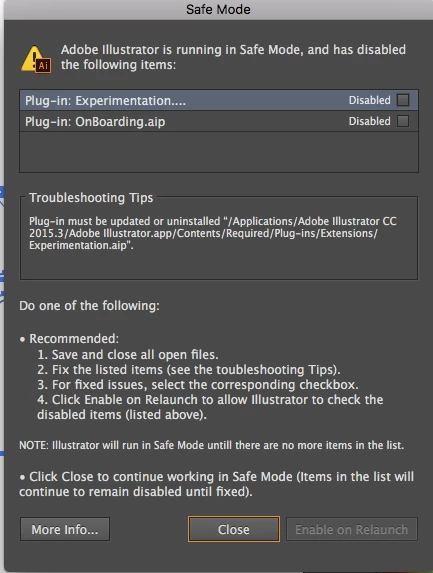
It is currently running in 'safe mode' and I don't know if that as something to do with the issue. I have a screen grab of the message it shows on start up re some missing plug ins but I don't know how to attach it to this message. I am reluctant to start trying to correct the problem with the missing plug ins in case I make a mistake.

Thank you in advance for any assistance.

    This topic has been closed for replies.

    1 reply

    Monika Gause
    Community Expert
    Community Expert
    December 20, 2016

    Which system?

    You can try restarting the system

    Also try and reset the preferences

    How to set preferences in Illustrator

    If nothing helps. you might need to uninstall, run the Adobe Cleaner tool and reinstall.

    Use the Creative Cloud Cleaner Tool to solve installation problems

    margaretc50243365
    Participating Frequently
    December 20, 2016

    Thank you very much for your reply. I have resolved the issue, just now, by uninstalling Illustrator and installing the latest version, 2017.

    Many thanks.