
Participating Frequently
August 28, 2020
Answered

Illustrator reinterprets lines and breaks them into small pieces

  • August 28, 2020
  • 1 reply
  • 1223 views

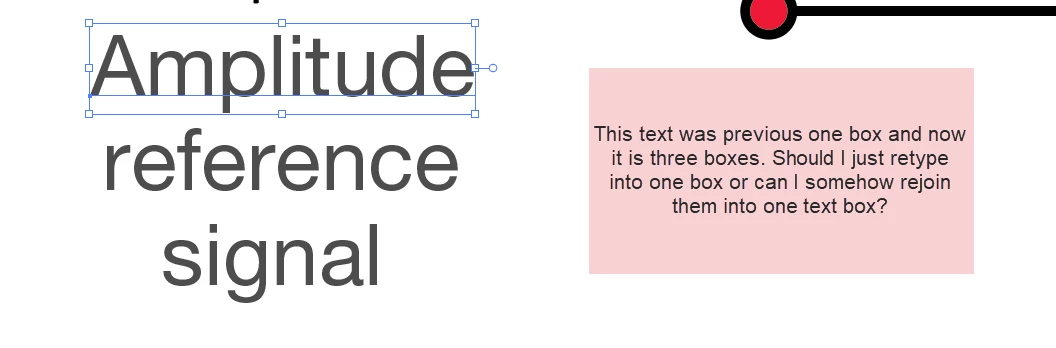
I have line art that may have been created in an older version of Illustrator or perhaps in PPT. When I open it in the latest version of Illustrator, the lines are broken into numerous small sections. Curves that were made with three anchors now have 30. Text that was in a singular text box is now broken into several text boxes with some breaks coming in the middle of words. How can I stop this from happening? Or what is the easiest way to fix it? Thank you!
This topic has been closed for replies.
Correct answer barbara_a7746676

Hi Barbara:


It sounds like the solution is to stop it from breaking in the first place using .EMF. And if it does break, then just redraw.  Thank you.


I have one last question. The text boxes break also. Should I retype the content or is there an easy way to rejoin broken text boxes?


Thank you again.


This will put all of the text together as one piece --

Select all of the text with the black Selection tool.

Edit > Copy. (Copy so that you still have the original text for proofreading later.)

With the Type tool, drag on the artboard. You will see a rectangle.

Then Edit > Paste.

Once you do that, you'll need to proofread the text because it often gets scrampled in the process.

1 reply

barbara_a7746676
Community Expert
Community Expert
August 28, 2020

If the art was created in PowerPoint, first open it in PowerPoint and save it as .EMF (enhanced metafile). Then open the EMF in Illustrator. 

Participating Frequently
September 7, 2020

Thank you Barbara! I am excited to try this.


What if I no longer have the PPT and the elements are already in Illustrator and are broken? I'm not sure if they were segmented from the move from old Illustrator to new illustrator or from the move from PPT to AI 2020.


Thank you so much for your response. I really appreciate it.

Neila

barbara_a7746676
Community Expert
Community Expert
September 7, 2020

The best thing to do is to re-create the artwork in Illustrator.

If I knew what your illustration looks like I might have another suggestion.