
Participant
June 8, 2021
Respondido

IllustratorGc.jsx script error while launching Illustrator 25.3

  • June 8, 2021
  • 53 respostas
  • 118237 Visualizações

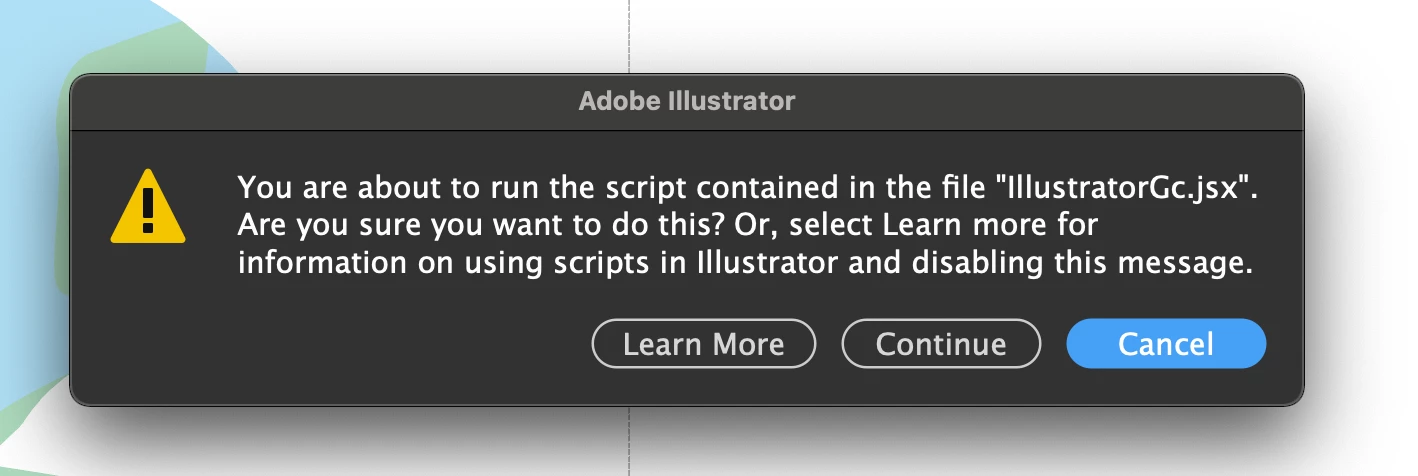
Updated this morning to Illustrator 25.3 - as soon as the update was done this scripting error began appearing (every 30 seconds). .. Personally went back to 25.2.3 which has solved this issue. 


{Renamed by MOD}

Melhor resposta por Srishti Bali

Hi all,


We hope the issue is resolved by now. If not, please update the logitech driver to latest version (9.40.75) and share your observations with us.


Regards,

Srishti

53 Respostas

Ashutosh_Mishra
Inspiring
June 10, 2021

Hi there,


Sorry to hear about your experience. Please check if you have an app installed called "Logi Options" or you have Logitech webcam. If you do, please update it to the latest version & let us know if it helps.


Regards,

Ashutosh

hackettlai
Participating Frequently
June 18, 2021

Already updated the Logi Options to the latest version and it helps nothing to it. Very frustrating.


roll back to 25.2.3 is the only option for me. please fix this bug

Participant
June 10, 2021

Just getting this weird message after updating to the latest version of AI.

"You are about to run the script contained in the file "illustratorGc.jsx". Are you sure you want to do this? or, select Learn more for information on using scripts in Illustrator and disabling this message. "

I keep canceling it and it keeps popping up.  I have no third party plugg-ins or scripts running in illustrator

Participant
June 10, 2021

i belive it was logitech options...uninstalled it but latest version of illustrator is unresponsive to the point of being unusable. 

Ashutosh_Mishra
Inspiring
June 10, 2021

Hi there,


Sorry to hear about your experience. You may try using Creative Cloud Cleaner Tool to remove the existing installation & reinstall once done.

For the script error, please install the latest version of Logitech Options. Let us know how it goes.


Regards,

Ashutosh

Participating Frequently
June 9, 2021

Hi Community -

Since updating Illustrator this Morning to version 25.3, I get a permanent "script alert".

The alert pops up every few seconds and majorly disrupts my workflow.

I have neither installed a script or changed any settings from an earliuer version of Illustrator.

Any solutions or thoughts out there?


Thanks,


Uli

Ashutosh_Mishra
Inspiring
June 10, 2021

Hi Uli,


Sorry to hear about your experience. Please check if you have an app installed called "Logi Options". If you do, please update it to the latest version & let us know if it helps.


Regards,

Ashutosh

Participating Frequently
June 10, 2021

Hi Ashutosh,


thank you for pointing this out. Indeed, I have the app installed as I use Logitech Mouse and Keys. I updated from version 8.50xxx to 8.54xxx and the error went away after a restart of the computer. However, after launching Photoshop a service message appeared saying that the certificate for the Logitech extension was not properly signed. I will monitor this and see if other issues persist. Will be sure to update the Logi app regularly.


Thanks for your  quick feedback.


Uli